21
COURSE DEVIATION INDICATOR
(CDI)
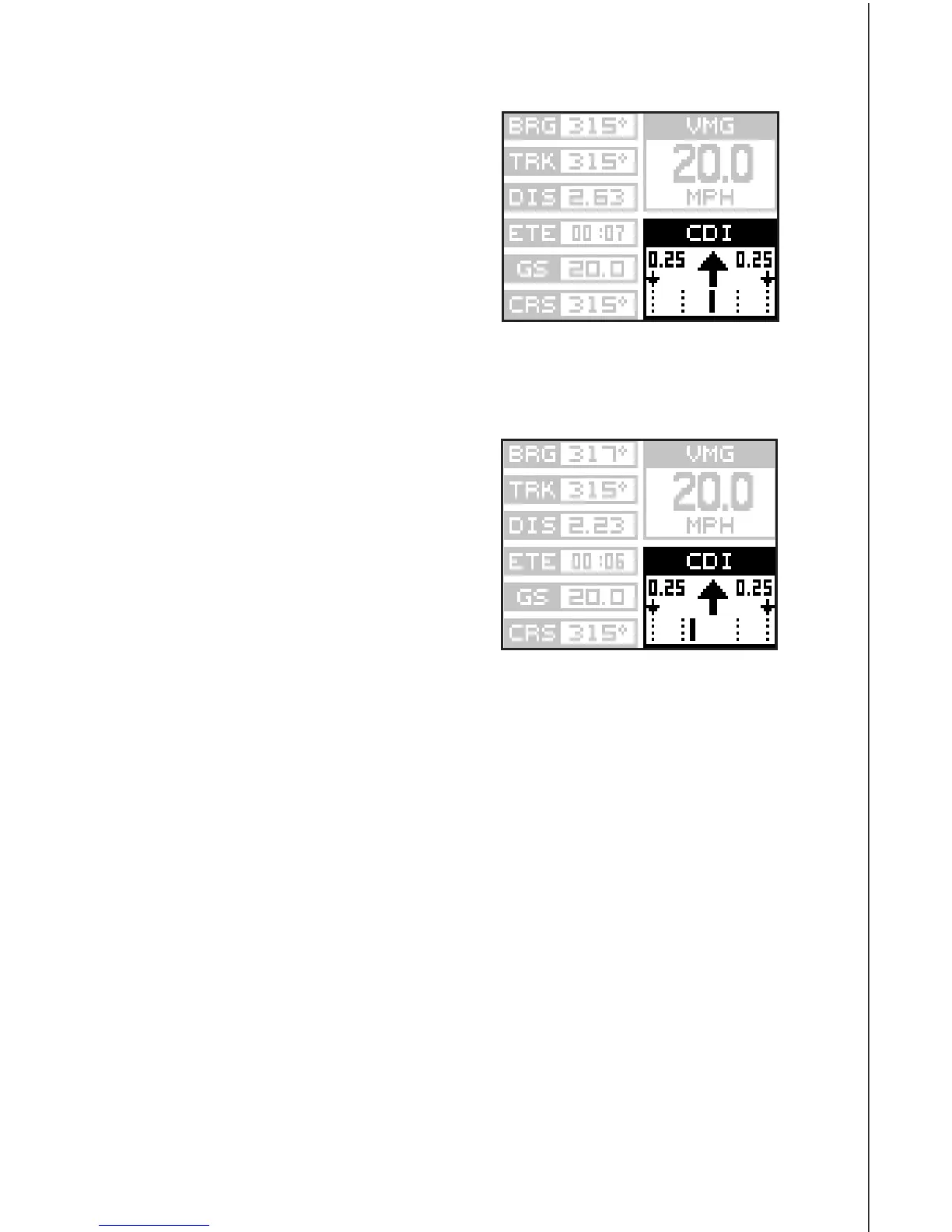
The CDI shows your distance to the left
or right of the desired course. You must
recall a waypoint or run a route to use
the CDI. The arrow in the center of the
box shows the direction to the destina-
tion. For example, if you’re travelling
straight towards the destination, the ar-
row points straight up. If you turn to the
right, the arrow points to the left, show-
ing that the destination is to your left.The smaller arrows pointing down
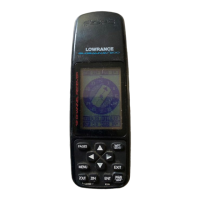
on each side show the CDI’s range. The default is 0.25 mile. The small
vertical bar beneath the arrow shows the
distance off course and represents the
course line. If the bar moves to the left,
then you are too far to the
right
of the
desired course line, and vice-versa. On
the indicator shown at right, we are about
0.1 mile to the right of the desired course.
(Each dotted vertical line represents
0.175 mile.) You can adjust the CDI’s
range through the “ALARMS/CDI” menu.
Using the CDI with a map helps you vi-
sualize your position in relation to the course. The CDI is on several of the
310’s windows and can be programmed to show on any window group.









 To Next Page