6
7
Basic Operation | Elite series
Basic Operation | Elite series
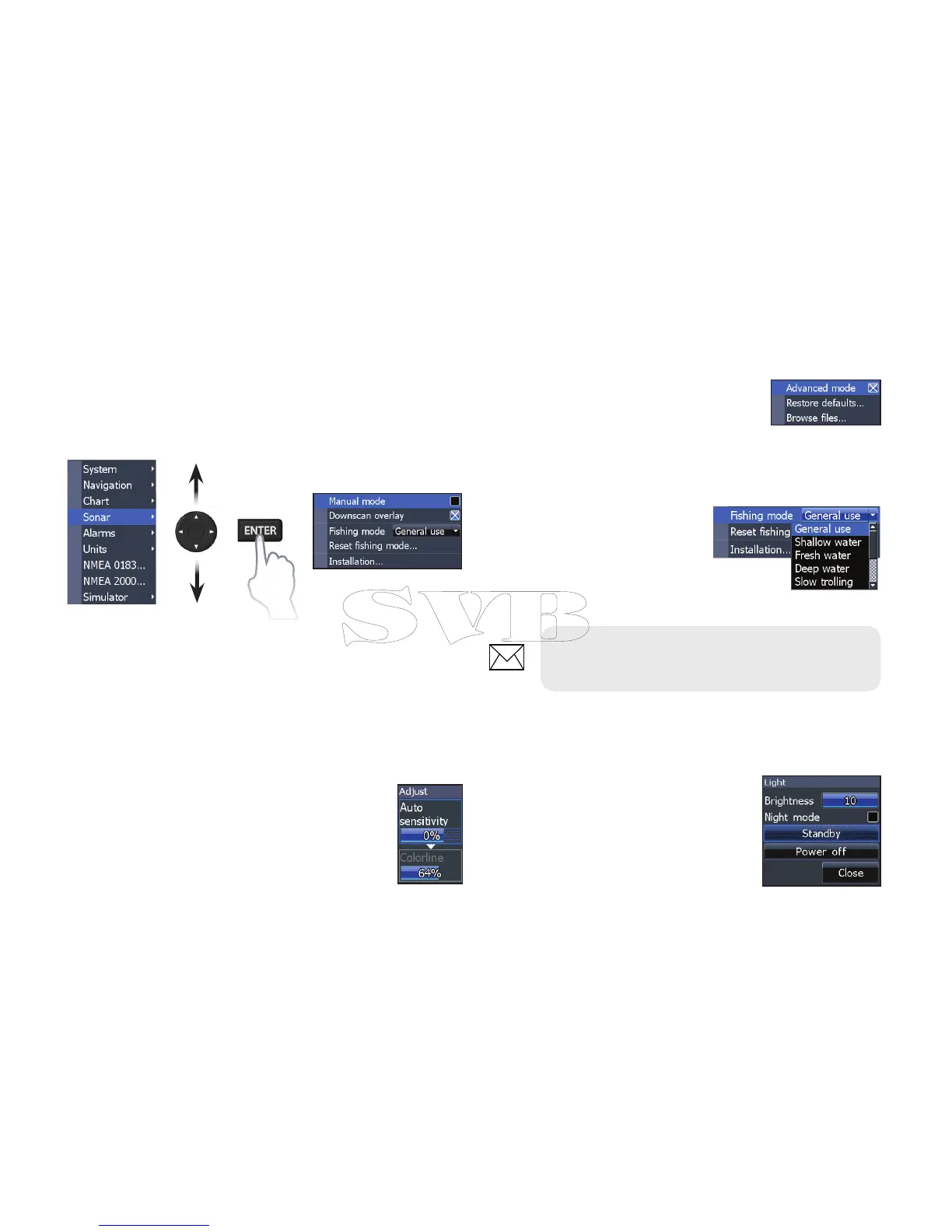
On/Off features
Select an on/o menu item and
press ENTER to turn it on/o.
Dropdown menus
Access the dropdown
menu and press the
keypad up/down to select
the desired item and press
ENTER.
Dialogs
Dialogs are used for user input or
for presenting information to the
user. Depending on the type of
entry, dierent methods are used
to conrm, cancel or close the
dialog.
Accessing menu items
The keypad and ENTER key are used to select
menu items and open submenus. Use the keypad
to highlight the desired item and press ENTER.
Working with menus
There are several menu types used to make
adjustments to options and settings, including
scrollbars, on/o features and dropdown menus.
Scrollbars
Select the scrollbar and press the keypad
left (decrease) or right (increase).
NOTE: Press the MENU key to Exit
menus.



 To Next Page