12
13
Pages | Elite series
Pages | Elite series
Downscan page
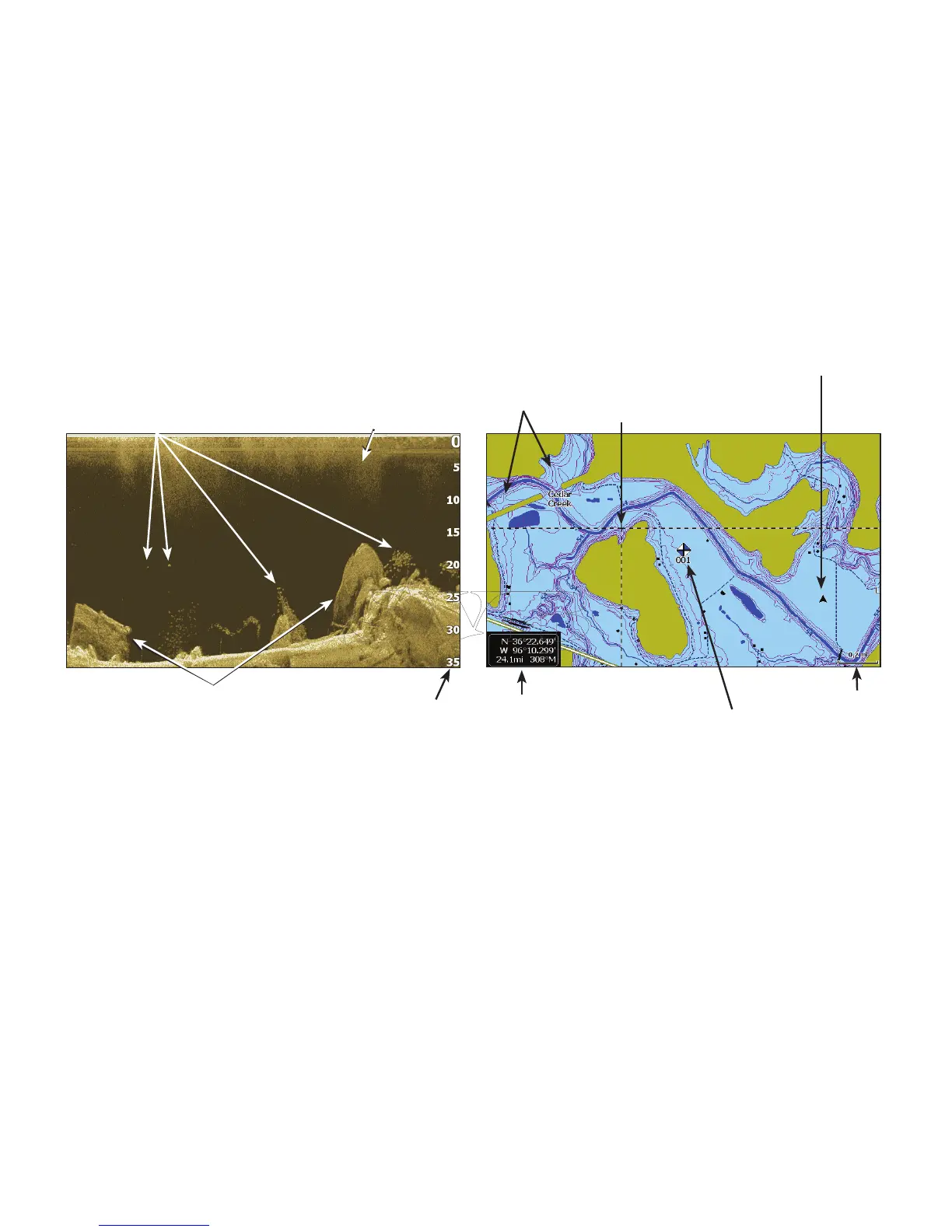
The Downscan page shows the water column
moving from right to left. You can overlay
downscan sonar on the conventional sonar page
by selecting Downscan Overlay on the Sonar
settings menu.
Chart Page
Consists of map that moves in real-time as you
move. By default, the map is shown from a birds-
eye view with North at the top of the screen.
Current location
Waypoint
Current cursor location;
distance to cursor
Depth
contours
Zoom
Range
Structure
Fish
Surface clutter
Range scale
Cursor


 To Next Page