14
15
Pages | Elite series
Pages | Elite series
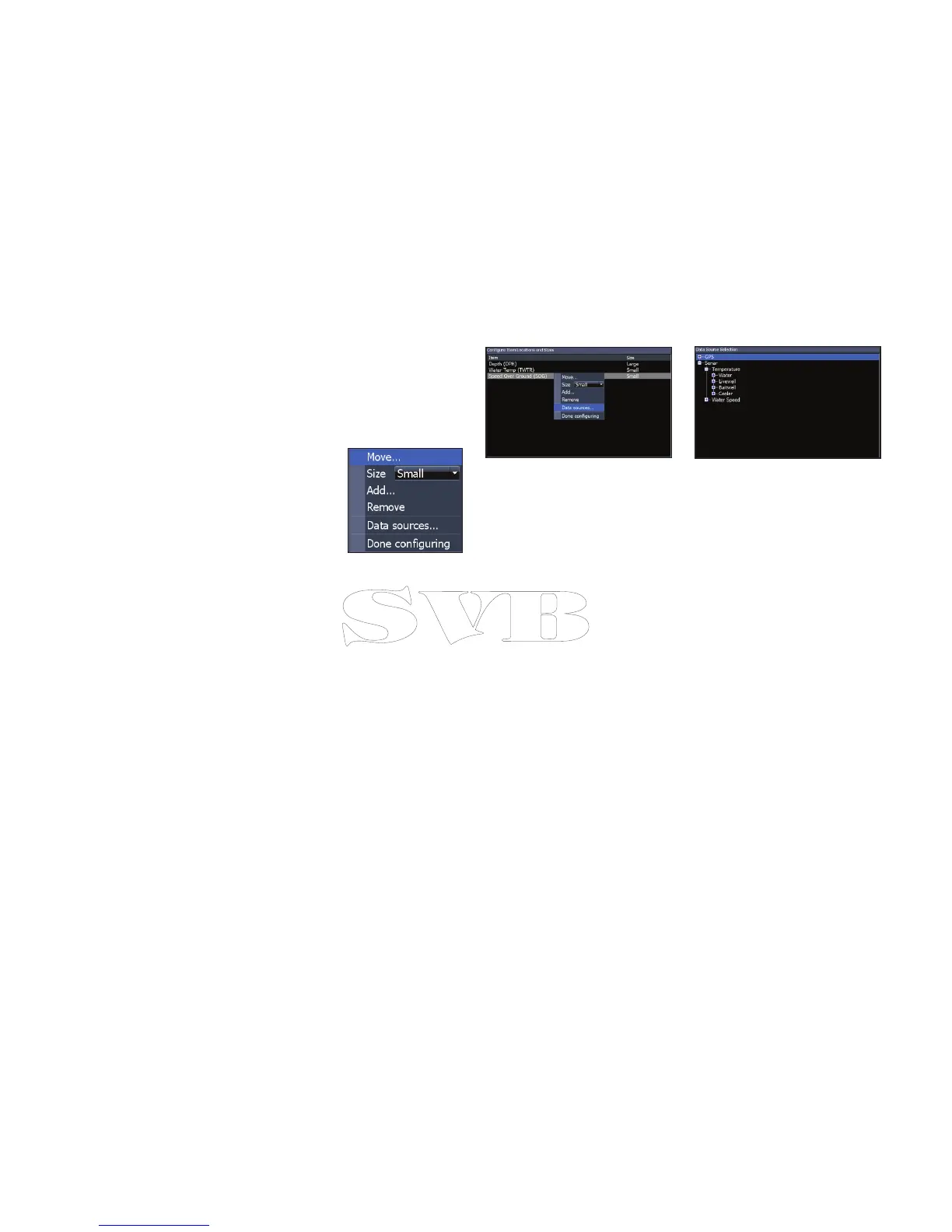
Customizing Overlay Data
You can select a data source, add/remove data and
adjust the size and position of overlay data on the
screen.
Select the desired overlay
data from the Congure Item
Locations and Sizes dialog and
press MENU. The conguration
menu will appear.
Data sources
Used to select the network device that will supply
source data for a selected data type.
To select a data source:
1. Select Data sources and press ENTER.
2. Select the data type and press the right
arrow on the keypad.
3. Highlight the desired data source and
press ENTER.


 To Next Page