32
OPERATION
At the Normal Time Mode:
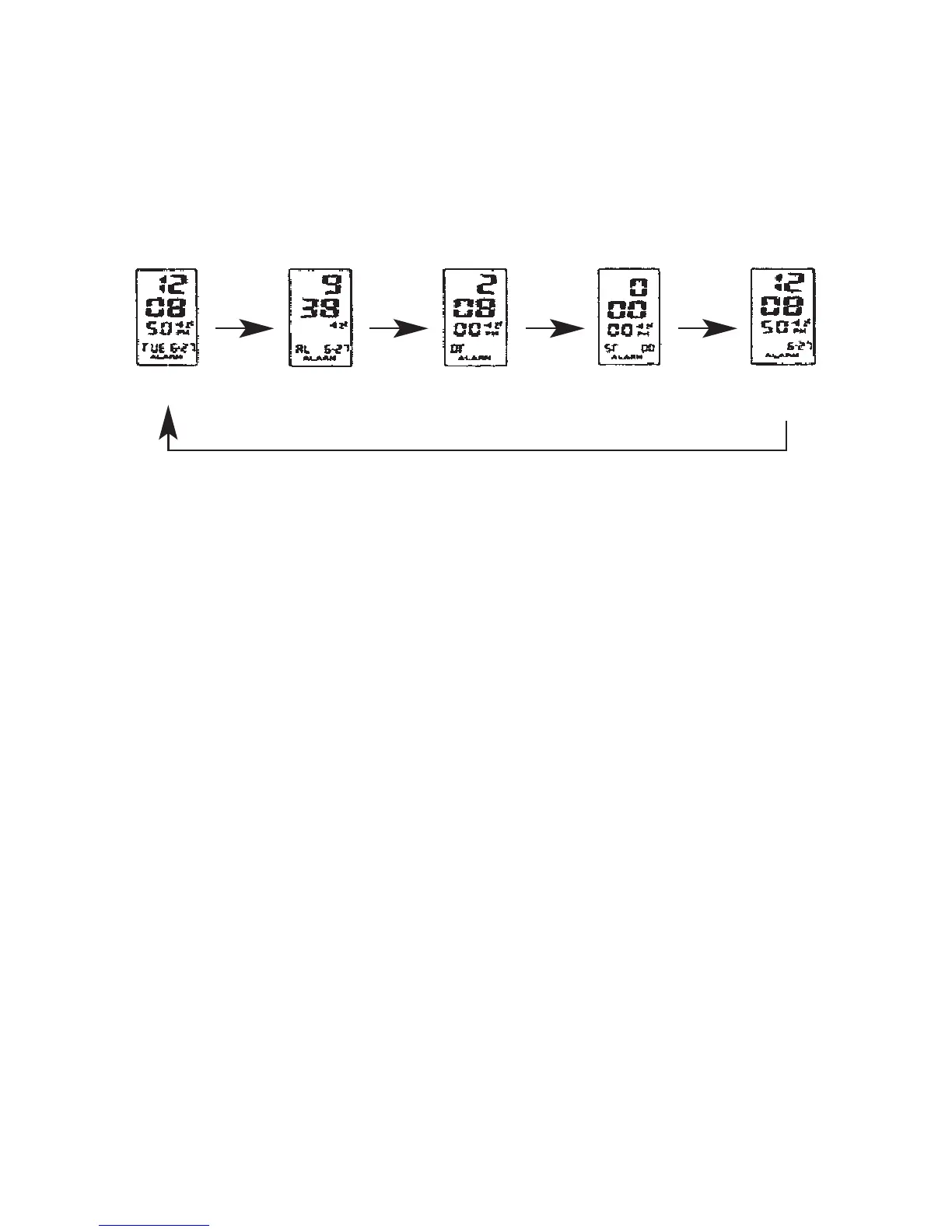
Press B key to display the mode as below:
Daily Alarm Setting Mode:
At Normal Time, press B key enter to Alarm mode.
Press and hold D key 2 seconds, the Hour digits will flash, Press C key to adjust the Hour
Press D key to switch the Minute digits to flash, press C key to adjust the Minute
Press D key to switch the Alarm, month and Date digits to flash, press C key to adjust to your
desired month and date, if you do not set this digit, the Alarm will follow the daily setting time
to alert
Press B key to confirm setting and return to Normal time
Schedule Alarm can be adjusted to alert at the desired Month and Day as following options:
a. Daily: Both Month and Day set _ _
b. Month at specific Day: Month set to _ _ with Day set to desired day.
c. Daily at specific Month set to desired, Month with day set to _ _
d. Specific Day: Both Month and Day set to desired Date.
Turn On/Off the Alarm, Chime and Snooze:
At Alarm mode, press C key to set On/Off the Alarm, Chime and Snooze.
The indicator Ref 1 is shown means the Alarm is on. The indicator “ALARM” is shown means
Chime ON. When the indicator “Z
z
” is shown, the Snooze is ON.
NORMAL TIME ALM 1/CHIME T2
(DUAL TIME SETTING)
STOPWATCH NORMAL
TIME SETTING
B Key B Key B Key B Key



 To Next Page