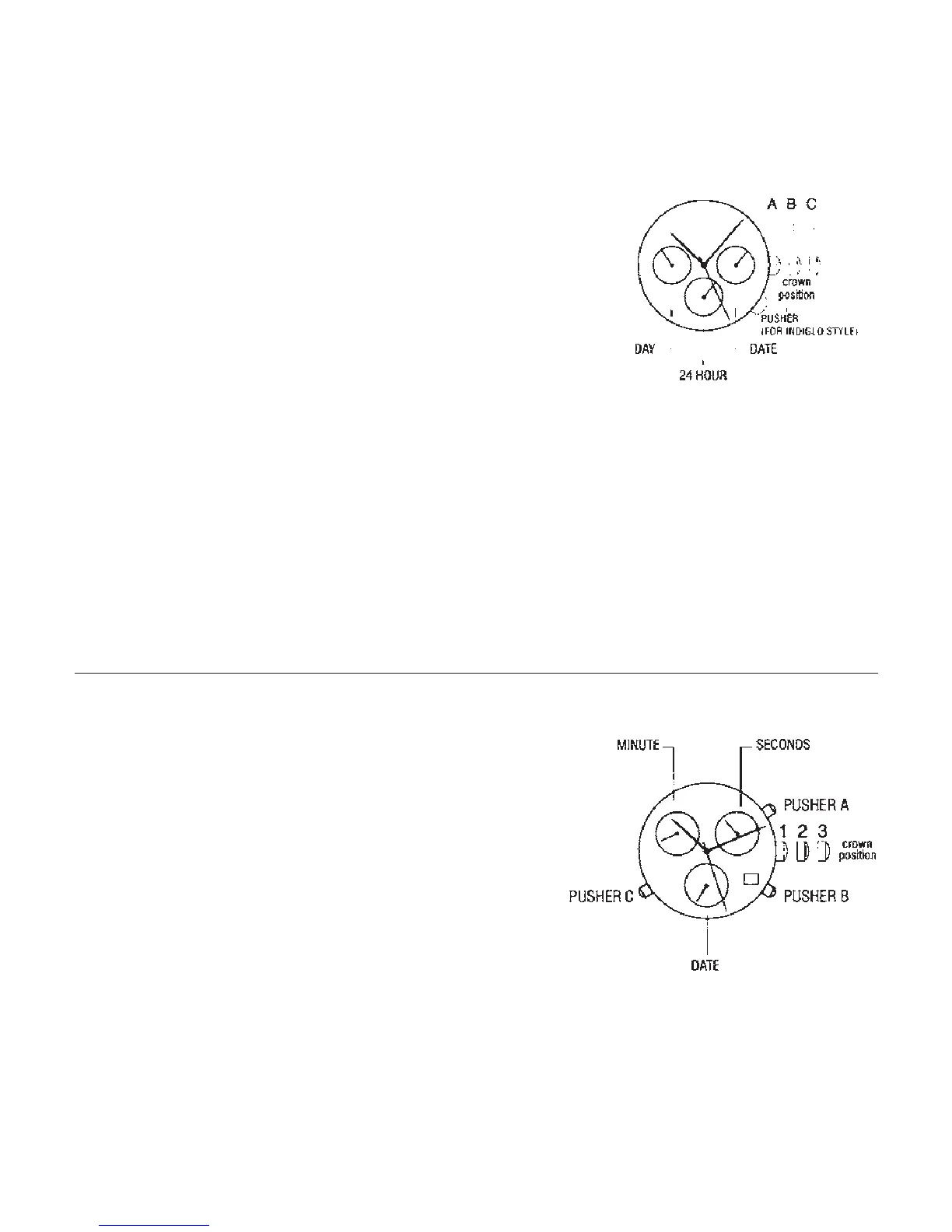
DAY /DATE/ 24 HOUR
To set the time:
1. PULL crown to C position.
2. TURN crown either way to correct time.
3. PUSH crown in to A position.
To set the date:
NOTE: The date changes automatically every 24 hours.
1. PULL out crown to B position.
2. TURN crown anti clockwise to correct date.
3. PUSH in crown to A position.
NOTE: The day and 24 hour indicator can change only when setting the time.
To set the day:
1. PULL out crown to C position
2. Advance time 24 hours to change the day.
THREE-EYE CHRONOGRAPH WITH ALARM 2, 6, 10
Crown position – 1, 2 and 3
This is a screw crown, which needs to unscrew
downward to release the crown, unscrew upward
after the crown set back to position 1.
Pushers – A (top right) B (bottom right)
C (bottom left)
Left eye – minute
Right eye – second
Centre eye – day indicator
18



 To Next Page