79
CHAPTER 6 - PARAMETER DESCRIPTION
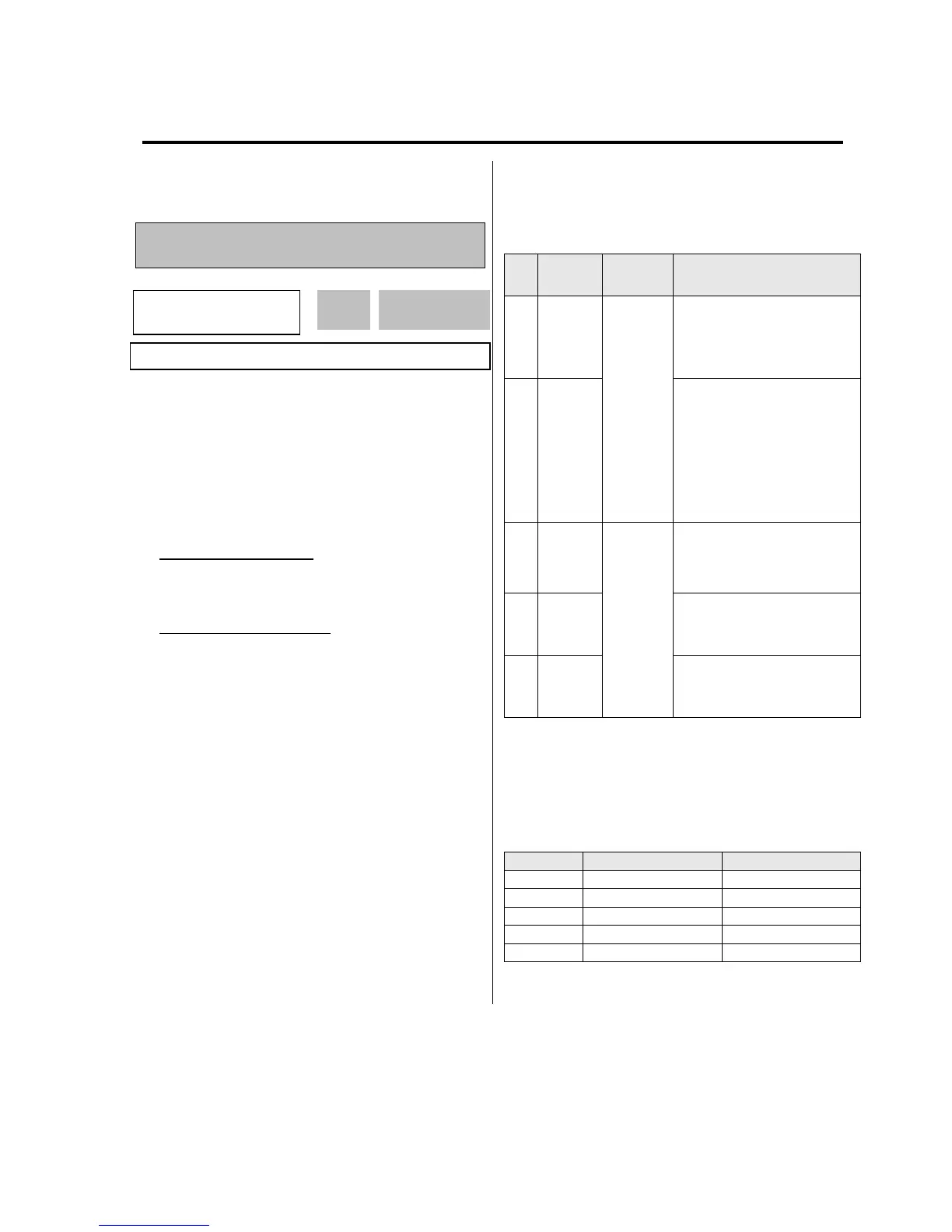
6.1 Drive group [DRV]
DRV-00: Command Frequency or Command
Torque/ Output Current (LCD)
* In Torque mode: LCD display - Cmd. Trq
7 Segment - r (Rpm)
l In FU2-39 [Control Mode Selection], 4
(Sensorless_T) 6 (Vector_TRQ) is torque mode.
l DRV-00 [Command Frequency or Command
Torque] has two functions.
1) Digital frequency setting
- When DRV-04 [Frequency or Torque Mode] is set to 0
(KeyPad-1) or 1 (KeyPad-2), command freq is not
settable above FU1-20 [Maximum Frequency].
2) Monitoring function setting
- Command frequency displayed during stop
- Output current/frequency displayed during run.
Analog/digital frequency command setting in DRV-04
[Frequency or Torque Mode]:
l DRV-04 [Frequency or Torque Mode] is set to 2
(V1),3 (I) or 4 (V1+I), frequency command is set via
I/O-01~10 [Analog Frequency command/Torque].
Refer to I/O-01~10 for detail description.
l DRV-16 [Speed Unit Selection] is set to 1 (Rpm),
speed is displayed in Rpm.
l If FU2-39 is set to 4 (Sensorless_T) or 6
(Vector_TRQ), speed is displayed as the percent
[%] to the rated torque. Torque command is
settable in DRV-04 [Frequency or Torque Mode].
* Factory default setting = 100[%] (Up to 150[%] settable)
l Setting the DRV-04 [Frequency or Torque Mode]
☞ Note: In torque mode, speed unit is automatically
displayed in [%].
Setti
ng
1. In DRV-00, press the [PROG]
key. 2. Press the [ñ(Up)] or
[ò(Down)] key to set the desired
freq., while the inverter keeps
running. 3. Press the [ENT] key
to write the new value into
memory.
2 V1
Control terminal “V1” Voltage
analog input (0 to 10V)
See the description of I/O-01~05.
l Command Freq/Torque setting via “V1” input
terminal when set DRV-04 [Frequency/Torque
mode] to 2 (V1) or 4 (V1+I)
Code Default setting Setting range
I/O-01 10 [msec] 0 ~ 10000 [msec]
I/O-02 0 [V] 0 ~ 10 [V]
I/O-03 0 [Hz] 0 ~ Max. freq
I/O-04 10 [V] 0 ~ 10 [V]
I/O-05 60 [Hz] 0 ~ Max freq
DRV
►
Cmd. Freq*
00 0.00 Hz
0.00



 To Next Page
 Loading...