Digital Video Recorder User Manual
11
2.2 Front Panel Instructions
Notice: The pictures are only for reference; please make the object as the standard.
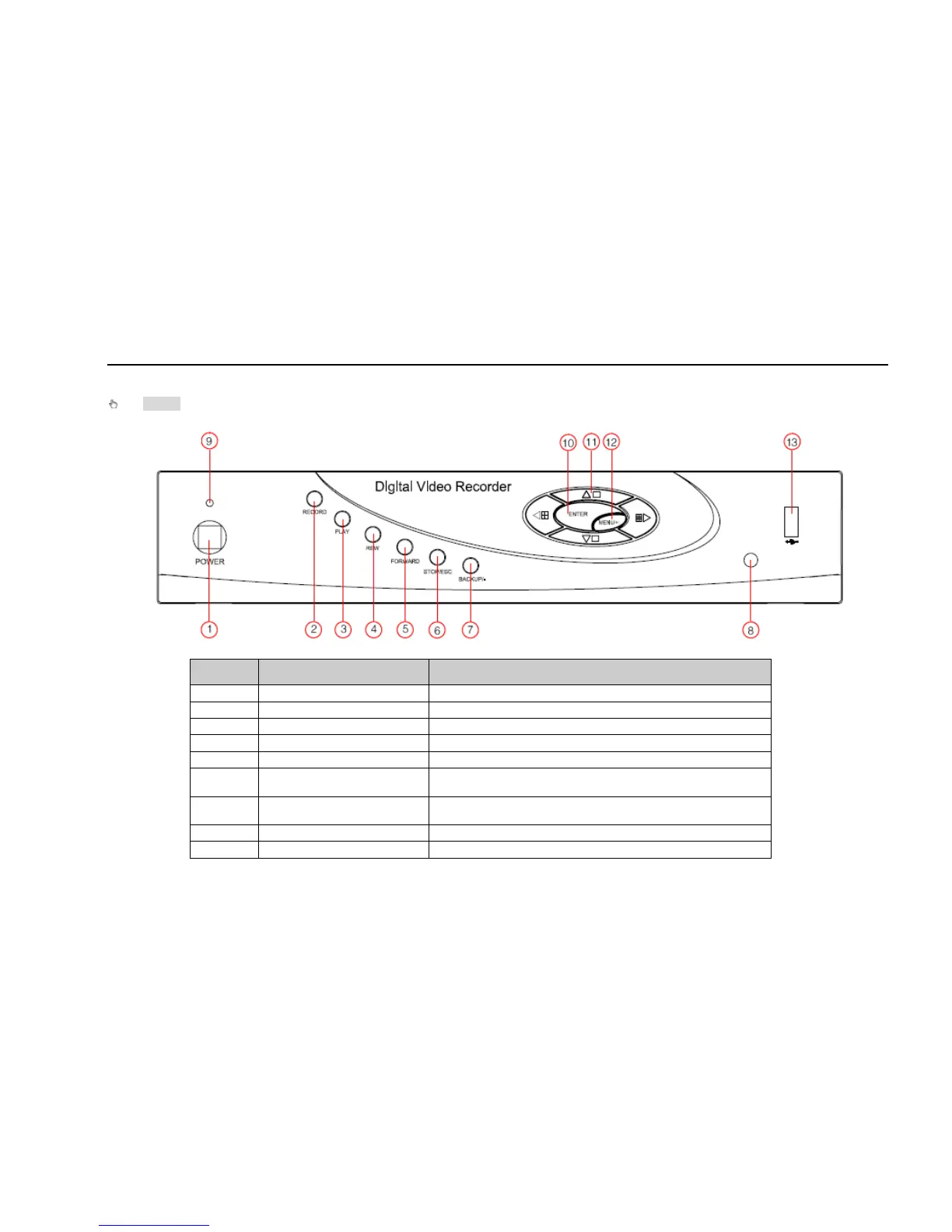
The Front Panel interface for is shown as Fig 2.3:
Fig 2.3 Front Panel
Item Name Function
1 POWER Shot switch off
2 RECORD Record manually
3 PLAY Enter play interface
4 REW Rewind key
5 FORWARD Fast forward
6 STOP/ESC
1. Quit play mode
2. Exit the current interface or status
7 -/Backup
1. Decrease the value in setup
2. Enter backup mode in live
8 IR RECEIVER For remote controller
9 Indicators Working indicator



 To Next Page