Digital Video Recorder User Manual
37
Expire time: the hold time of saved records. If the set date is overdue, the record files will be deleted automatically.
Step2: user can setup all channels with same parameters, tick off “all”, then to do relevant setup.
Step3: click “default” button to resort default setting; click “apply” button to save the setting; click “exit” button to exit current interface.
4.3.4 Recycle record
Step1: enter into system configurationÆrecord configurationÆrecycle record;
Step2: tick off recycle record, the recycle record function will enable, it will cover the earlier recorded files and keep recoding when HDD is full; if
disenable this function, it will stop recording when HDD is full.
Step3: click “default” button to resort default setting; click “apply” button to save the setting; click “exit” button to exit current interface.
4.3.5 Stamp
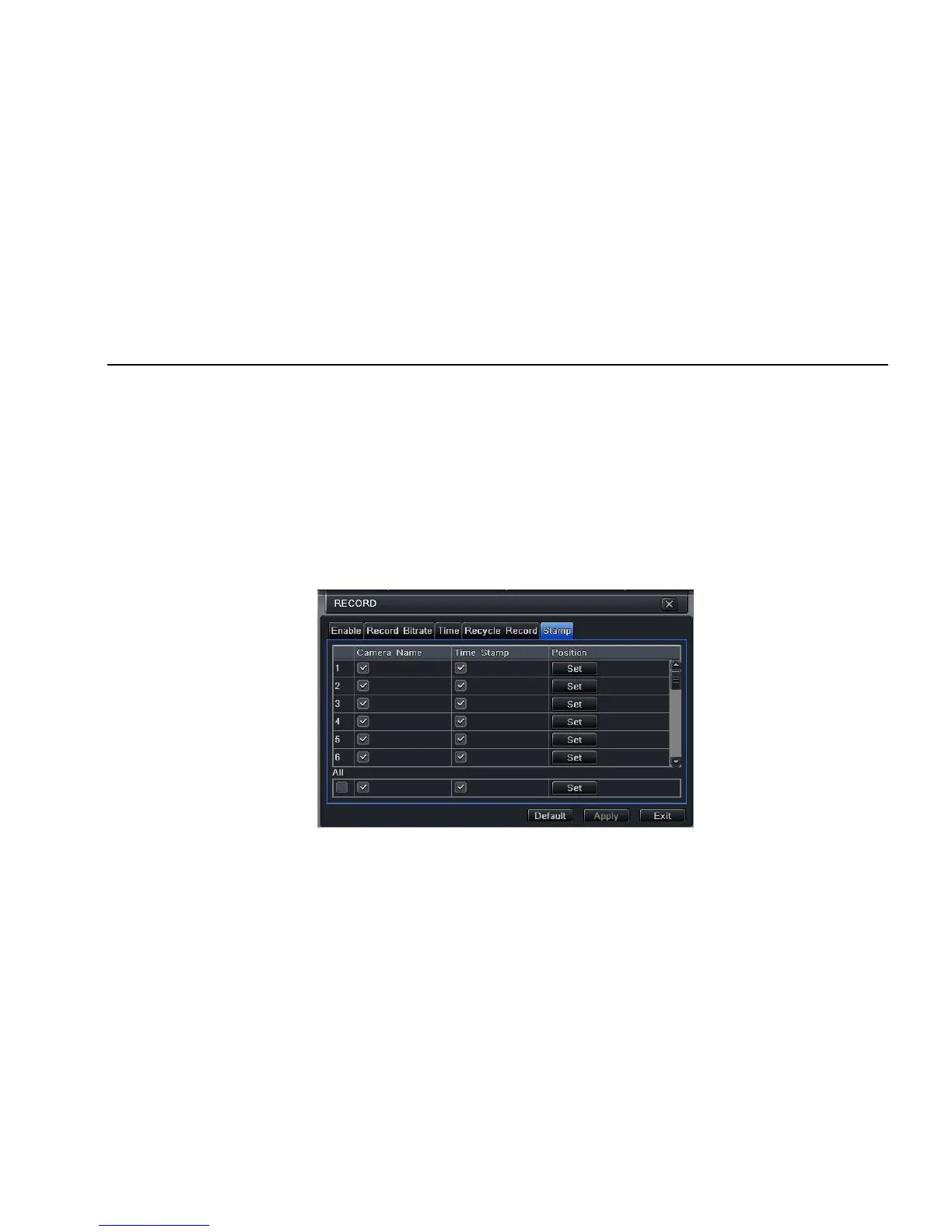
Stamp:User can overlap the channel name and time stamp on video.
Step1: enter into system configurationÆ record configurationÆ stamp; refer to Fig 4-14:
Fig 4-14 record configuration-stamp



 To Next Page