Digital Video Recorder User Manual
27
Note: When switch between VGA and CVBS will change the menu output mode, please connect to relevant monitor.
Language: setup the menu language.
Note: after changed the language and video output, the device needs to login again.
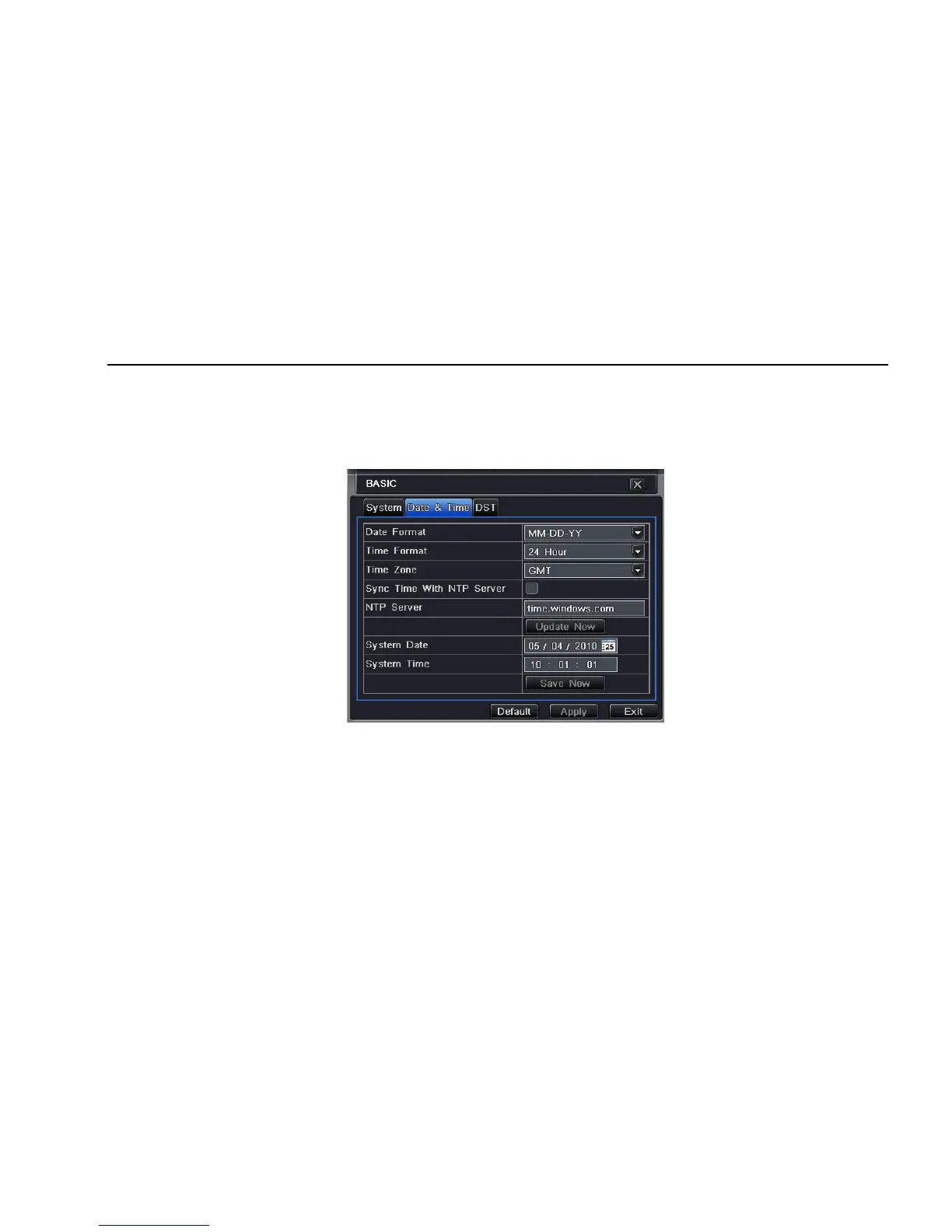
4.1.2 Time & date
Step1: enter into system configurationÆbasic configurationÆtime & date; refer to Fig 4-4:
Fig 4-4 basic configuration-time & date
Step2: set the date format, time format, time zone in this interface; tick off “sync time with NTP server” to refresh NTP server date; user also can
adjust system date manually
Step3: click “default” button to resort default setting; click “apply” button to save the setting; click “exit” button to exit current interface.
4.1.3 DST
Step1: enter into system configurationÆbasic configurationÆDST; refer to Fig 4-5:



 To Next Page