Digital Video Recorder User Manual
24
4 Main menu setup guide
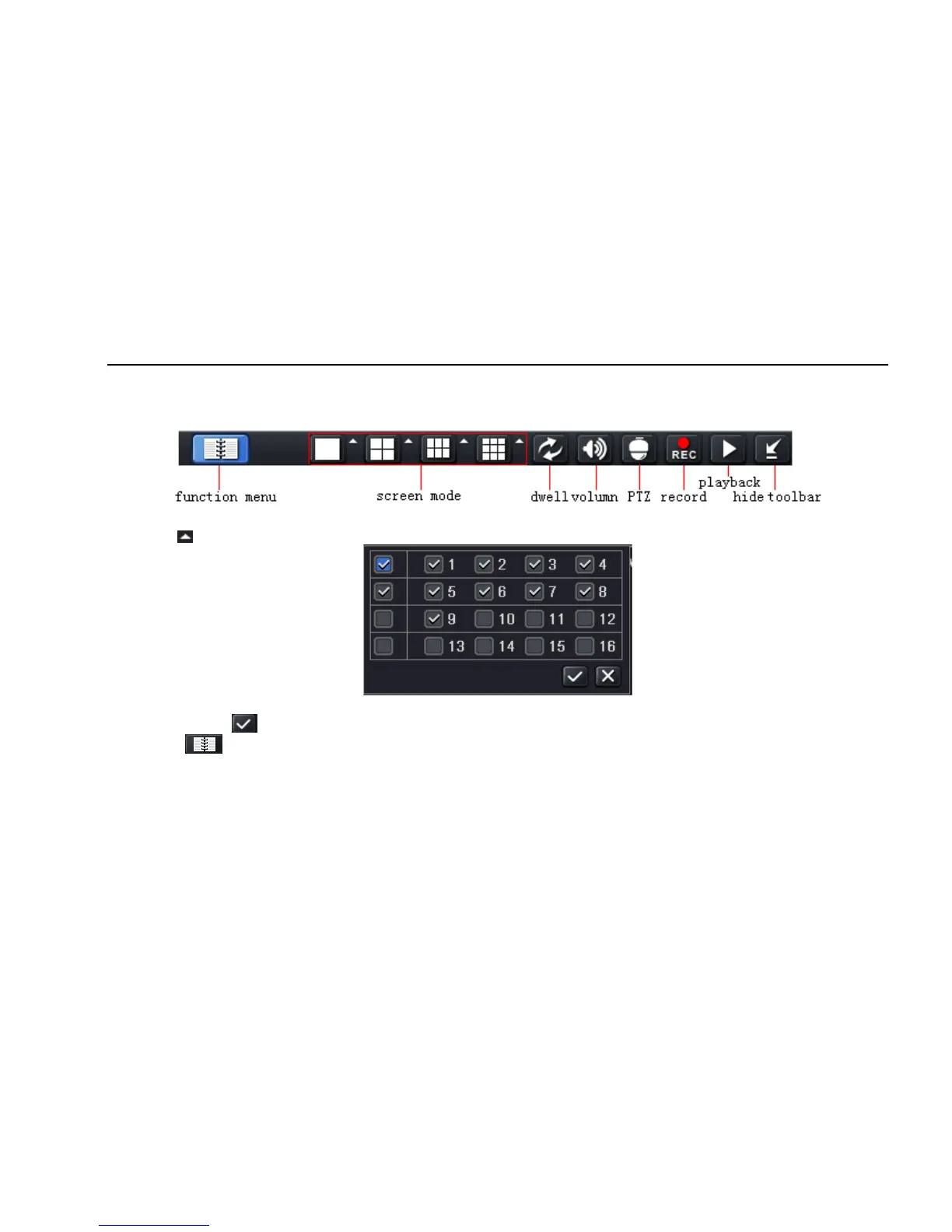
Click right mouse or press ESC button on the front panel, the control bar will display on the bottom of the screen, refer to Fig 4-1:
Fig 4-1 main menu toolbar
Click the icon beside the screen display mode, a channel select dialog will appear as below:
Take 8-channel DVR for example: user can tick off channels form 1-ch to 8-ch at random to display the live pictures, 8 channels can be selected
at most. Then click button to confirm the setting.
Click Menu button, the interface will pop-up as Fig 4-2; press MENU button on the front panel or operate with remote controller also can
display the main menu.



 To Next Page