Digital Video Recorder User Manual
63
5 Record search & playback and backup
Search configuration includes three submenus: time search, event search and file manager.
5.1 Time search
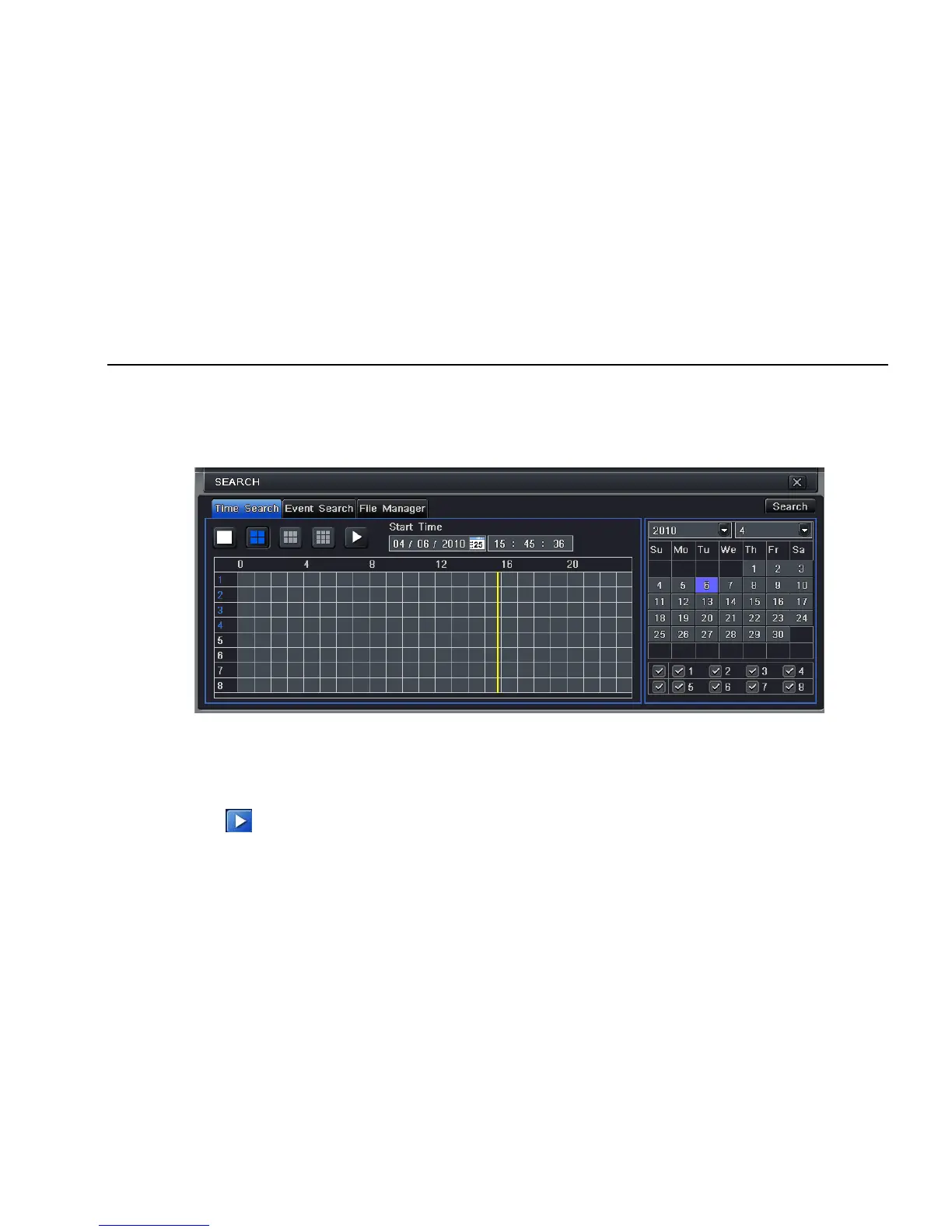
Step1: enter into Search configurationÆtime search; refer to Fig 5-1:
Fig 5-1 Search configuration-time search
Step2: select channel, screen display mode, the highlight date in the calendar means have record data
Step3: select a date, press Search button, click the time grid to set the play start time or input play record time manually. The selected time
match the blue grid.
Note: the vertical column means hours, horizontal column means channels.
Step4: click Play button to playback record; click the relevant buttons on the screen to do operation:



 To Next Page