Digital Video Recorder User Manual
12
Item Name Function
10 Enter button Confirm selection
11 Direction/ Multi-screen
1. Change direction to select items
2. Change screen display mode like1/4/9/16 channel
12 +/Menu
1.increase the value in setup
2.Enter menu in live
13 USB port
To connect external USB devices like USB flash, USB HDD
for backup or update firmware
Tab 2.1 Definitions of Front Panel Buttons
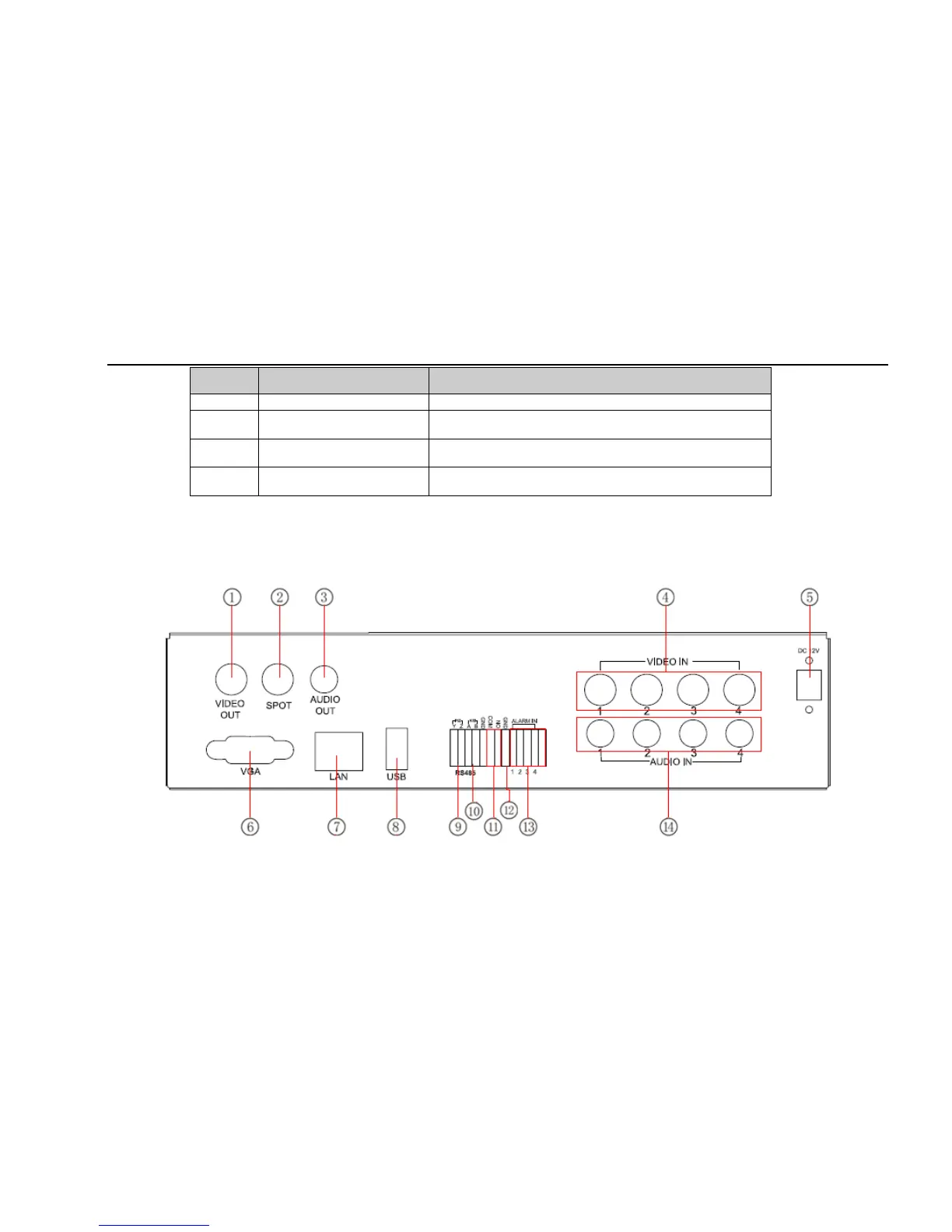
2.3 Rear Panel Instructions
2.3.1 Rear Panel Interface
The rear Panel interface for 4-ch is shown as Fig 2.4:
Fig 2.4 Rear Panel for 4-ch



 To Next Page