Digital Video Recorder User Manual
30
Step3: in this interface, user can adjust brightness, hue, saturation and contrast in live; click “default” button to resort default setting, click “OK”
button to save the setting.
Step4: user can setup all channels with same parameters, tick off “all”, then do relevant setup.
Step5: click “default” button to resort default setting; click “apply” button to save the setting; click “exit” button to exit current interface.
4.2.2 Host monitor
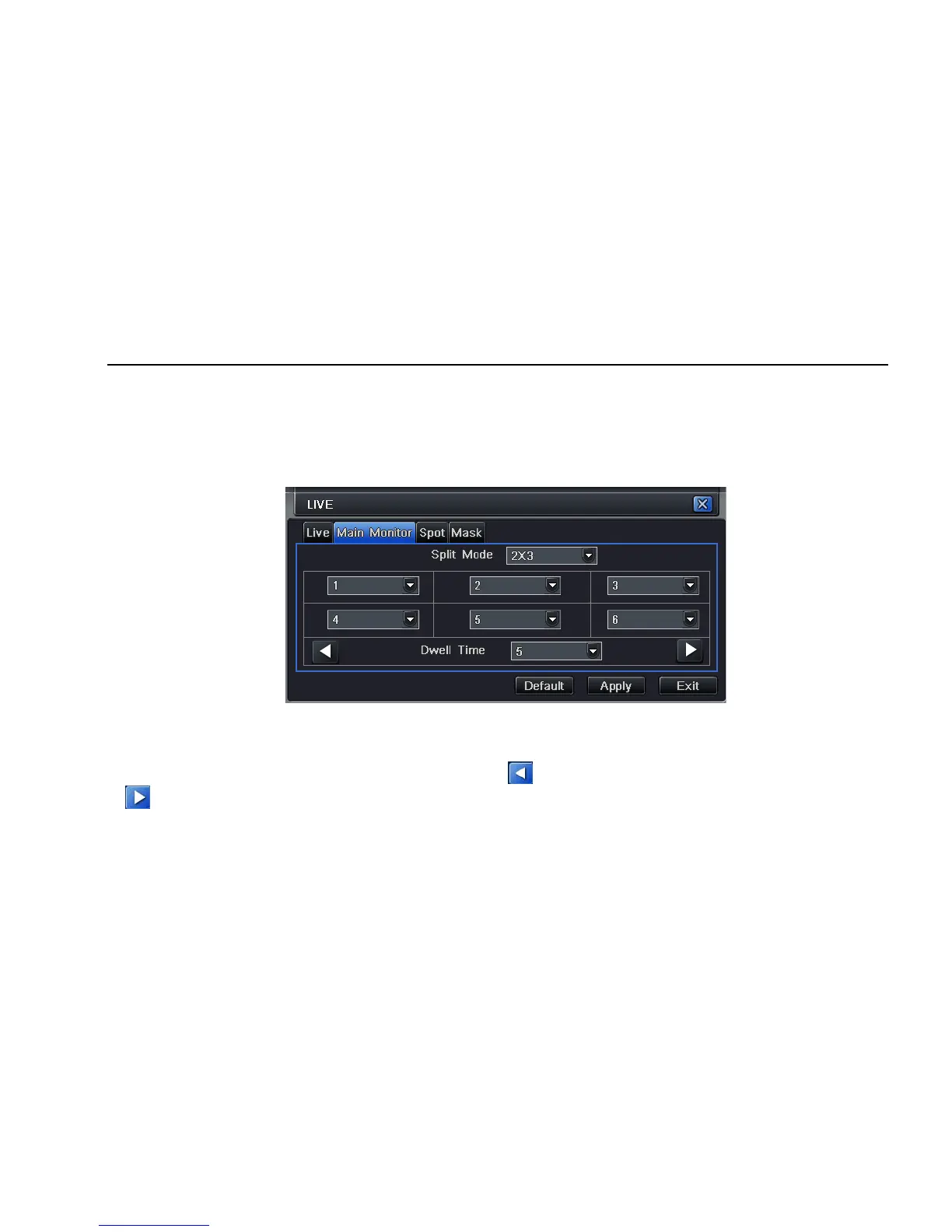
Step1: enter into system configurationÆlive configurationÆhost monitor; refer to Fig 4-8:
Fig 4-8 live configuration-host monitor
Step2: select split mode: 1×1、2×2、2×3、3×3、4×4 and channel
Step3: dwell time: the time interval for a certain dwell picture display switching to next dwell picture display
Step4: selected the split mode, then setup current picture group. Click button to setup the previous channel groups of dwell picture, click
button to set the latter channel groups of dwell picture.
Step5: click “default” button to resort default setting; click “apply” button to save the setting; click “exit” button to exit current interface.



 To Next Page