Digital Video Recorder User Manual
43
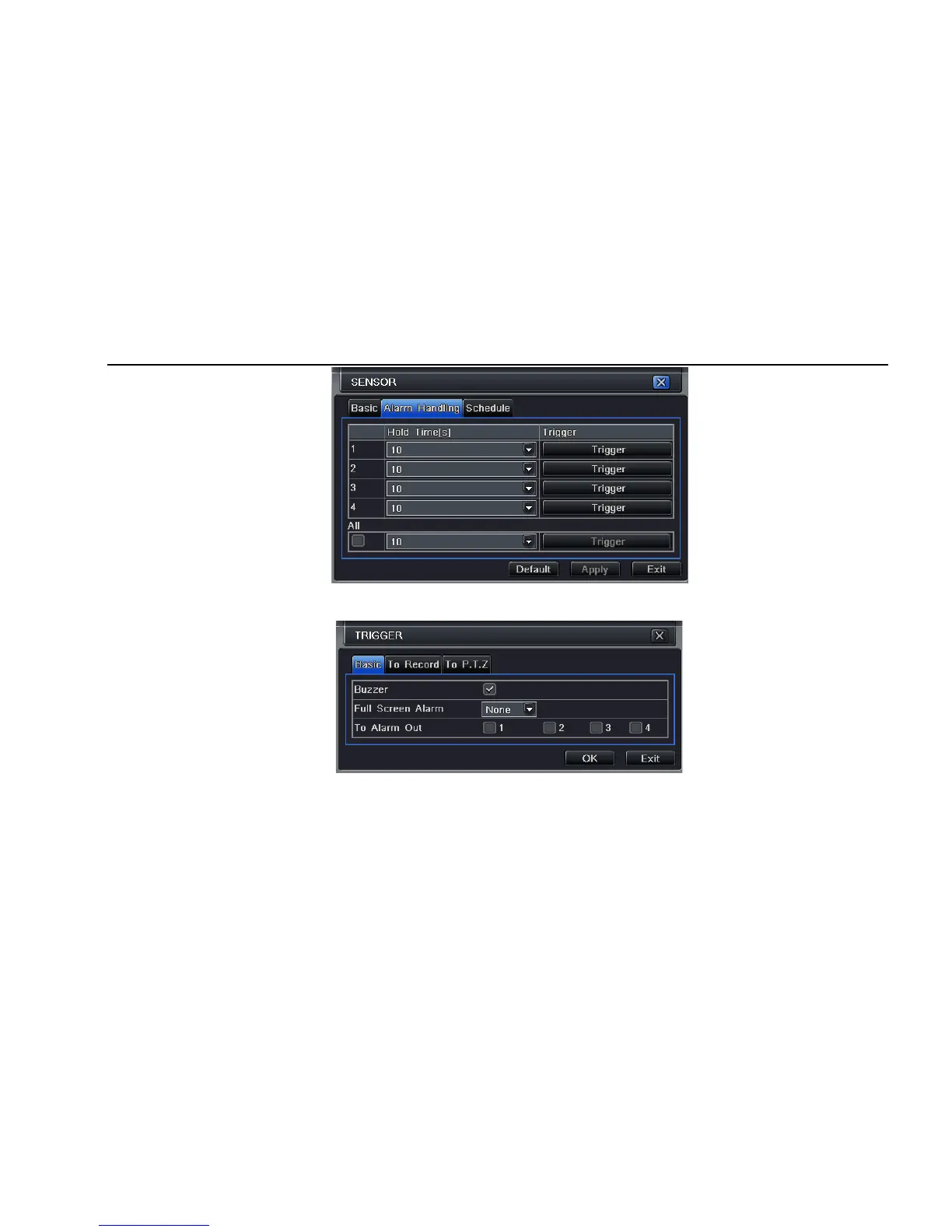
Fig 4-20 alarm configuration-sensor-alarm handling
Step2: select hold time, click Trigger button, and a dialog box will pop-up as Fig 4-21:
Fig 4-21 alarm handling-trigger
Step3: tick off Buzzer, there will be triggered buzzer alarm out;
Full screen alarm: when triggered alarm, there will pop up full screen alarm;
To alarm out: tick off the channel, there will be triggered alarm out in the designated channel. Click OK button to save the setting; click Exit



 To Next Page