Digital Video Recorder User Manual
57
① General: Input user name, password; select user type: normal and advance, input the MAC address of the PC; click OK button, this user
will be added into the user list box; click Exit button to exit the current interface.
Note: when the default value of binding PC MAC address is 0, the user is not bind with the specify computer; the, the user can log in
DVR on the binding computer after set the specific binding MAC address.
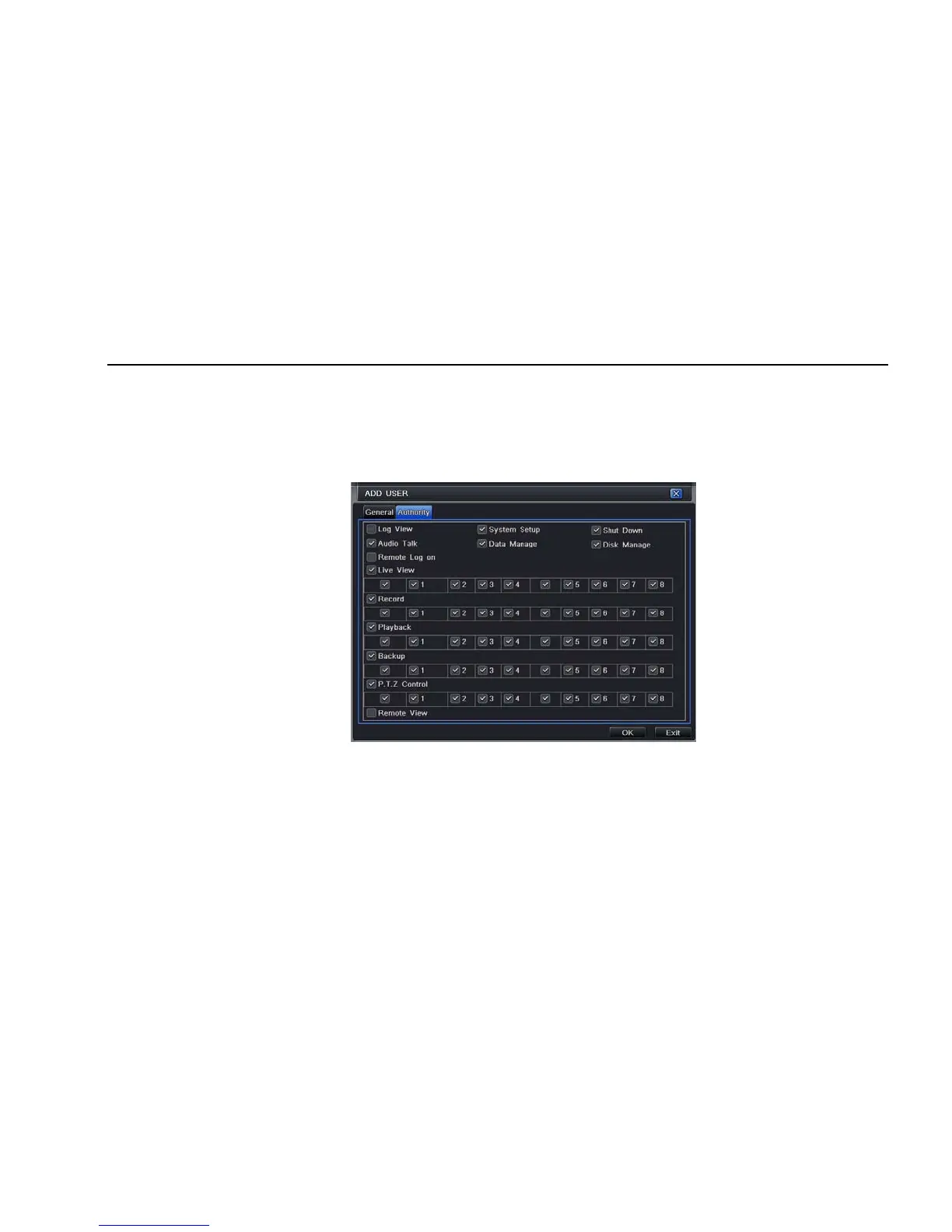
② Authority:
Step1: enter into Add userÆauthority; refer to Fig 4-36:
Fig 4-36 add user-authority
Step2: In the authority interface, assign the definite operation right for that user.
Step3: in the user management interface, click Setup button to modify user name, user type and binding PC MAC address.
Step4: select the user that user wants to delete in the user list box, then click Delete button to delete this user.
Step5: click Change password button to modify the password; click Exit button to exit the current interface.



 To Next Page