Piccolo 35 from 82
www.lt-light.com
23. FIXTURES (PICCOLO SCAN)
Piccolo Scan models have a console section dedicated to fixtures edition. In this section you can
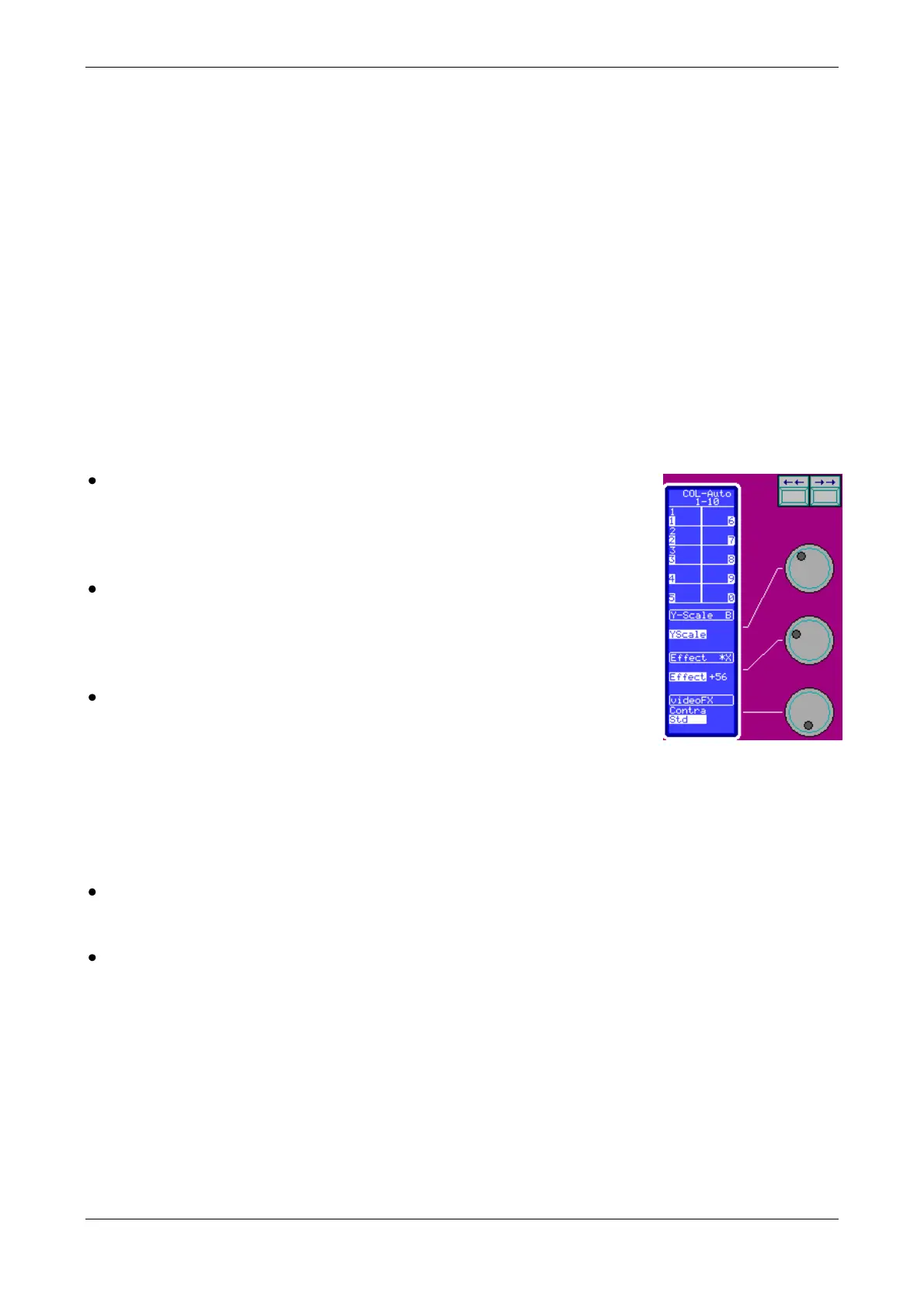
find some dedicated function keys, the bank keys, 1 extra display only for fixtures data, 3 encoders
and 1 trackball.
The first step to control fixtures (moving lights, scrollers, etc.) is to program the fixtures patch
(inside menu 04, see FIXTURE PATCH, pg-56).
Piccolo Scan can control up to 256 fixtures parameters, with a maximum of 32 parameters by
fixture and a maximum of 128 fixtures. This maximum allow you configurations from 128 fixtures
of 2 parameters each one up to configurations of 8 fixtures of 32 parameters each one.
When the patch is programmed, the fixtures will be accessible from the keyboard. To select any
fixture, use [FIXTURE] and the same commands as explained for channels (see pg-18).
Special for fixtures is that after the selection of the fixture to edit its parameters:
In the same way that for Piccolo models, press [] to select the next
parameter, or press [] to select the previous parameter. The selected
parameter is showed in display and monitor, it marked with an asterisk
(*). Then, use Encoder of the main editor
Also, it’s posible to edit the selected parameters (with the *) usign the
functions: [2.B] & [3.B], For discrete parameters, these
functions select the previous or next step, for continuous parameters
these functions decrease or increase at % the current value.
Use the dedicated encoders to edit some parameter and use the
trackball to edit the Pan and Tilt parameters. On the auxiliary display
you can see the current parameters that are controlled in each encoder.
Parameters are paged pressing [] & []. Selected parameter is marked with an asterisk (*).
To edit it, move its Encoder
Pressing the encoder, [Encoder] the associated parameter is selected. Now, this selected
parameter also is accesible in the main encoder or encoder of the main editor.
It’s posible to access to the desired parameters type (or category) for quick searching and
edition, pressing one of the six category keys:
[DIM], [POS], [COL], [GOB], [BEAM] & [XTRA].
Move the trackball to edit the parameters Pan (X) & Tilt (Y) of the selected fixtures. There are
function keys associated to the working of the trackball:
[TB] Allows you to select among these working modes:
Normal, (LED OFF): Ball movements edit the X/Y values
Deactivate (LED ON): trackball is deactivated, and to edit X/Y isn’t possible.
Orto (LED blinking): Only one axis can be edited at the same time (X or Y). The axis with biggest
movement will be the axis edited. In this way is very easy to esdit only X or only Y.
This key also is used to activate TB mode always that trackball is in MOUSE mode (see below).



 To Next Page