Piccolo 71 from 82
www.lt-light.com
Select your network type: 0 for IPX, 1 for ArtNet and 2 for NoNet
The output can have any protocol IPX or ArtNet. A virtual universe in the
range of 0 to 15 is to be set. Example DMX 1-512 in DMX-Out 1 would be
Universe 0.
This makes bidirectional data exchange using CITP protocol with Capture Polar
Simulator possible (See PICCOLO & CAPTURE, using CITP, pág-71)
For ArtNet protocol an IP number must be set.
In the simulator “wole” the IP number is taken from the PC on which wole is
installed and if you need to change it you call the TCP/IP and set it there.
39.1.1. PICCOLO & CAPTURE, using CITP
What we can do using Captures with CITP protocol?
1. To simulate the answer of the Dmx universes in the virtual scene
2. To select items (channels and fixtures) in the console and to see these selections in Capture
3. To select items (fixtures) in Capture and “to see” these selection in Piccolo.
4. To edit levels & parameters in Capture (positions, colors, etc - according to control in Capture) and to receive
these data in Piccolo, where the information is ready to be stored in groups, cues… This last option allows
setting positions (for moving lights) with a mouse click on the wished point of the virtual scene.
Configuration:
Console and computer must be connected by an Ethernet cable, cross if this connection is
equipment to equipment, or not-cross if this connection is using a hub or switcher.
In the computer:
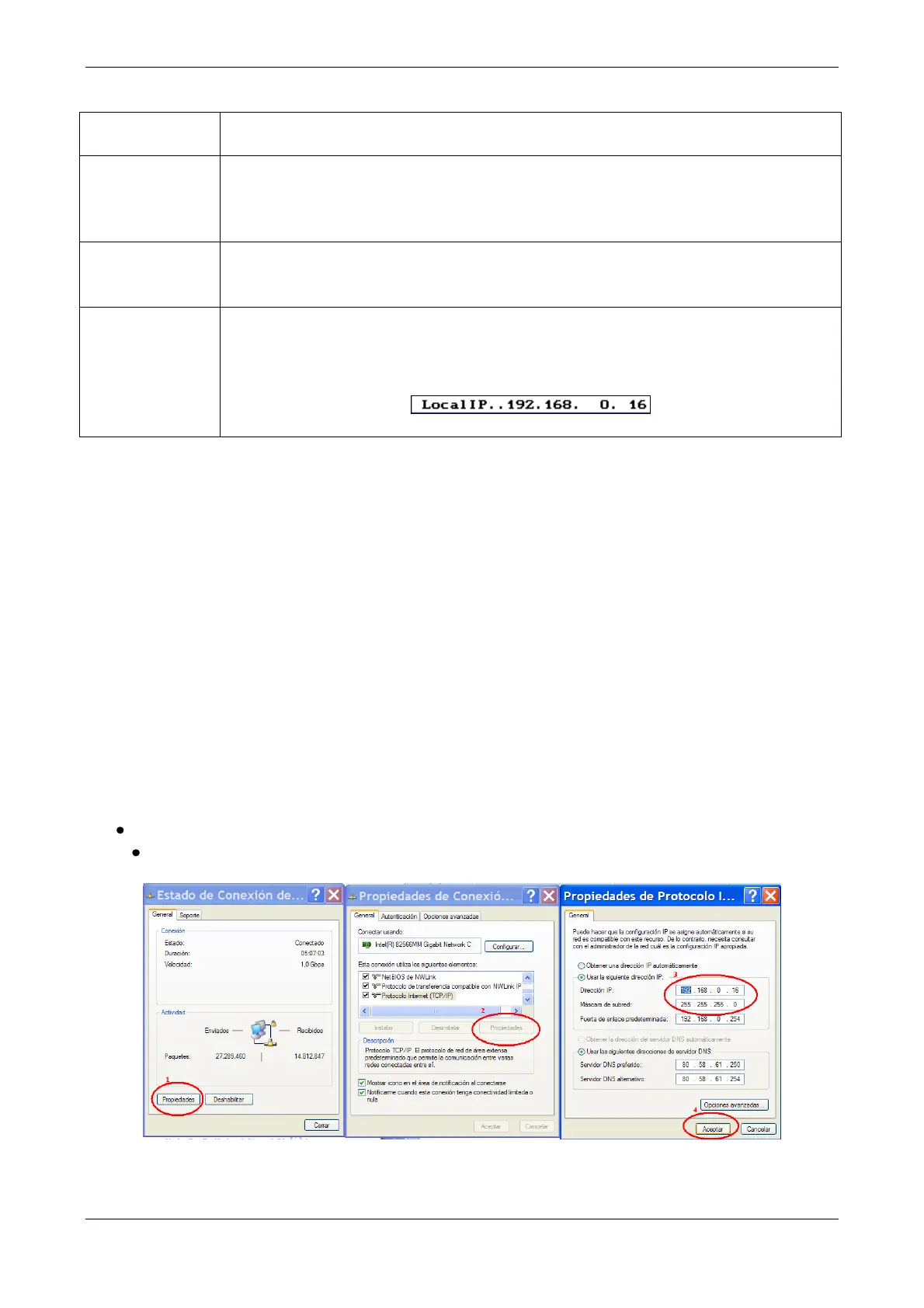
Set the IPs of both, console & computer, in the same range of directions. For PC:
1. - In Properties of Connection Status
2. - Accede to Properties of the TCP/IP protocol



 To Next Page