Piccolo 61 from 82
www.lt-light.com
* Default value for dimmer 1
* Default value for the line 1 (dimmer 1 to 512)
* Default value for the line 1 (dimmer 1 to 512)
*When the data is entered, press [ENTER] to set the command. Press [EXIT] to exit.
Delete assignments of dimmers (set as free dimmers).
Delete
* Set as free the dimmer 1
* Set as free the line 1 (dimmer 1 to 512)
* Set as free the line 1 (dimmer 1 to 512)
*When the data is entered, press [ENTER] to set the command. Press [EXIT] to exit.
Copy dimmers.
Copy
* Copy the dimmers 1 to 10 to
the dimmers position 201 to 210.
*When the data is entered, press [ENTER] to set the command. Press [EXIT] to exit.
Exchange dimmers. Exchange.
* Exchange the dimmers 1 to 10
with the dimmers 201 to 210.
*When the data is entered, press [ENTER] to set the command. Press [EXIT] to exit.
36. SHOWS
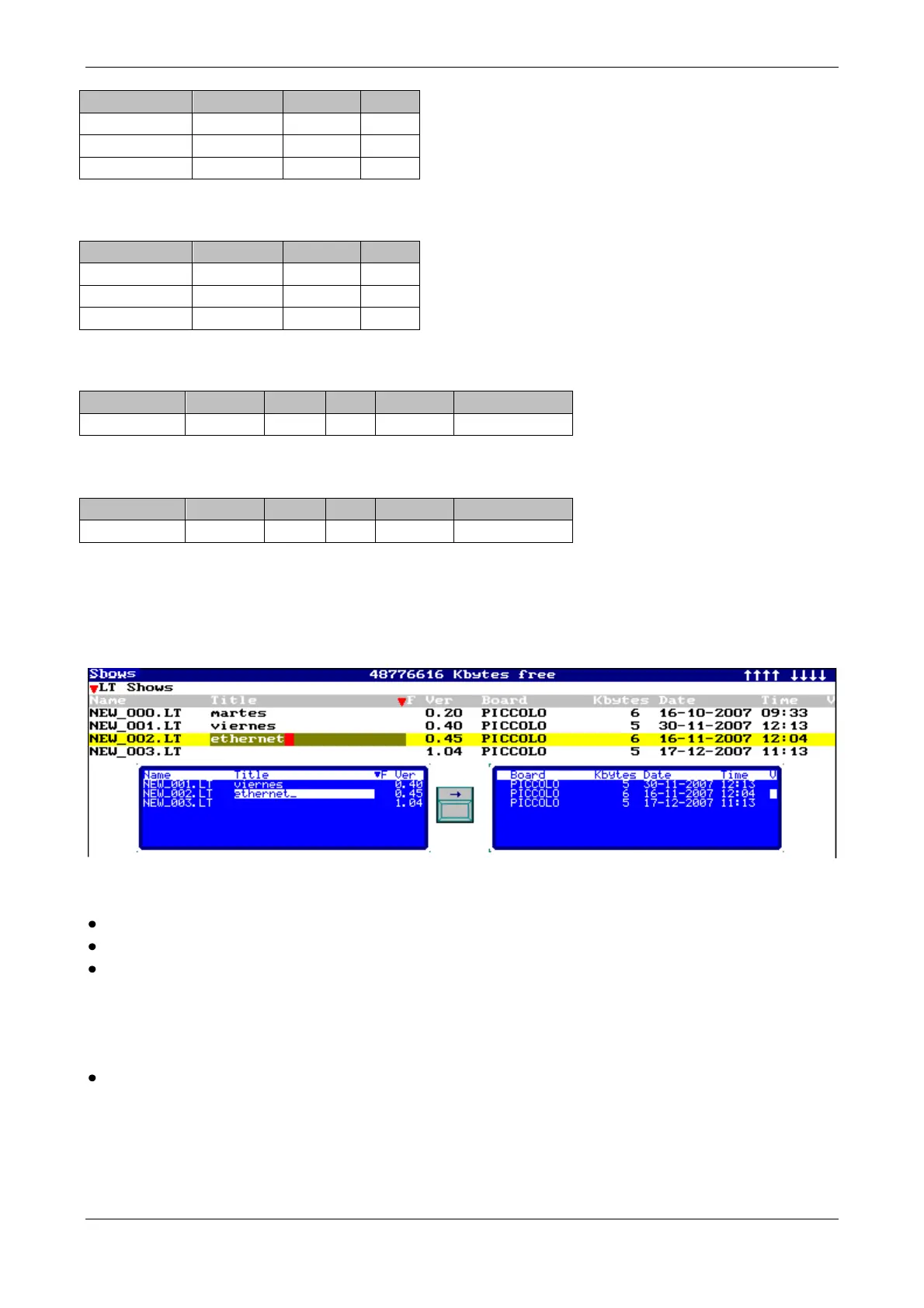
Piccolo can store all show data in a file. This file is stored in the USB stick, inside a folder named
SHOWS. Shows are stored from menu 10.
Procedure:
Connect the USB stick to the USB-A port of the console.
Press [MENU][1][0]
Only for OLE software (pg-68), if necessary, select the data format pressing [OPTIONS]:
o LT Shows (standard Piccolo format. Use this format always when possible)
o ASCII Shows (shows exchange format using ASCII, only available in the OLE. It is
used to import/export the show basic data from/to other lighting consoles)
To exchange shows between console & PC, read too: OLE, in page-68.
Through the show table:
o Select the last line, empty, to store console data as new show (F option 1:Save)
o Select any stored show to store new show data over it (F option 1:Save), to load
it into the console (F option 0:Load All) or to delete it (F option
3:Delete)



 To Next Page