Piccolo 55 from 82
www.lt-light.com
Events are ordered by the TC values
It is impossible to have 2 events with the same TC
A source as TC-CLOCK makes it possible to execute events at a pre defined time. Useful if
an event must be executed every day at the same hour
A source as TC-MTC or TC-SMPTE allows to synchronise with external devices
(computers, sequencers, …)
A source as TC-INTERNAL makes it possible to simulate an external source as MTC for
quick programming or when testing the TC function
32.2.1. EXECUTING THE EVENTS LIST
The list must be activated (set to ON) and, in this moment the events list is showed in the display &
monitor. The INTERNAL clock must also be activated (PLAY) or an active MTC clock must be
connected to the MIDI port of the console, or connect the SMPTE signal
Now when the current TC arrives to the defined event TC, it will executed
32.2.2. EVENT LIST & CALENDAR
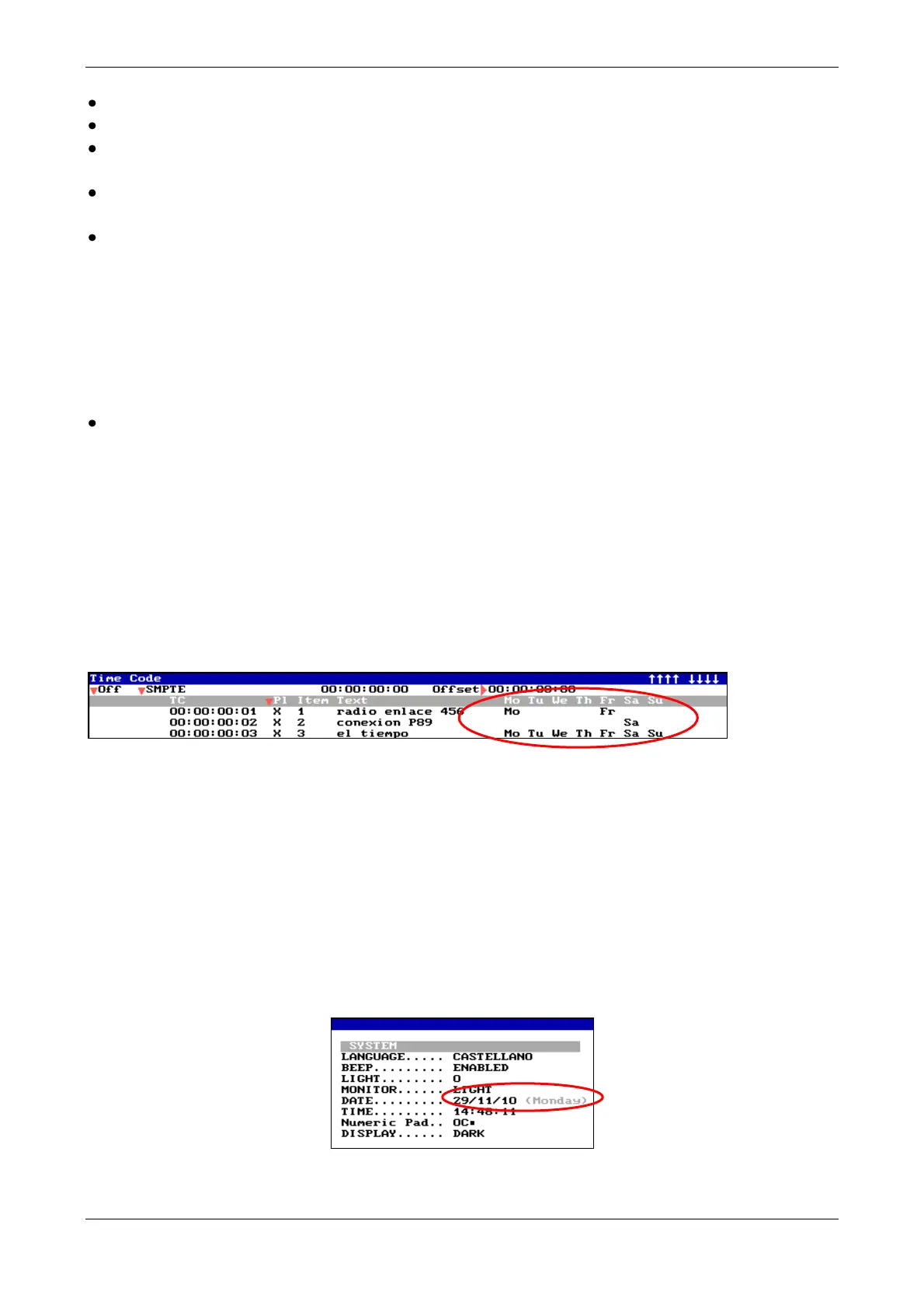
More complete event list… In addition of the TC, you can now execute time week day specific.
This makes it possible to program events on a weekly basis. You can program events for all the
days of the week or only for some specific days. In the example, there is one event which
programmed so that it will only be executes on Mondays and Fridays, the other only on Saturdays
and the last everyday …
[MENU] [2] [3]
Note* Week days are written in English in all language versions:
Mo (Monday), Tu (Tuesday), We (Wednesday) Th (Thursday), Fr (Friday), Sa (Saturday) y
Su (Sunday).
By default, each new event which is created is an event that will be executed at TC time every day
(all week days are displayed). To deactivate some days, access these days with the cursor, and press
[0] to disable them (these events will then not be executed for these days of the week) or press [1]
to enable them (these events will then be executed on these days of the week).
Note*: Current day can be seen and changed in menu 32: System
Playing back time code TC, only the events programmed for the day will shown in base screen.
Following the previous example (for Monday) you will see:



 To Next Page