Piccolo 76 from 82
www.lt-light.com
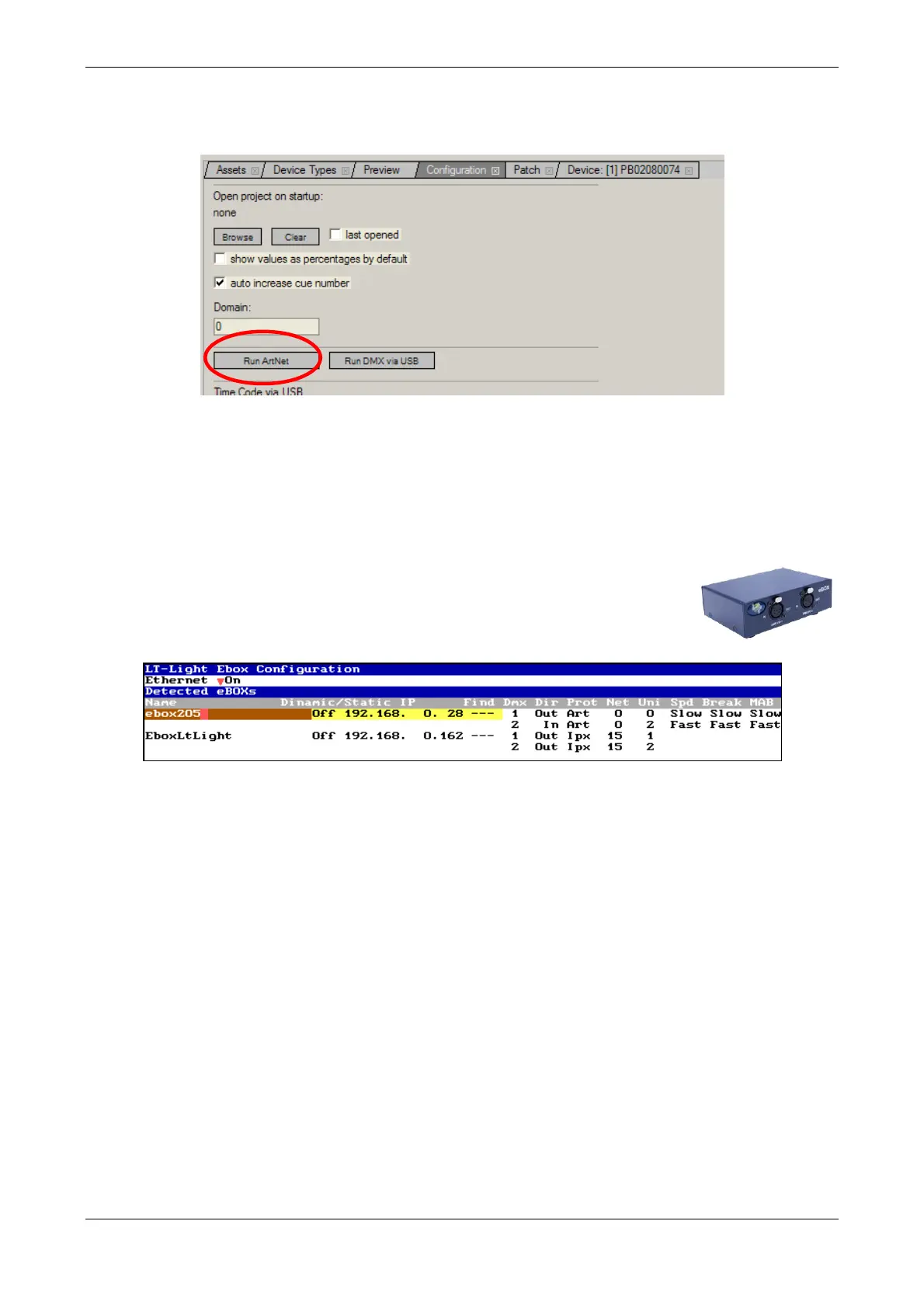
In Pandoras Box product, configure the program selecting Run ArtNet button, the program will
detect the DMX input and, from this moment, you can control its layers and cameras from Piccolo.
39.1.3. PICCOLO & eBOX
The LT-Light eBOX, can have 2/4 physical DMX universes from Ethernet. Each eBOX can
assign up to 512 DMX outputs on any of the Ethernet universes. Piccolo transmits only one
universe by Ethernet, but you can set the same universe for the 2 physical output of the Ebox. If the
universe is in IPX:
To configure the Ebox (Ethernet <-> Dmx), access the menu 79: Tools and
select the option: 1:LT-Light eBOXs Configuration
With Ethernet is On, each eBOX shows:
Name A name with up to 22 alphanumeric characters.
Dinamic Off/On. Set at On if the IP for this eBOX will be assignaed by a IP
server connected in the net. Set to Off to use a static IP direction.
Static IP IP direction (static). This data only is needed if you can work in Art-Net.
Find? Command that is activated pressing [ENTER] and in this moment, all Led of
the eBOX start to blink, with the intention to localize and to identify it.
DMX 1 .. 4 Are the current configuration of the eBOX outputs: 2 / 4 DMX ports by
eBOX, depending to the eBOX model. This configuration is defined with:
DMX: DMX port number to configure (one port by line).
Dir: Set the port as out port (Out), or input port (In).
Prot:Set Ehernet protocol to use, ArtNet or IPX.
Net: (0..15) The DMX port is being read/written from this net.
Universe: (1..16) this is the Ethernet universe number associated to DMX port.



 To Next Page