Piccolo 73 from 82
www.lt-light.com
From this moment, connection and communication are done. We can select/edit from Capture or
from Piccolo. A great advantage is that we can use the tools of Captures (click of mouse with the
right button) to set the positions of the moving lights.
39.1.2. PICCOLO & COOLUX, using ArtNet
Coolux is a Media System. Coolux has several products, of several capacities, but all of them based
in layers, cameras and sequences. Each layer, camera, sequence can be controlled using Piccolo,
and configuring them as fixtures.
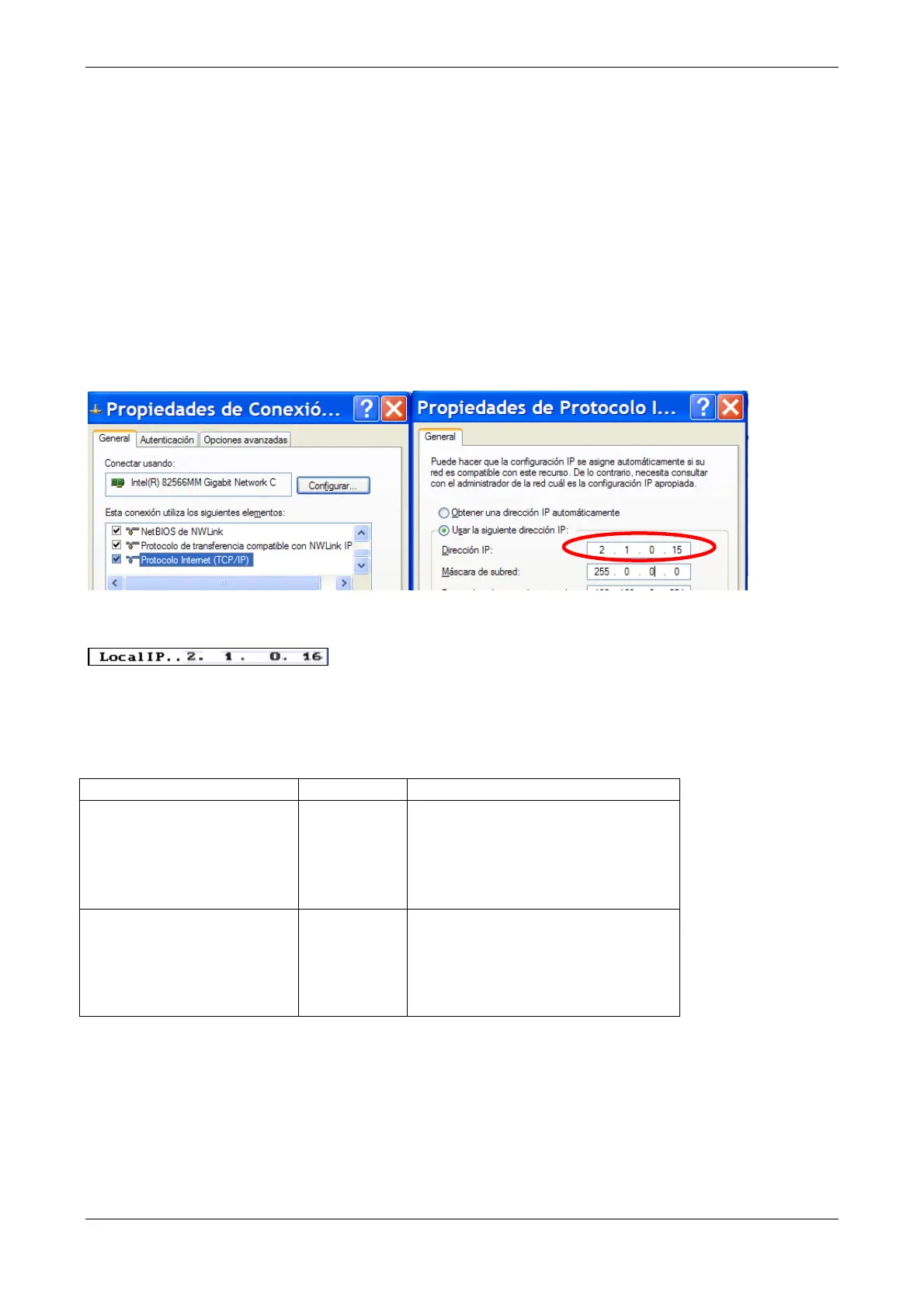
For this connection, in computer, about TCP/IP configuration, please, set any IP direction in the
range 2.xxx.xxx.xxx and submask as 255.0.0.0:
In Piccolo set an IP direction in the same range, 2.xxx.xxx.xxx:
Now, you need to configure Piccolo to control several video layers, several graphic layers, and
several cameras; as many as layers and cameras inserted in the project. Each layer or camera, in
accordance to the Pandoras Box product, has an appropriate library, please, read the Coolux DMX
tables or follow this selection table:
Piccolo* 6 Piccolo Scan Fixtures
Video
Layer
Graphic
Layer
Camera
5400: LayrV 37
5401: LayrG 34
5402: Camer 44
Video
Layer
Graphic
Layer
Camera
5400: LayrV 22
5401: LayrG 21
5402: Camer 17
Note: Piccolo cannot control some types of layer and cameras because they are controlled for more
than 32 DMX channels or 16 parameters (maximum for Piccolo fixtures). Piccolo Scan can control
both.



 To Next Page