WEIVER 2.0 Manual
Weiver 2.0
/ Operations Manual
47
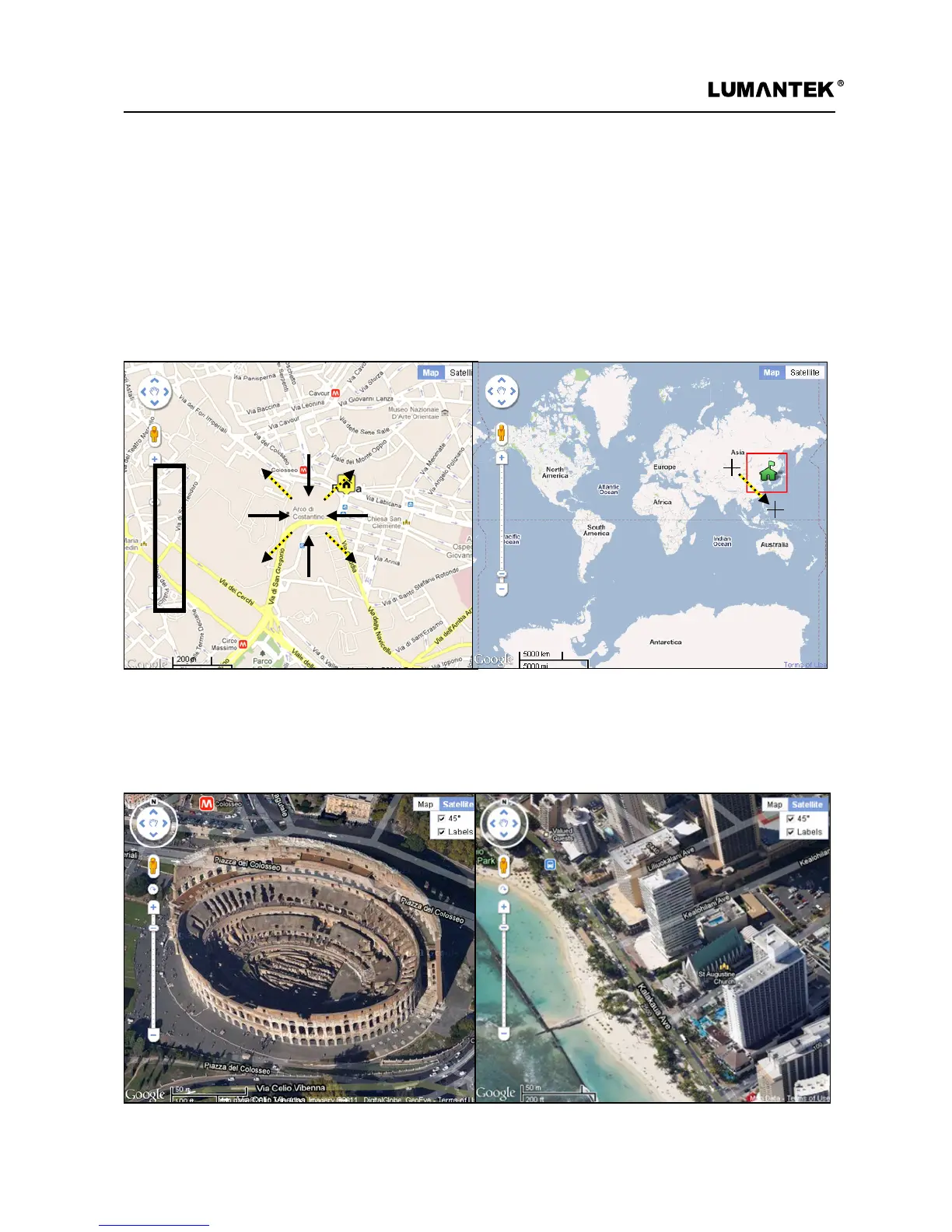
3. Scale Control
4. Map Type Control
To expand or reduce the size of map, it can be controlled by clicking a mouse left-button and the other way is
a mouse pointer with scroll function; pointing at the location where a user wants can change the size of the
map. Double-clicking of mouse left-button at the location on the map makes it expand and doing of mouse
right-button makes it reduce. Another way is to push ‘shift’ key on the map window.
Weiver Signal Tracer’s default map type is a normal-typed map; however, a user is able to select a satellite map,
locating at the right above. A 45° slop satellite map is provided depending on country and region. A map can
be rotated 360 degrees at the location where a 45° slop satellite map is provided.


 To Next Page
 Loading...