WEIVER 2.0 Manual
Weiver 2.0
/ Operations Manual
49
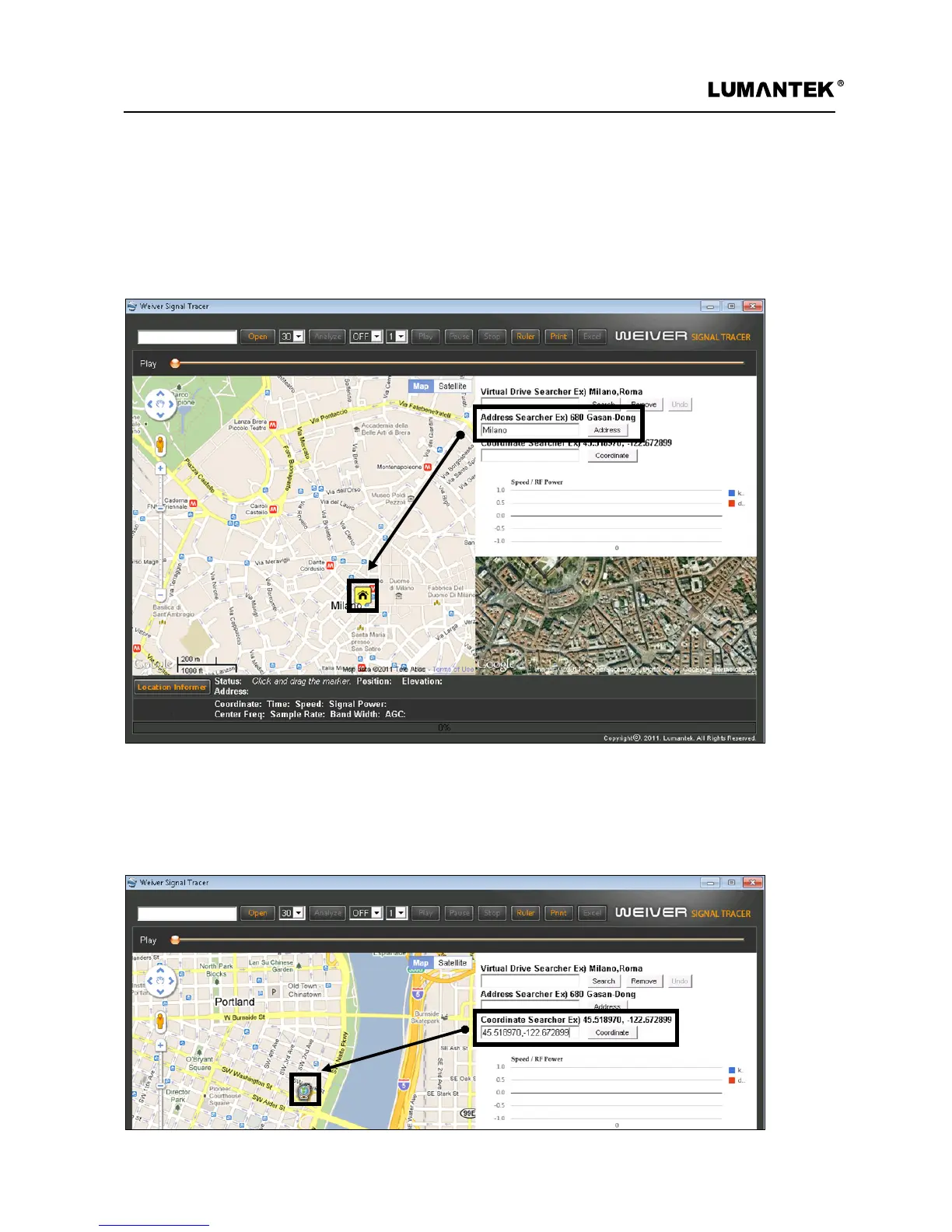
2. Adress Searcher
3. Coordinate Searcher
After inputting information regarding the location a user likes to see, pushing ‘enter’ or
clicking ‘Address button’ activates ‘Address searcher’ and the searched result displays on
the map with a marker. Address searcher service is varied for each country so please
refer to the appendix, ‘Google map Service.’
After inputting a coordinates which user wants to see at input window, pushing ‘enter’ or clicking ‘coordinate
button’ activates ‘Coordinate Searcher’ and the searched result displays on the map with a marker. Entering a
coordinates should follow ‘WGS-84 Decimal Number Format.’


 To Next Page
 Loading...