24
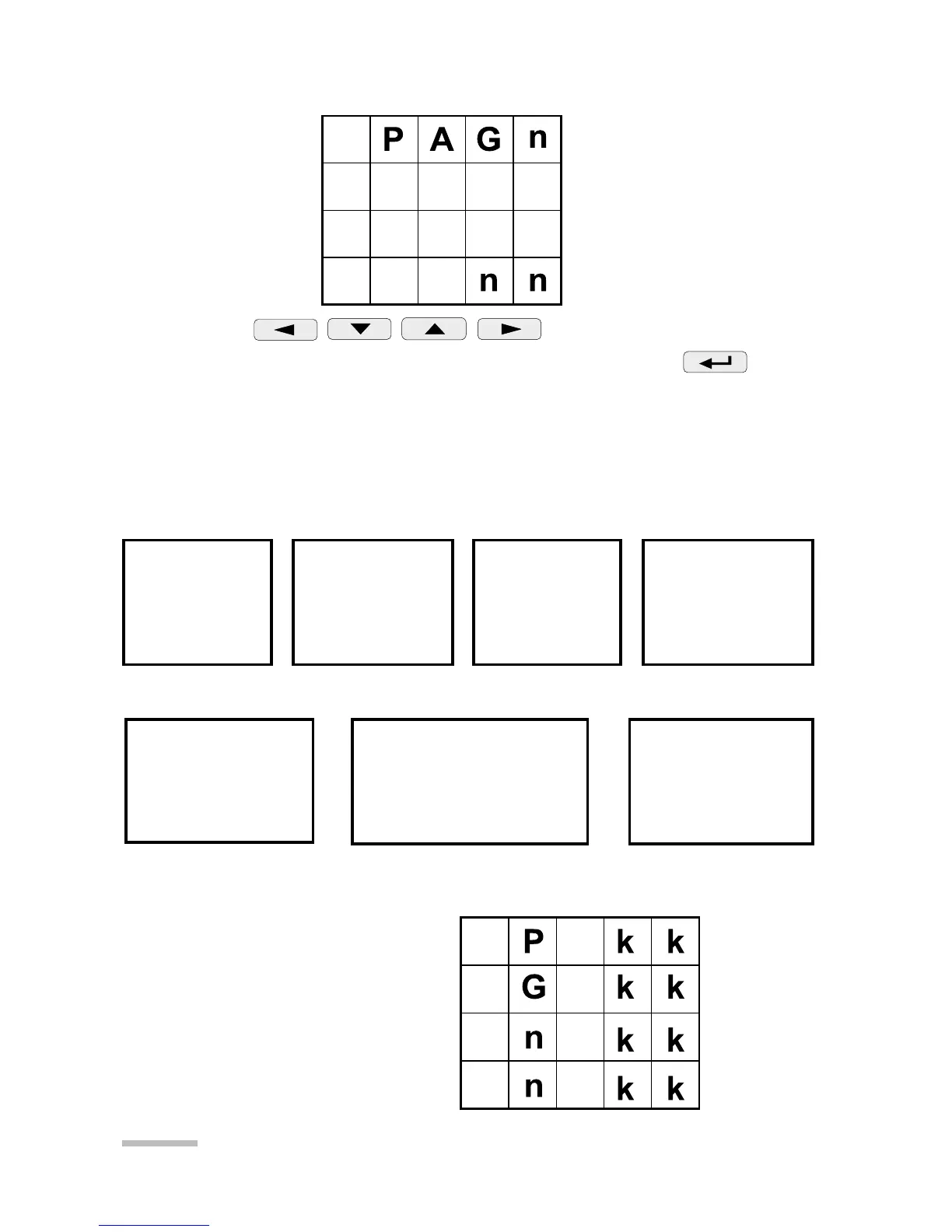
In order to define pages one must enter into the mode P.
By pressing
keys set the number nn
of user’s pages from the range 00...20. Accept by the key
the chosen mode.
If the number of pages is set 00, it means that the user did not
decide to define own pages and chose 7 pages programmed by
the manufacturer. Manufacturer’s settings are shown below:
If a non-zero number of pages has been set then one must define
the page contents.
03 P
1
(Mk)W
10 P
2
(Mk)W
17 P
3
(Mk)W
24 P
(Mk)W
01 U
1
(k)V
08 U
2
(k)V
15 U
3
(k)V
22 U
s
(k)V
30 U
12
(k)V
31 U
23
(k)V
32 U
31
(k)V
33 U
123
(k)V
Page 1 Page 2 Page 3 Page 4
02 I
1
(k)A
09 I
2
(k)A
16 I
3
(k)A
23 I
s
(k)A
Page 5 Page 6 Page 7
24 P (Mk) W
25 Q (Mk) VAr
26 S (Mk) VA
27 Pf
35 EnP (Mk) Wh
36 EnB (Mk) VArh
37 EnS (Mk) VAh
38 f
41 dd.mm
42 yyyy
43 hh.mm
44 ss
nn - page number
kk - quantity code acc.
to the table 5.



 To Next Page
 Loading...