Lumenera Scientific Infinity Camera
Release 3.3 User’s Manual
Copyright 2004 Page 11
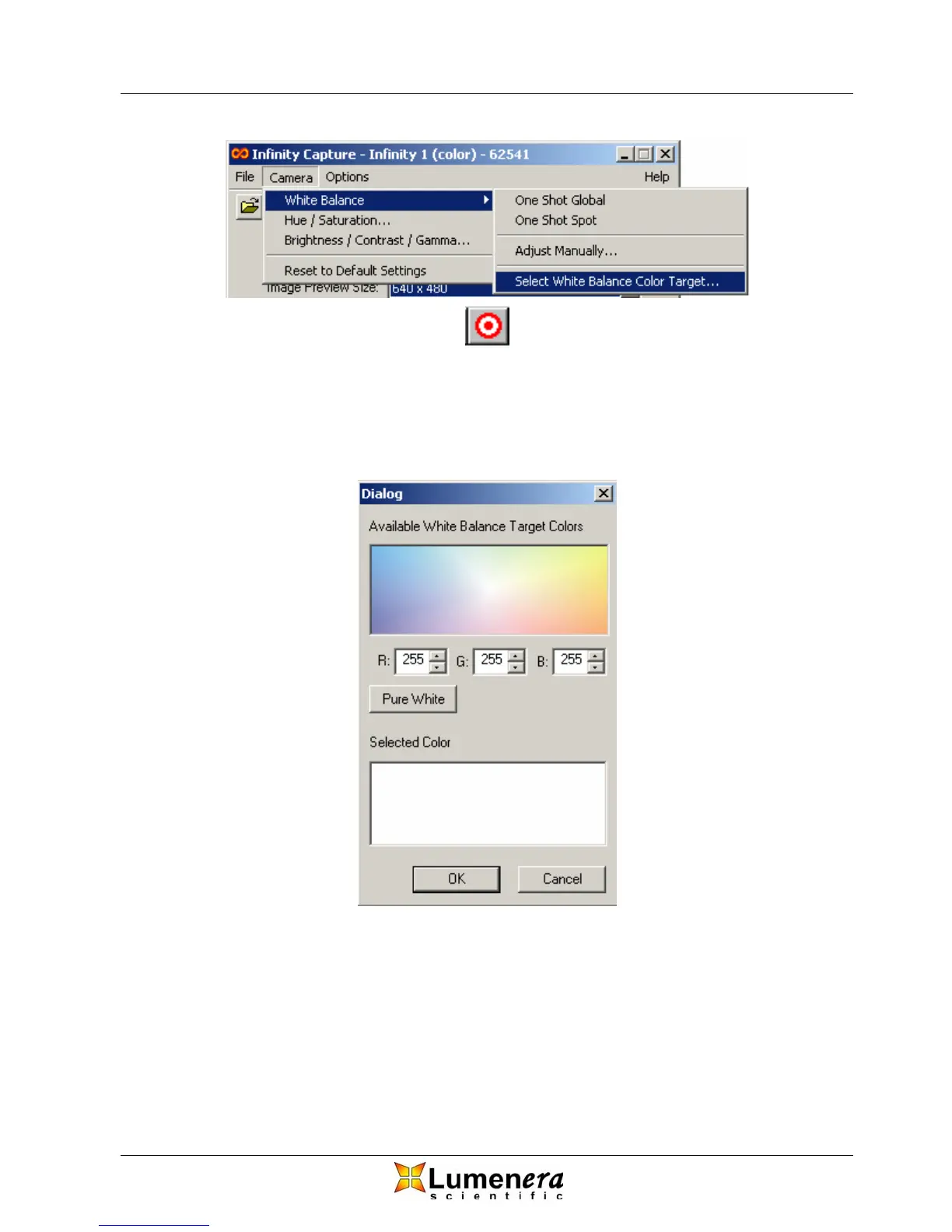
Figure 5 - White Balance Target Dialog Access
You can select a target color, simply by clicking or dragging the mouse pointer in
the top window of the dialog depicted in Figure 6. The selected color appears in
the bottom window. Alternatively, you can select the Red, Green and Blue
values of the color.
Figure 6 - White Balance Target Dialog
3.4.5 White Balance
There are three methods available to adjust the white balance:
1. One Shot Global
This method balances the colors over the entire field of view. For best results,
move your sample out of the field of view. If you are using a transmitted light
microscope, move to a clear area of the slide. If operating a stereomicroscope,



 To Next Page