lumenstudio
™
software user manual
lumenstudio
™
software user manual
34
35
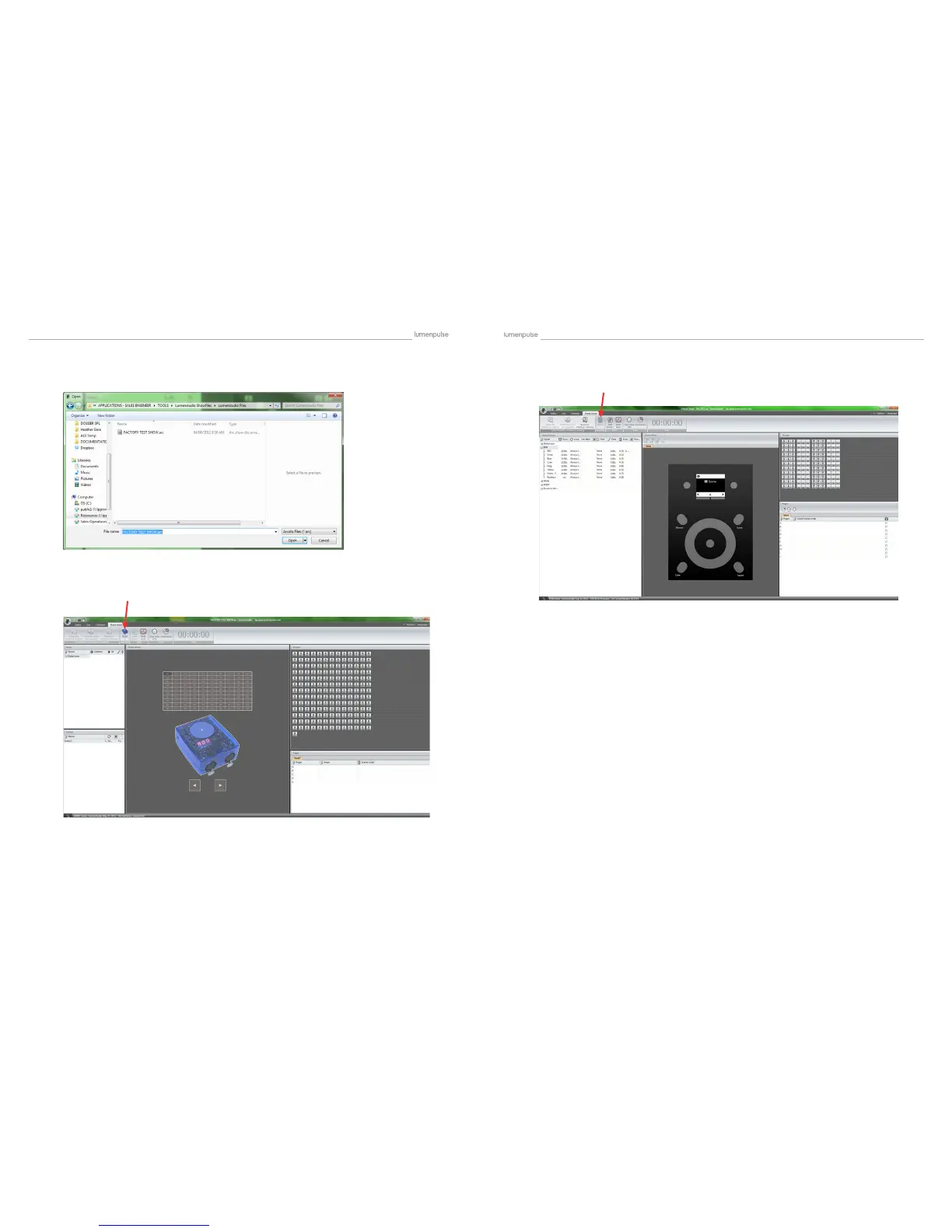
A dialogue will pop up; here you will go to where your program le is saved. Be sure your le is a .arc le.
Once you have selected the le, click OPEN. The show will then load into the program. Now select the ‘Stand Alone’
tab at the top.
You will want to be sure you are connected to the correct device. If using a Lumencue you want to see SIUDI above the
‘Interface’ type
Now you are ready to assign scenes. (Lumentouch shown from this point forward, Lumencue is similar) You will see on
the right hand side the xtures assigned in this show. On the left side you will see all the scenes created. If you have used
AREAS, you will need to click on each area to see the scenes.
For Lumentouch you want to choose STICK:3


 To Next Page