Home
Lumens
Document Camera
DC136
Page 4 (Chapter 2 Product Overview)
Lumens DC136 - Chapter 2 Product Overview; Description of LED Indicator
14 pages
Manual
Save Page as PDF
To Next Page
To Next Page
To Previous Page
To Previous Page
Loading...
3
Chapter 2
Product Overview
2.1
Description of LED Indicator
1.
Enable the image, and LED indicator will light up
2.
Display the image, and LED indicator will light up
3.
Disable the image, and LED indicator is OFF
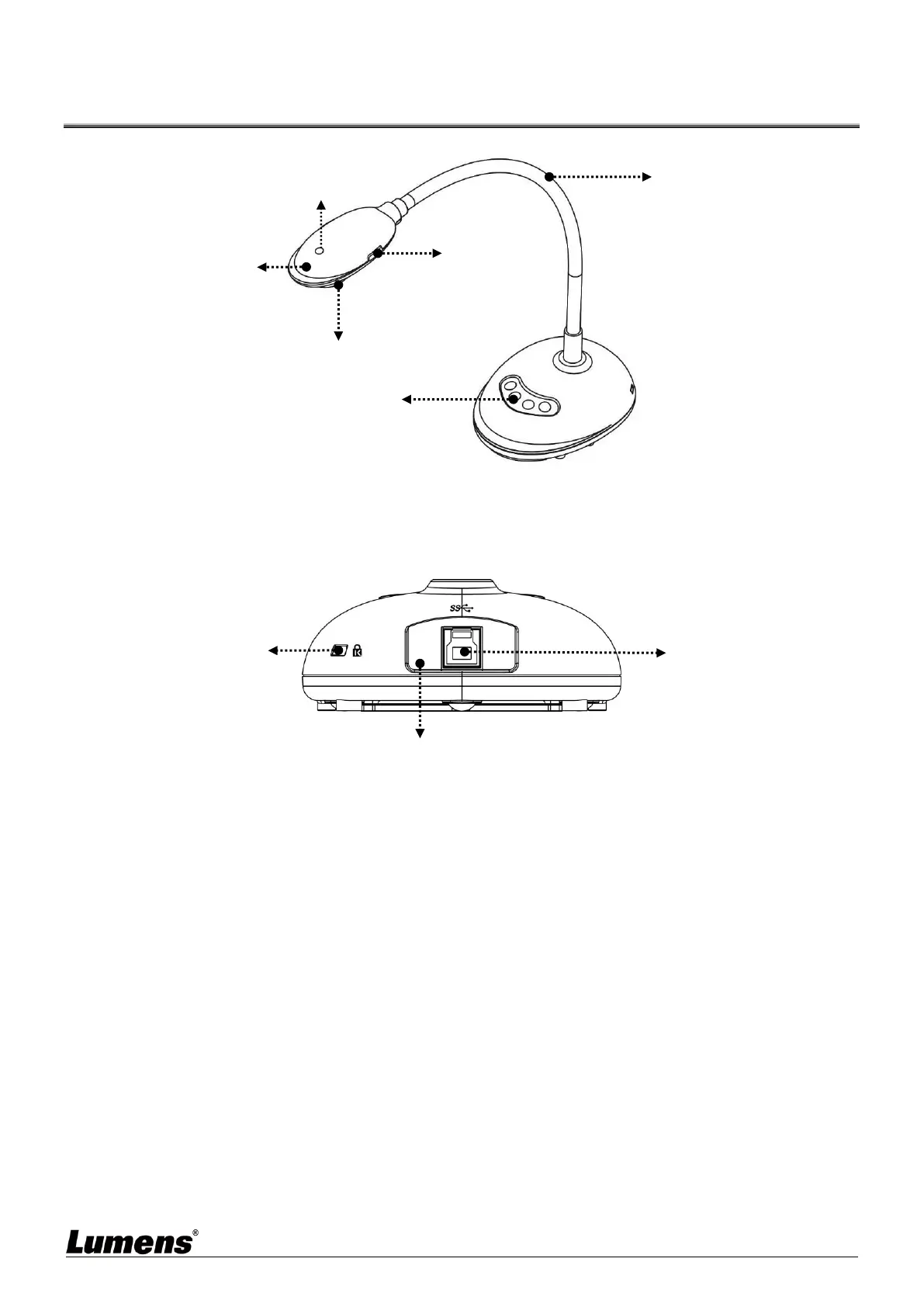
Lens
Gooseneck
AF button
LED Indicator
Microphone
Control panel
Anti-theft lock slot
USB 3.0 port
Reset button
3
5
Table of Contents
Main Page
Default Chapter
2
Table of Contents
2
Chapter 1 Package Contents
3
Chapter 2 Product Overview
4
Description of LED Indicator
4
Relative Operation Position
5
Chapter 3 Installation and Connections
6
Connecting to a Computer
6
Connecting to an Interactive Whiteboard (IWB)
6
For Use with VESA Installation Base
6
Installing Application Software
7
Chapter 4 Start Using
8
Chapter 5 Function Menu
9
Function Descriptions of Control Panel Button
9
Chapter 6 Descriptions of Major Functions
10
Control the Camera
10
Use Skype for Video Conference
10
Chapter 7 Connecting to Microscope
11
Chapter 8 Troubleshooting
12
Chapter 9 Safety Instructions
13
Copyright Information
14
Other manuals for Lumens DC136
Installation Guide
2 pages
Related product manuals
Lumens DC166
36 pages
Lumens DC170
41 pages
Lumens DC120
50 pages
Lumens DC125
57 pages
Lumens DC-W80
36 pages
Lumens DC-F80
21 pages
Lumens CL510
42 pages
Lumens PS752
47 pages
Lumens PC193
42 pages
Lumens PS760
54 pages
Lumens PS660
42 pages



 To Next Page