English -
23
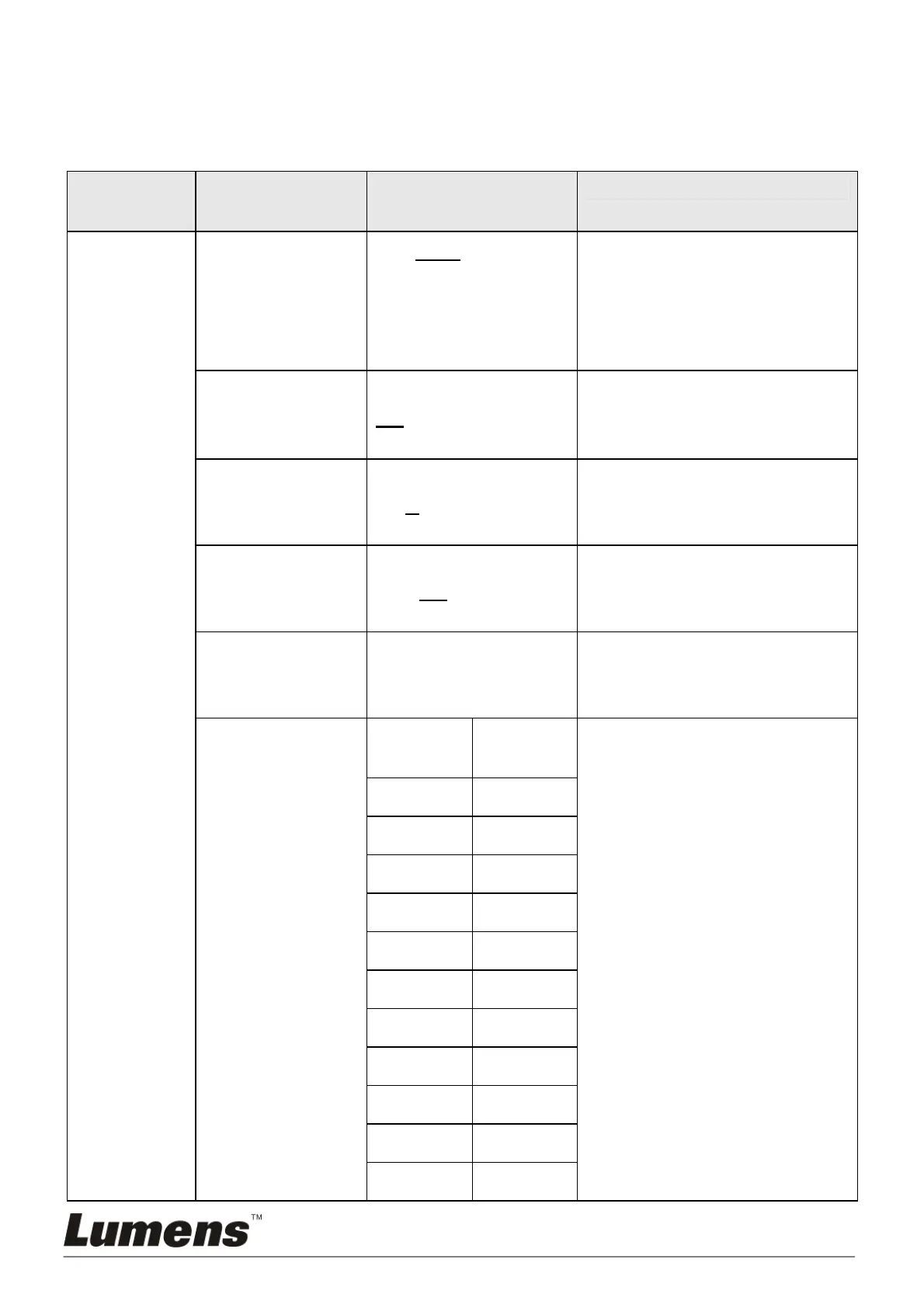
5.2 Setting Menu
<Remark> Press [Menu] on the remote control to enter the setting menu; the
bold underlined values in the following table are defaults.
1
st
Level
Major Items
2
nd
Level Minor
Items
3
rd
Level
Adjustment Values
Function Descriptions
Exposure
Mode
1. Auto
2. Brightness
3. Shutter Pri
4. Iris Pri
5. Manual
Exposure mode setting
Exposure_
Comp.
On / Off
AE Level
Exposure_
Comp. Level
-7~C~7
The value can be adjusted
only after Exposure_Comp.
is activated
Spot Light On / Off
The value can be adjusted
when the mode is set to Full
Auto or Shutter Pri
Spot Light
Position
X(0~15)Y(0~15)
The value can be adjusted
only after Spot Light is
activated
Shutter Pri
60/30
mode
50/25
mode
Shutter priority setting
1/10000 1/10000
1/6000 1/6000
1/4000 1/3500
1/3000 1/2500
1/2000 1/1750
1/1500 1/1250
1/1000 1/1000
1/725 1/600
1/500 1/425
1/350 1/300
1/250 1/215



 To Next Page
 Loading...