EasyManua.ls Logo

Lumens VC-A51P - Chapter 6 DIP Switch Setting; 6.1 OUTPUT Switch; 6.2 IR SELECT; 6.3 Camera Address Selector

Lumens VC-A51P
41 pages
Print Icon
To Next Page IconTo Next Page
To Previous Page IconTo Previous Page
Loading...
English - 36
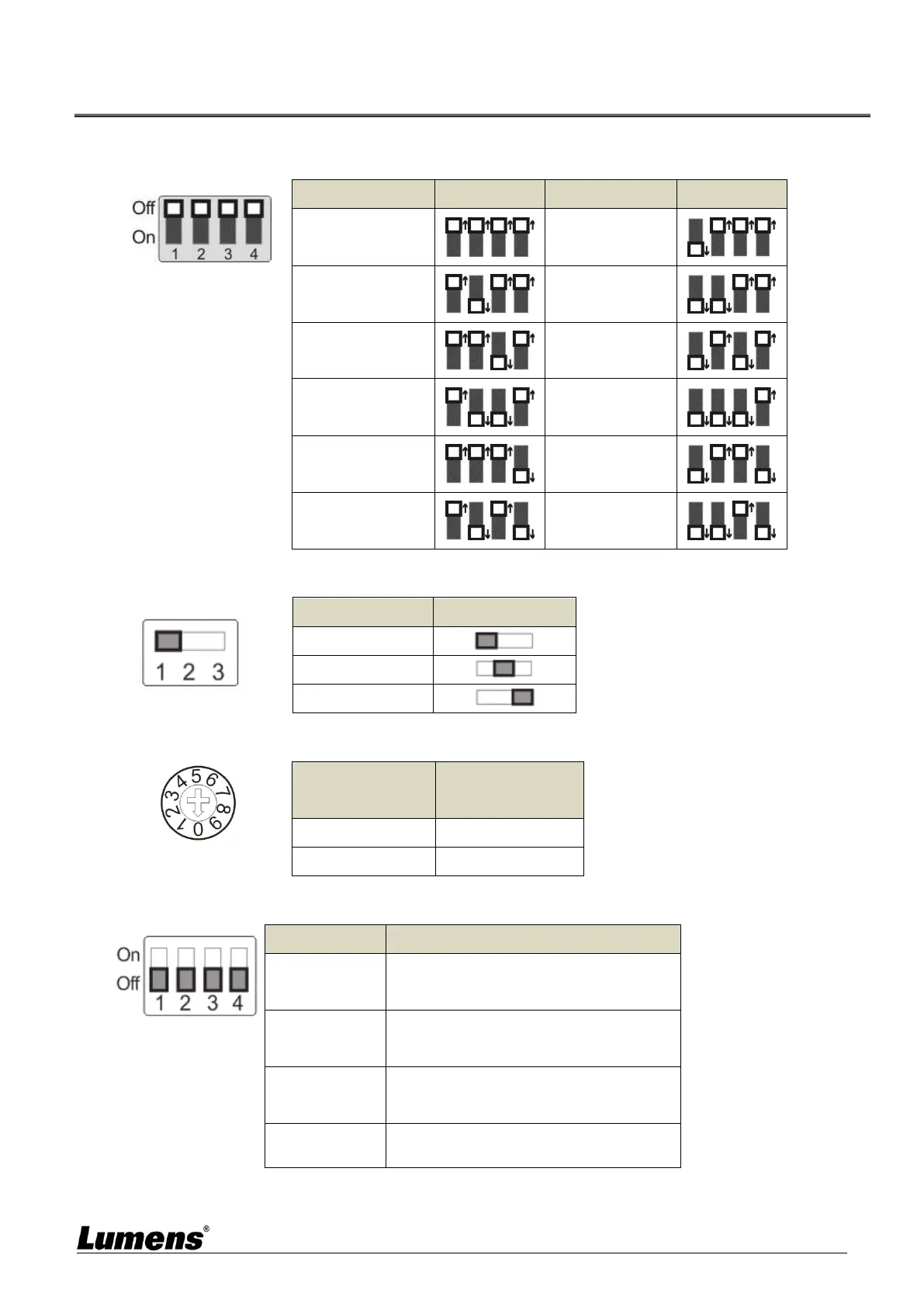
Chapter 6 DIP Switch Setting
6.1 OUTPUT Switch
Output Mode
Setting
Output Mode
Setting
1920x1080/60p
1920x1080/50p
1920x1080/30p
1920x1080/25p
1920x1080/60i
1920x1080/50i
1280x720/60p
1280x720/50p
1080/59.94p
1080/59.94i
1080/29.97p
720/59.94p
6.2 IR SELECT
ID
Setting
1
2
3
6.3 Camera Address Selector
Setting
Function
Descriptions
0~7
ID 0~7
8~9
Reserved
6.4 System Switch
Setting
Function Descriptions
DIP 1
RS-232/RS-422 Communication Control
OFF : RS-232 / ON : RS-422
DIP 2
IR signal output
OFF : Off / ON : On
DIP 3
Communication baud rate
OFF : 9600 / ON : 38400
DIP 4
Reserved

Other manuals for Lumens VC-A51P

Related product manuals