13
3.3.2.5 How to remove
1. Remove the connecting wires from the camera
2. Uninstall the camera together with the ceiling, loosen the three screws that fix the metal
plates A and B and push to the left to remove the machine
3. Then remove the screws on the hanger and the machine
3.4 Connecting devices
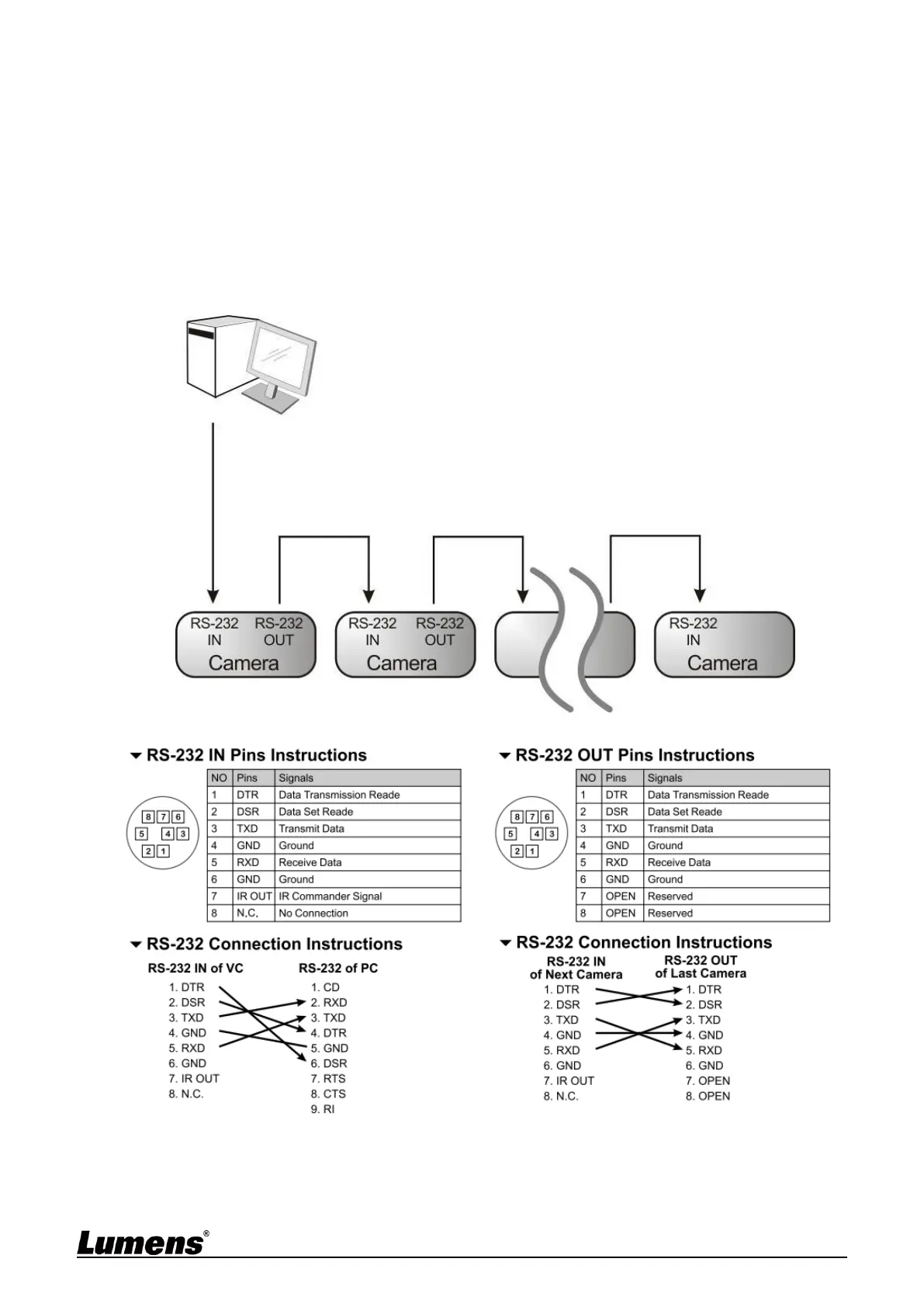
3.4.1 RS-232 Connection
With RS-232 in/out, at most 7 Lumens cameras can be connected.
RS-232 pins definition instructions


 To Next Page
 Loading...











