24
5.2 Web Page Function Description
5.2.1 Live View
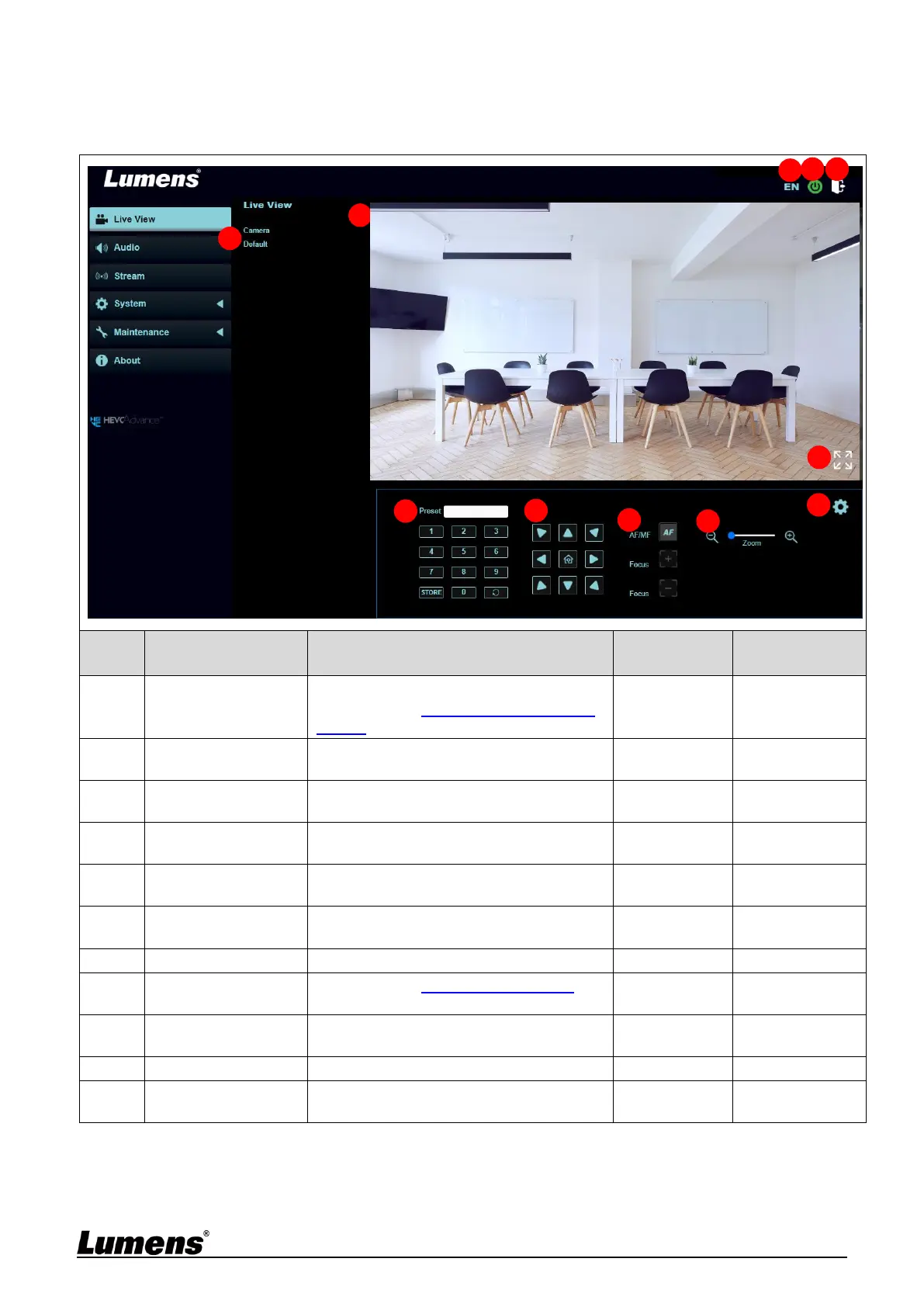
<Remark> The preview window is not supported when NDI|HX is on
Display camera ID/location
Please refer to 5.2.7 System Settings -
Device
Display the screen currently captured by
the camera
Enlarge the preview
window
Zooming in/out the preview image
Select the number first and then select
SAVE or LOAD
Adjust the Pan/Tilt position of the camera
screen
Switch to Auto Focus/Manual Focus.
Focus can be adjusted in Manual Focus
Please refer to 5.2.2 Camera Setting for
relevant settings
Supporting English/ Traditional Chinese/
Simplified Chinese
Log out the administrator screen on the
website


 To Next Page
 Loading...











