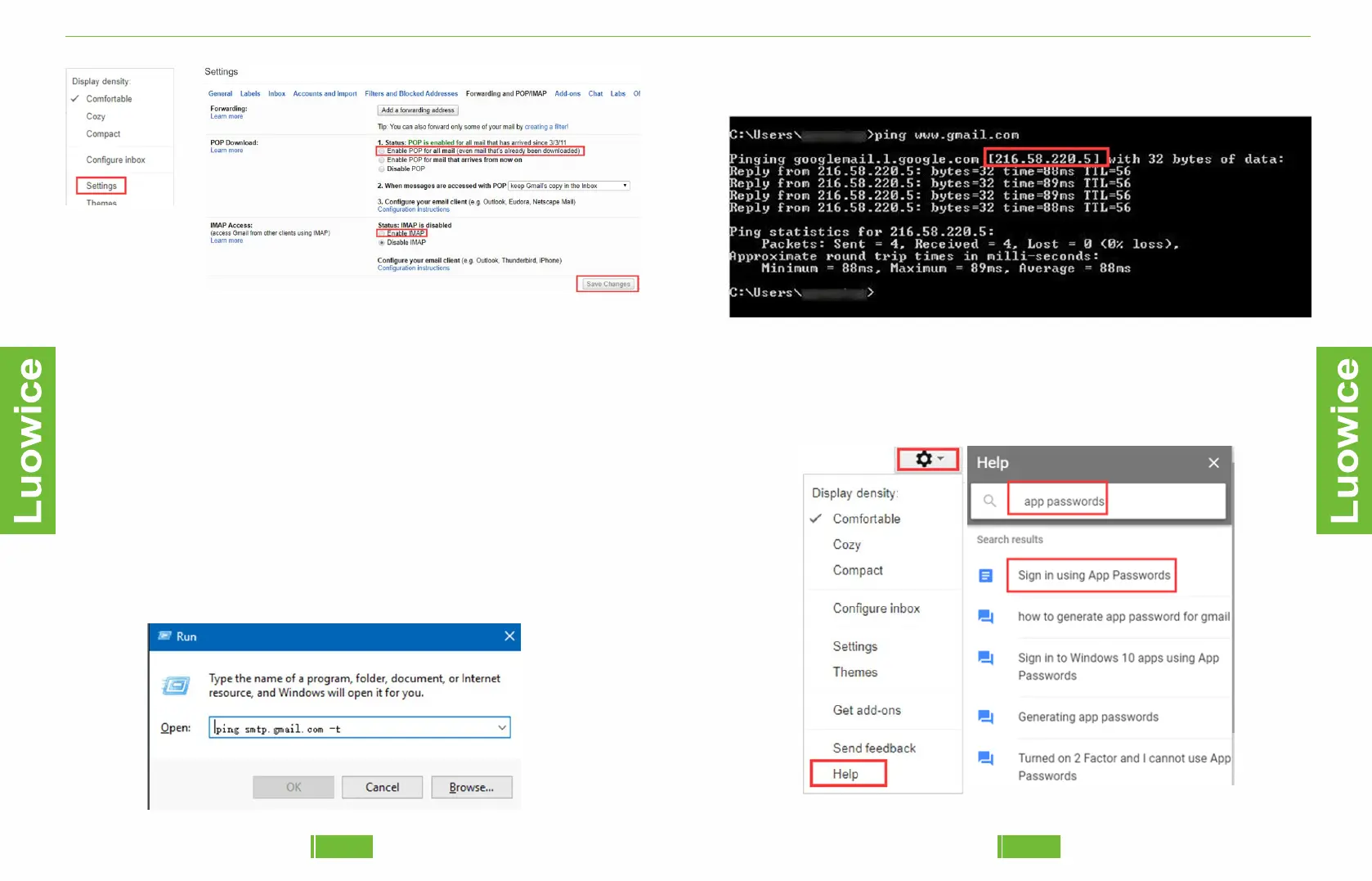
Step3, And the ip address will show as follows.
Step2, PING the smtp.gmail.com
❸And also, if you use a gmail account, you need to get an app
password.from the account.
To get an app password, please follow the operation below:
Step1, Go to 'settings' and click 'Help', and then search 'App Passwords',
it'll show as follows. And then select 'Sign in using Passwords'.
Luowice Wireless Security Camera User ManualLuowice Wireless Security Camera User Manual
2827
❷Then get the SMTP Server information from the email account you
want to use as 'Sender'. And if you use a gmail account as 'Sender', the
smtp server should be 'smtp.gmail.com'. And if this smtp server doesn't
work when you test it, you can follow the steps to get an ip address for the
SMTP Server on your computer.
Step1, Press simultaneously the Windows and R keys on your keyboard
and the Run window is displayed immediately.


 To Next Page