Luowice Wireless Security Camera User Manual
Luowice Wireless Security Camera User Manual
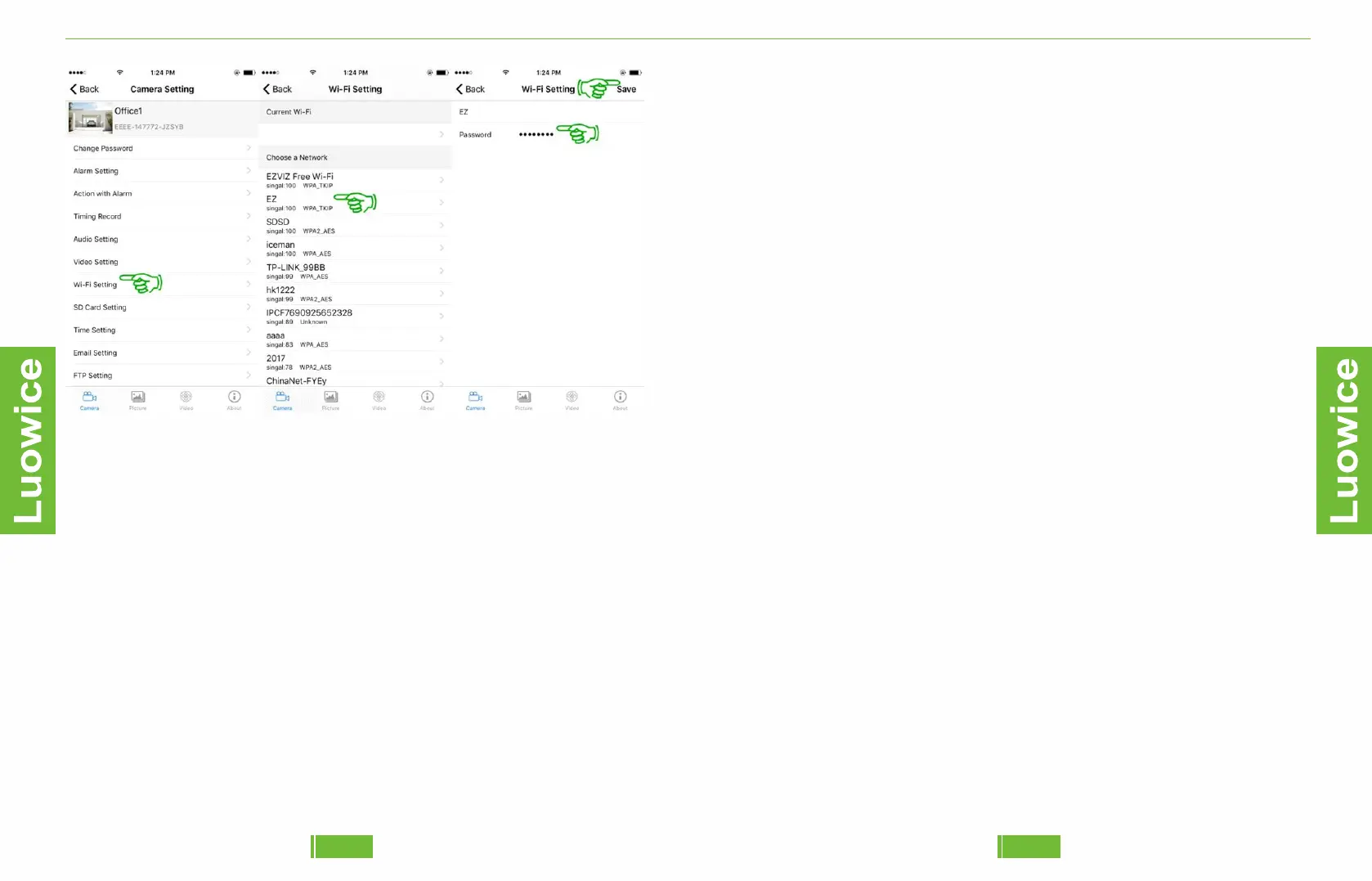
Note: 1.Please kindly note that once the camera is connected to your
local Wi-Fi network, the camera's Wi-Fi Hoptspot will disappear
automatically.
2.Please kindly make sure your local router name and password without
any space and special charters such as ‘~, `, ?, ,, #, $, ), <, *, =, +, &, “, :,
;, /,etc. Otherwise the ‘WIFI Setting’ will fail. Cause the camera can’t
recognize special charters automatically.
3.If your local Wi-Fi network is not stable, you can keep connecting the
camera with your local router via network cable to gain more stable
signal transmission.
5251


 To Previous Page