32
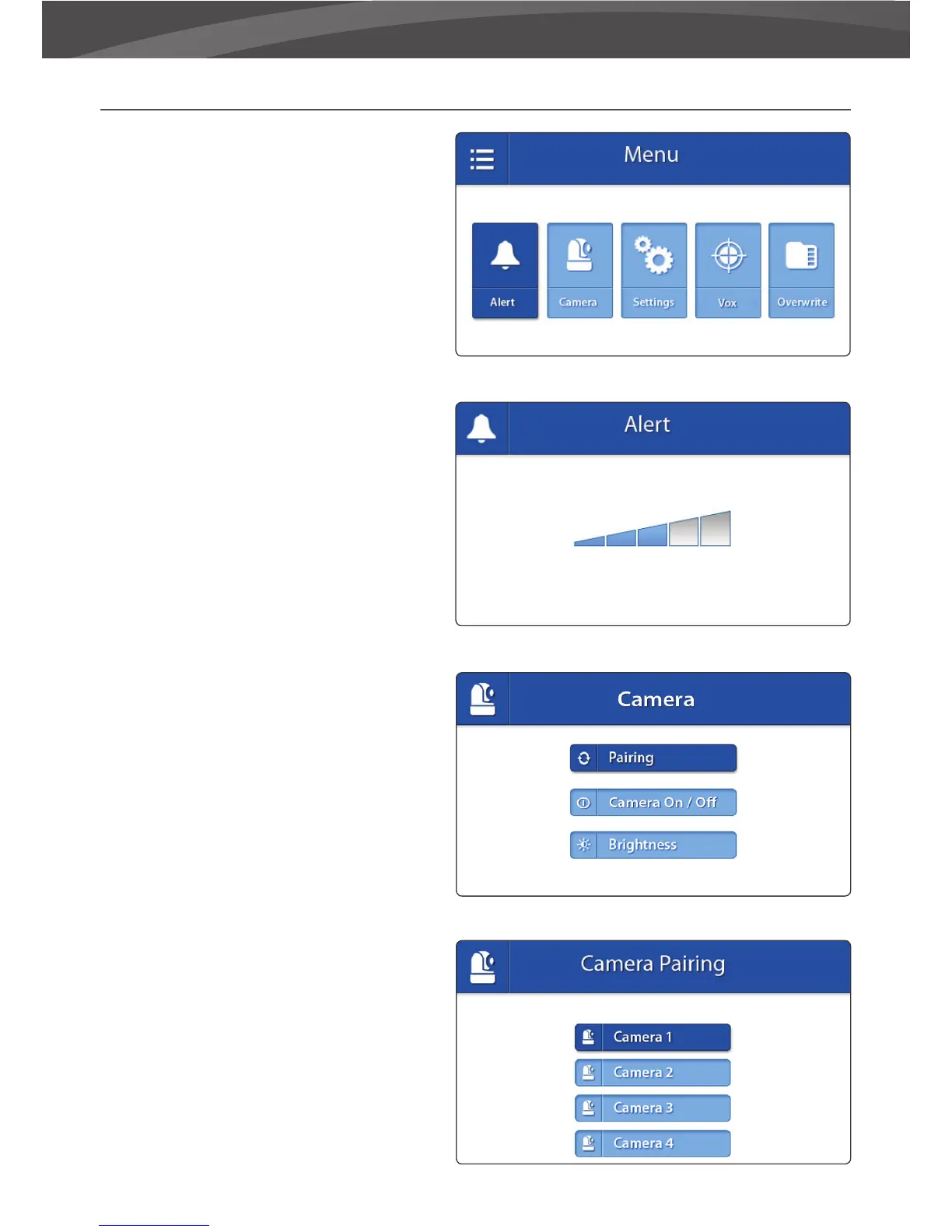
MENU
Open the menu of the Luvion Prestige Touch 2
oto change device settings.
> Press the menu button on the parent unit to
open the menu.
> Move the joystick to the left/right to select a
submenu.
> Press the Joystick to con rm a
selection,marked dark blue, and open a
submenu.
ALERT
The Luvion Prestige Touch 2 has a a temperature
alert. Use this submenu to change the
volume of this alert.
> Move the joystick to the left or right to
increase/decrease the alarm volume. To mute,
empty the bars all the way down.
> Press the joystick to save your setting.
CAMERA
You can change the camera (baby monitor)
setup in this menu.
> Move the joystick to the up/down to select a
submenu.
> Press the Joystick to con rm a selection and
to open a submenu.
PAIRING
You can use the pairing function to restore the
connection/or make a new connection between
the baby unit and parent unit. It also enables
you to connect additional baby units to the
parent unit. For more info see page xx.
> Move the joystick up or down to change the
camera channel you would like to pair.
> Press the joystick to con rm your selection.
> The parent unit will count down. Brie y press















 To Next Page