Premium Baby products
PAIRING
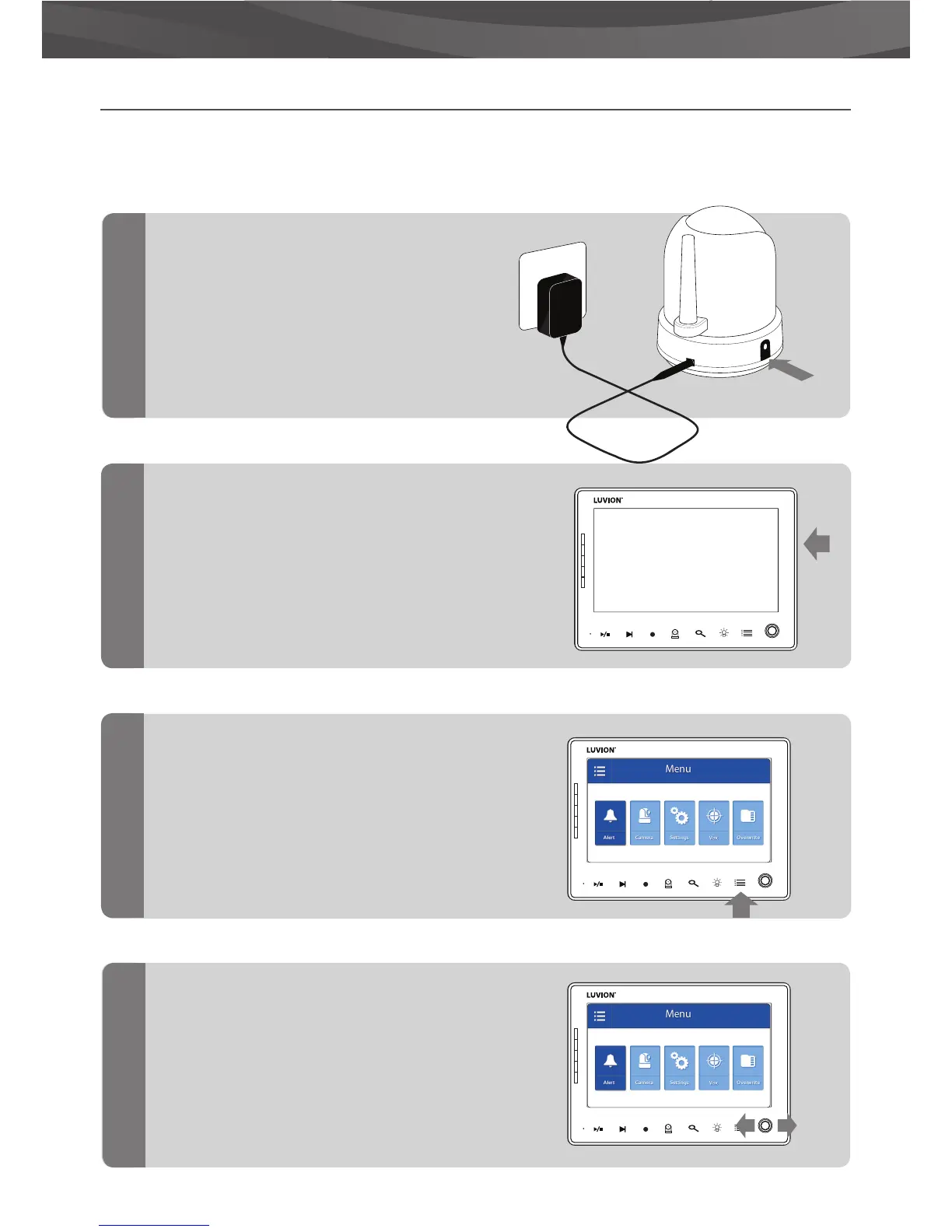
Use the Pairing function to connect a baby unit (camera) to the parent unit (monitor). Up to 4 baby units can
be connected to the monitor. They need to be paired on a di erent channel.
Switch the baby unit (camera)
on by holding down the power
button until the Power LED turns
green.
Hold and press the On/O button to switch
the parent unit (monitor) on.
Press the menu button.
Move the joystick to the left or right to
select the CAMERA menu .
Press the joystick to open the CAMERA
menu.
1
2
3
4
MIC
1
24
3
MIC
1
24
3
MIC
1
24
3
LUVION















 To Next Page