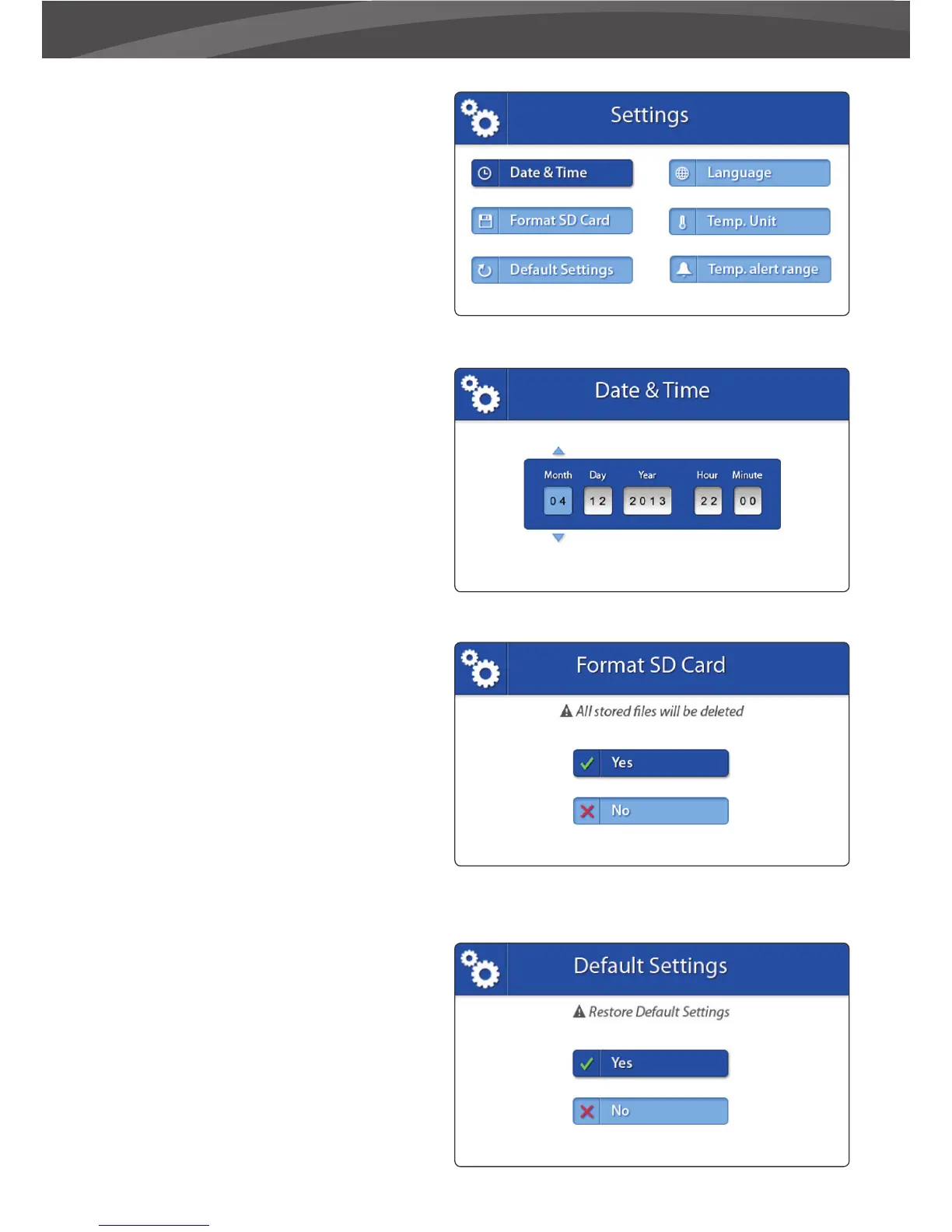
SETTINGS
You can change the settings in this menu.
> Move the joystick to the up/down/left/
right to select a submenu.
> Press the Joystick to con rm a selection
and to open a submenu.
> DATE & TIME
The Date & Time are used to name recorded
videos.
> Move the joystick left and right to select an
input eld.
> Move the joystick up and down to change
the value of the input eld.
> Press the joystick to con rm your selection.
> FORMAT SD CARD
Use this menu to delete all the data stored on
the Micro SD card currently inserted in the
parent unit (monitor).
> Move the joystick up and down to select
Yes/No.
> Press the joystick to con rm your selection.
> DEFAULT SETTINGS
Use this menu to restore the Default Settings
(factory settings).
> Move the joystick up and down to select
Yes/No.
> >> Press the joystick to con rm your
selection.















 To Next Page