Restoring the Default Settings
will not a ect the pairing settings. The
baby unit(s) will remain paired with the
parent unit..
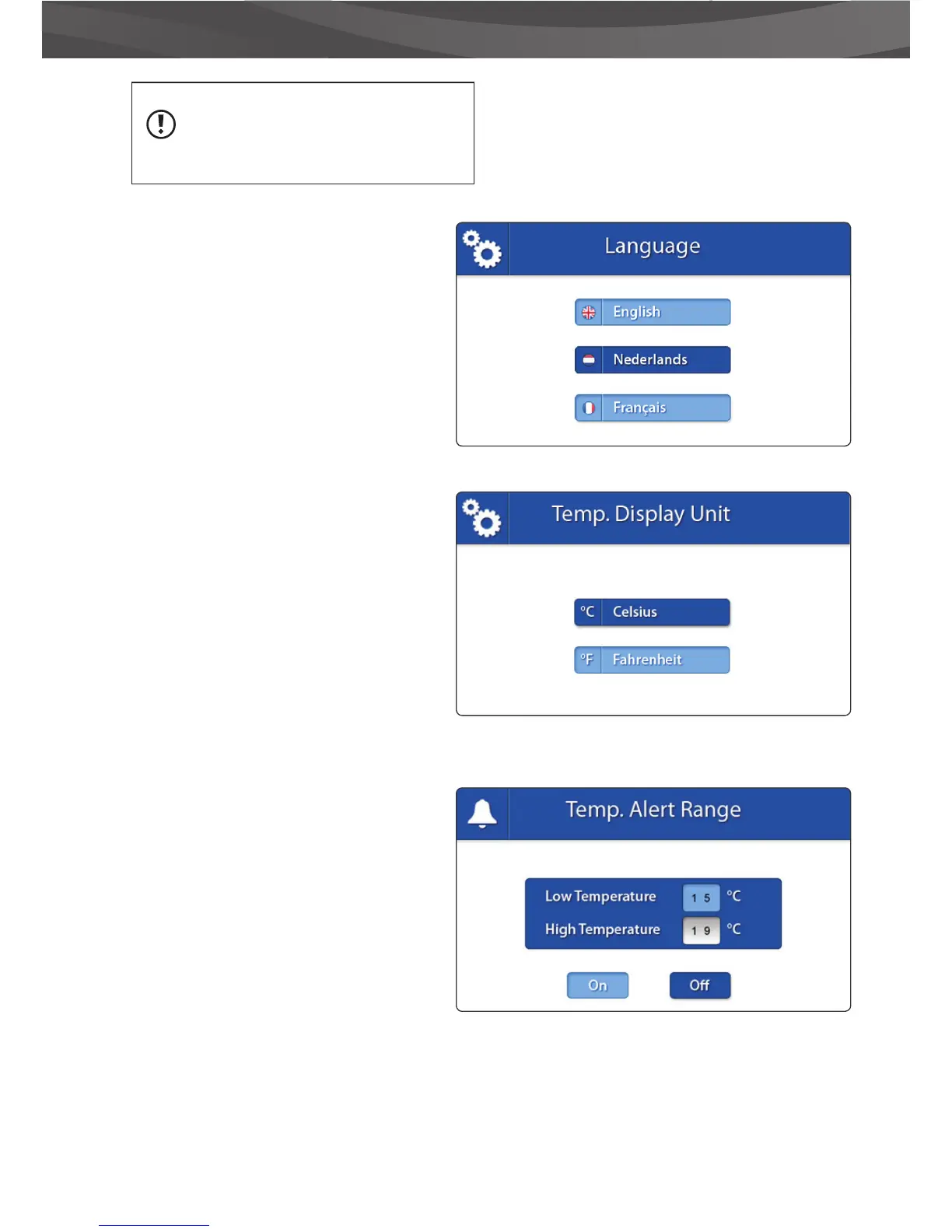
> LANGUAGE
The default language of the menus of the
parent unit is English. However, Dutch and
French are also available. Use this menu to
change the menu language.
> Move the joystick up and down to select a
language.
> Press the joystick to con rm your selection.
> TEMPERATURE DISPLAY
UNIT
The baby unit (camera) is equipped with a
temperature sensor. This temperature is
displayed on the parent unit (monitor). Use
this menu to select the preferred unit. You can
choose between Degrees Celsius or Fahrenheit.
> Move the joystick up and down to select a
temperature display unit
> Press the joystick to con rm your selection.
TEMP. ALERT RANGE
The baby unit (camera) is equipped with a
temperature sensor. You can set a temperature
alert to get noti ed when the temperature is
either too cold/hot. This feature is not intended
as a substitute for adult supervision.
> Move the joystick to the up and down to
move between Low Temperature and High
Temperature and the On and O buttons.
> Move the joystick to the right to increase the
temperature and to the left to decrease it.















 To Next Page