M2I Corporation Industrial HMI Touch Panel HW Installation Manual
M2I Corporation
M2I Bldg, 35-11, Jeonpa-ro 24beon-gil, Manan-gu, Anyang-si, Gyeonggi-do, 430-857, Korea. Tel :+82-70-465-3366,Fax:+82-31-465-3355 www.m2i.co.kr
17 / 23
5.3 USB Communication Specifications
5.3.1 USB Host
Type
Item Specification
USB Interface EHCI/OHCI Specification Version 1.0, USB2.0/1.1 compatible
Communication Method Control/Bulk
Transfer Speed 480Mb/s
Support Device USB Storage (FAT16/FAT32 File Format Available)
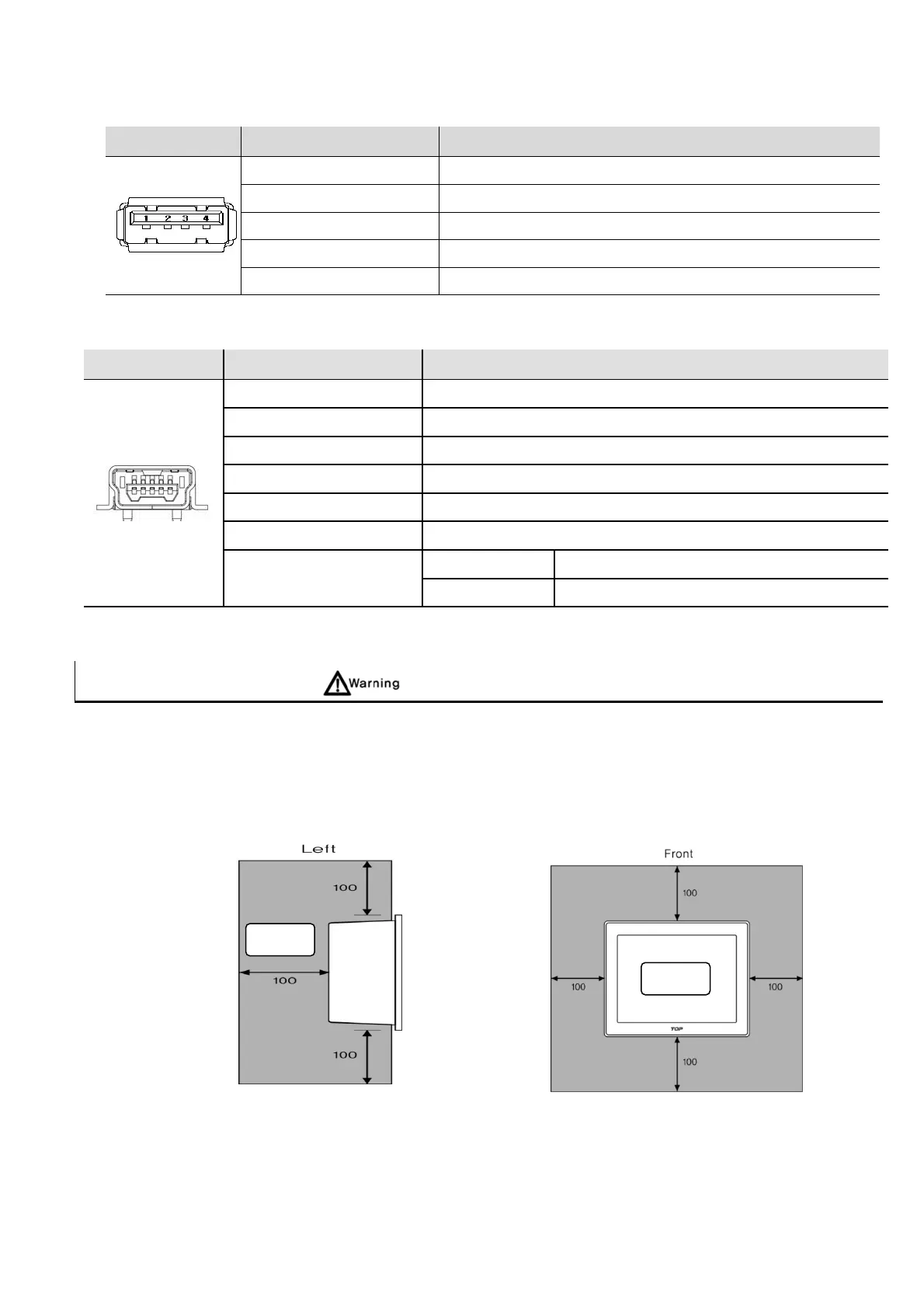
Connector Type Type A(1ch)
5.3.2 USB OTG
Type
Item Specification
USB Interface USB 2.0
Communication Method Interrupt/Bulk/Isochronous
Transfer Speed 480Mb/s
Supporting OS Windows 98SE/2000/XP/VISTA/7/10(32/64bit)
Cable Length 1.5M (recommended to use M2I's Option Cable)
Connect Type MINI USB AB, Female
Connect Method
TOPRW05 Connected via USB terminal inside SD cover
TOPRW07/10 Connect Via USB Front of Display Module
Chapter 6. Installation
6.1 Installation Requirements
(1) For the performance, ventilation and safe use of the equipment, keep the distance between the back of
the main unit and each wall of the container at least 100mm and install the cooling fan when installed
in an enclosed space.
(2) It should be installed within -10 ~ 50°C and 10~80% relative-humidity, otherwise the screen may be
changed or cause malfunction and damage.
(3) Be sure that heat from surrounding equipment does not cause product to exceed its standard
operating temperature
.
(4) When you don’t see within 30°, you may not see clearly.
IP65
IP2X


 To Next Page