SECTION 7 MAINTENANCE AND SERVICING
Form 169000 / 169040 124 Revision D
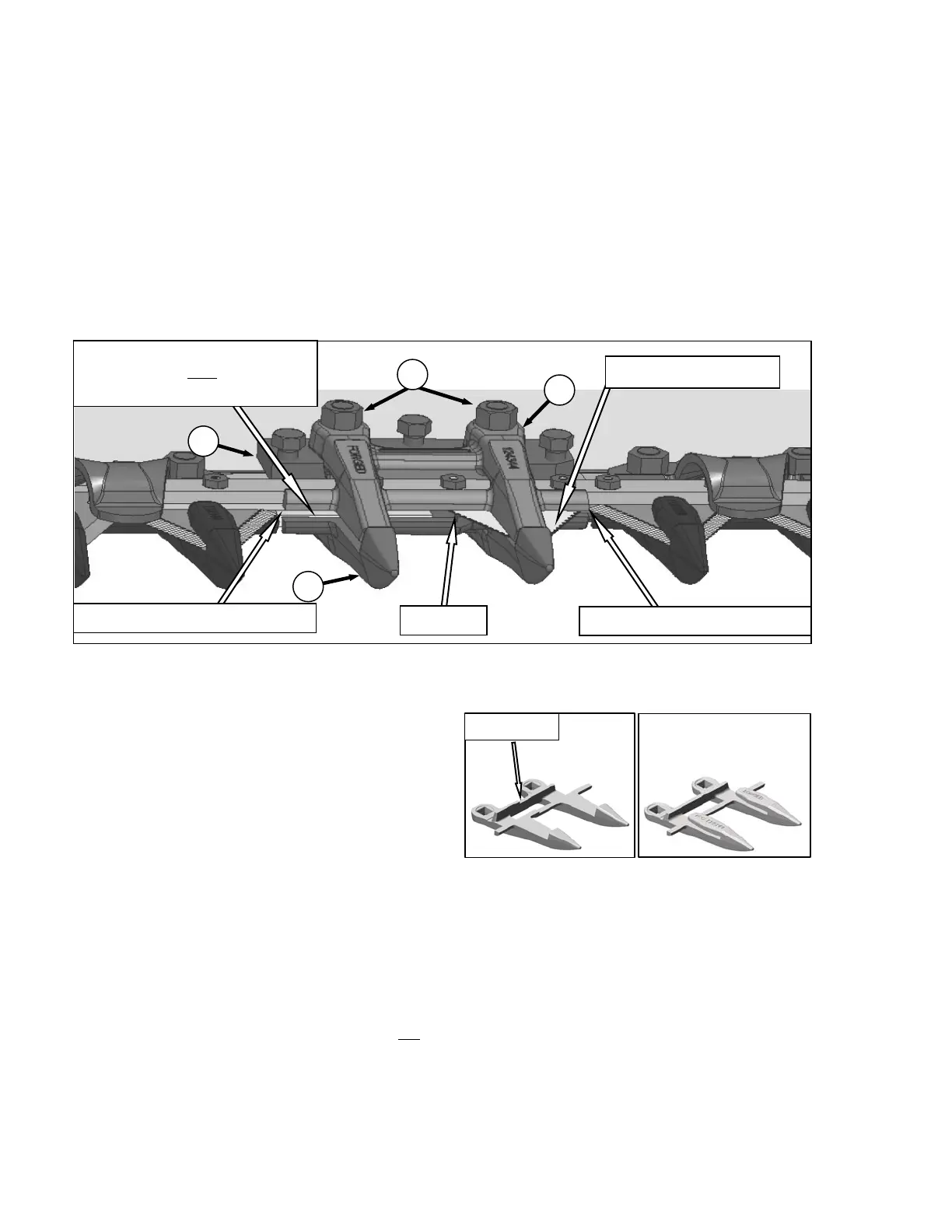
7.8.7.2.2 Pointed Guard Replacement: Double
Knife
Refer to previous section for standard guard
replacement.
The guard near the center of the double knife
header, where the two sickles overlap, requires
a slightly different replacement procedure.
IMPORTANT
Replace adjacent guards when replacing
center guard.
a. Remove two nuts (A) and bolts that attach
center guard (B) and top guide (C) to cutterbar.
b. Remove guard and top guide (C), and adjuster
bar (D).
IMPORTANT
Ensure center guard (B) has offset cutting
surfaces. See illustrations.
NOTE
Top guide (C) must accommodate the
two overlapping knifes at center guard
(B) location on double knife header.
Ensure replacement is correct part.
IMPORTANT
Ledger surfaces of center and adjacent
guards must be vertically aligned to avoid
interference with sickle sections.
c. Position replacement center guard (B), adjuster
bar (D), top guide (C), and install bolts. Do not
tighten fully.
d. Check and adjust clearance between top guide
(C) and sickle. Refer to Section 7.8.8 Sickle
Hold-Downs.
CENTER POINTED GUARD AND HOLD-DOWN (SICKLES STROKED FULLY OUT)
B
A
C
D
NOTE
SECTION IS NOT PRESENT
WHEN KNIFE IS STROKED OUT
INVERTED SECTION
CUTTING SURFACES ALIGNED
OFFSET
CUTTING SURFACES ALIGNED
NORMAL CENTER
OFFSETS





 To Next Page