SECTION 7 MAINTENANCE AND SERVICING
Form 169000 / 169040 150 Revision D
A
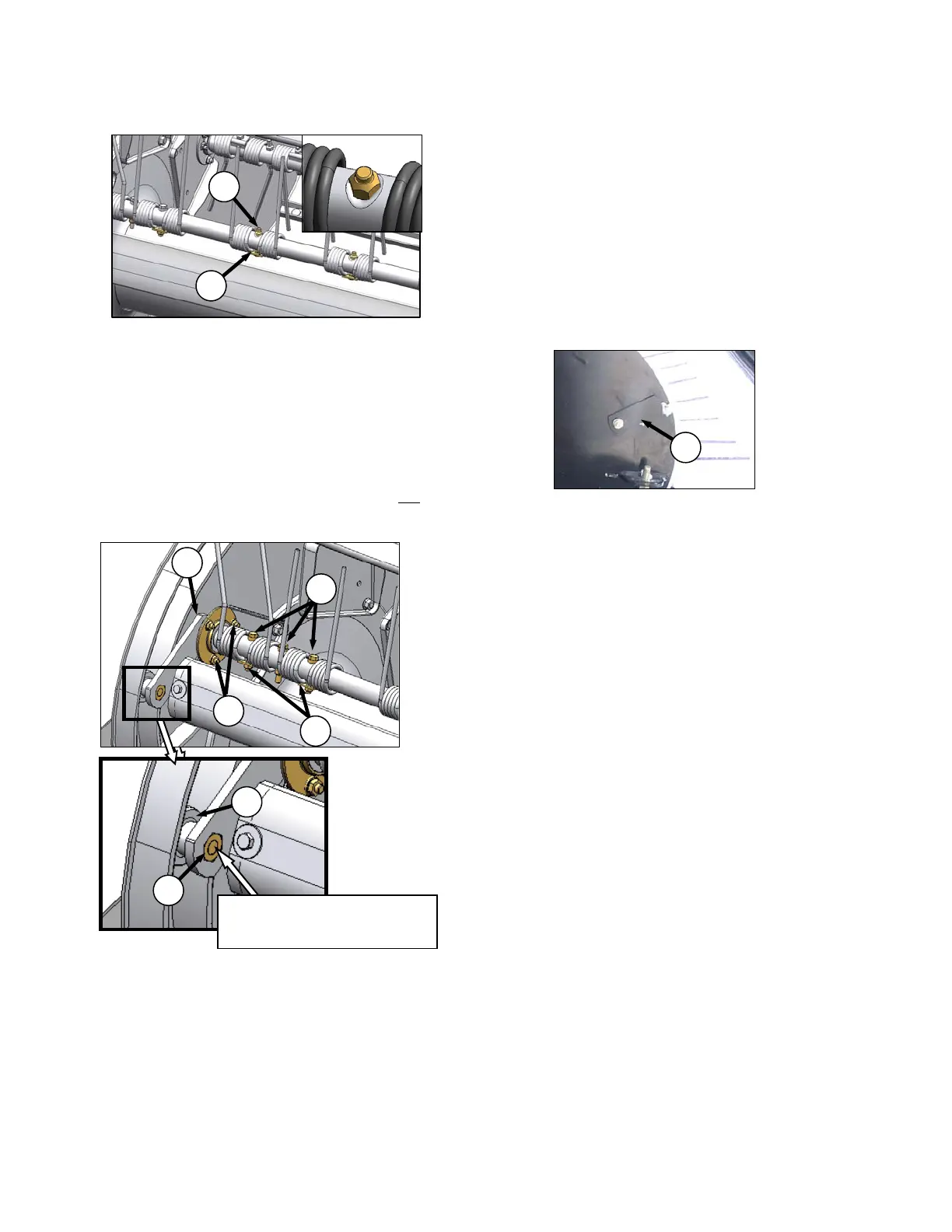
h. Replace tine as follows:
1. Remove bolt (M) and keeper (N) on tine to
be replaced.
2. Remove bolts and keepers on tines as
required to facilitate replacement of
damaged or worn tine.
3. Slide tines off tine bar.
4. Install replacement tine on tine bar and
secure with bolt (M) and keeper (N). Install
nut with flat side against tine bar. Do not
install bolts in end tines at this time.
i. Position end of tine bar clear of cam disc, and
install cam arm assembly (D), complete with
bearing on tine bar.
j. Engage cam arm into cam track as shown.
k. Attach bearing flangettes at discs #1 and #2 with
bolts (G). Tighten bolts to 23 - 26 ft·lbf
(31 - 36 N·m).
l. Position tines as shown, and install shoulder
bolts (E) with keepers (F).
m. Install cam follower bearing (C) with bolt (B).
Apply Loctite® #262 (or equivalent) to bolt
threads, and torque to 90 ft·lbf (122 N·m).
n. Re-position cover (A) on cam, and tighten bolt.
M
N
B
C
G
F
E
D
IMPORTANT
INSTALL NUT WITH DISTORTED
THREAD TOWARDS BOLT HEAD
.





 To Next Page