UNLOADING AND ASSEMBLY
Form 169018 35 Revision C
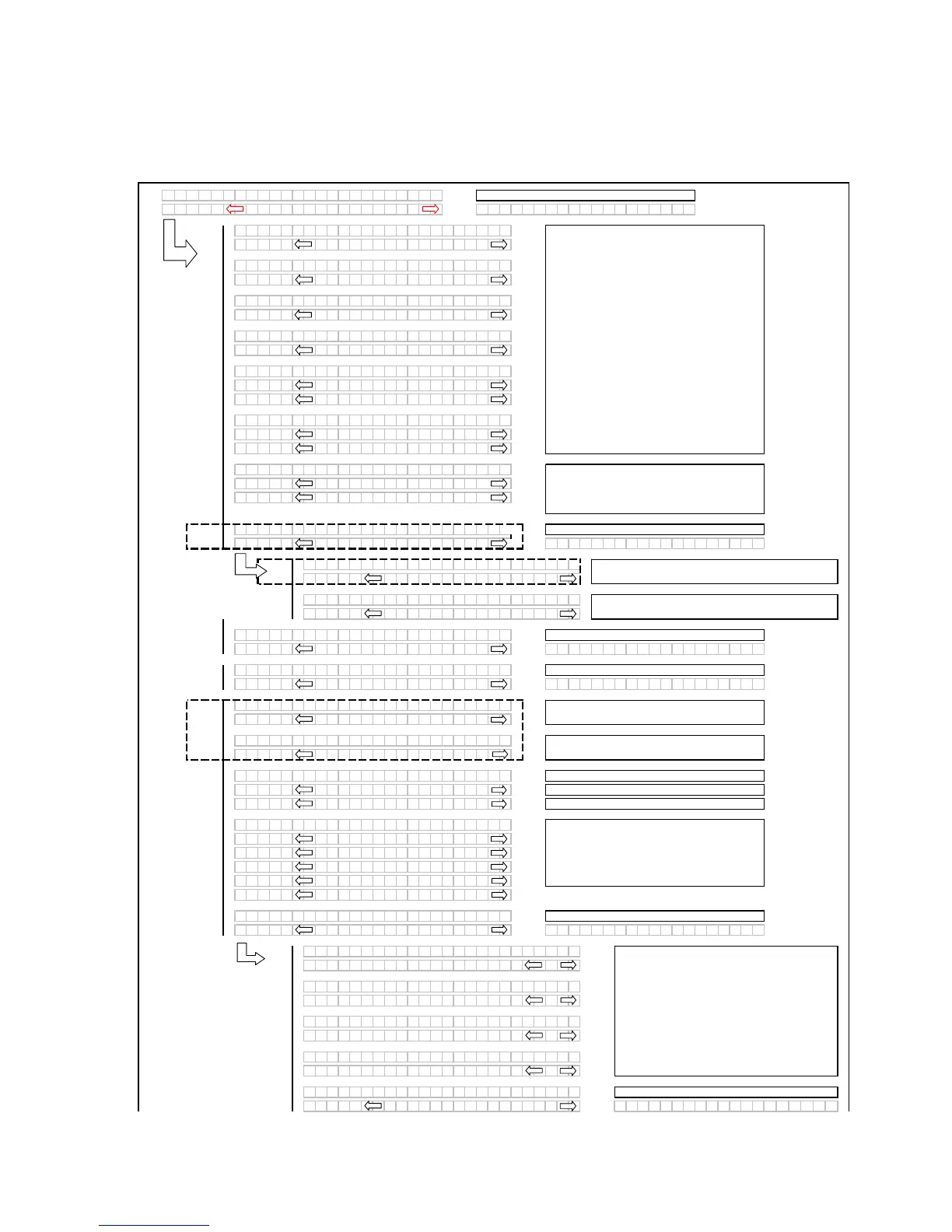
DETAILED PROGRAMMING INSTRUCTIONS
(Key On / Engine Running or Not / Header Disengaged).
(Press PROGRAM and SELECT on CDM to enter programming mode).
(continued next page)
L1 Dxxx
TR
CTOR SETUP?
L2 Cxxx
NO / YES C
BDISPL
YSETUP?
L1 Cxxx
SET KNI FE SPEED?
L2 Mxxx
1200 SPM
L1 Cxxx
KN I FE O
ERLO
DSPD?
L2 Mxxx
1000 SPM
o
L1 Cxxx
DISK O
ERLO
DSPD?
L2 Mxxx
2000 RPM
L1 Cxxx
O
ERLO
D PRESSURE?
L2 Mxxx
4000 PSI
L1 Cxxx
HE
DER I NDE
MODE ?
L2 Mxxx
REEL & CON
EYOR
L2 Mxxx
REEL ONLY
L1 Cxxx
RETURN TO CUT MODE?
L2 Mxxx
HEIGHT & TILT
L2 Mxxx
HEIGHT ONLY
L1 Cxxx
UTO R
ISE HEIGHT?
L2 Mxxx
- 4.0 +
L2 Mxxx
- OFF +
L1 Cxxx
DW
INST
LLED?
L2 Mxxx
NO/ YES HE
DER CUT WI DTH?
L1 C x x x
SW
PDW
CONTROLS?
L2 M x x x
NO/ YES
L1 C x x x
DW
UTO UP / DOWN?
L2 M x x x
NO/ YES
L1 Cxxx
T I LT CYL I NST
LLED?
L2 Mxxx
NO/ YES HE
DER CUT WI DTH?
L1 Cxxx
DI SC BLK I NST
LLED?
L2 Mxxx
NO/ YES HE
DER CUT WI DTH?
L1 Cxxx
HDR CUT WI DTH? 0 101
L2 Mxxx
20.5 FEET
L1 Cxxx
H
Y CONDITIONER?
L2 Mxxx
NO / YES
L1 Cxxx
UGER HDR REEL SPD
L2 Mxxx
RPM/ MPH
L2 Mxxx
RPM/ KPH
L1 Cxxx
SET T I RE S I ZE?
L2 Mxxx
18.4X26 TURF
L2 Mxxx
18.4X26 B
R
L2 Mxxx
23.1X26 TURF
L2 Mxxx
600 - 65 R28
L2 Mxxx
580 / 70R26 TURF
L1 Cxxx
SET ENGINE I SC RPM?
L2 Mxxx
NO / YES SET CONTROL LOCKS?
L1 C x x x
PRESS H
Z
RD TO SET
L2 M x x x
ISC RPM OFF
L1 C x x x
PRESS H
Z
RD TO SET
L2 M x x x
ISC RPM 2000
L1 C x x x
PRESS H
Z
RD TO SET
L2 M x x x
ISC RPM 1900
L1 C x x x
PRESS H
Z
RD TO SET
L2 M x x x
ISC RPM 1800
L1 C x x x
EX I T ENGINE I SC?
L2 M x x x
NO/ YES PRESS H
Z
RD TO SE T
If "NO" then
ump to:
Use the "arrow" keys to set the header cut
width. The header ID appears at the RHS.
DRAPER HEADER ONLY. Default will be
flashing. Use "arrow" keys to select.
If "NO" then jump to:
Swaps the GSL reel fore / aft with the DWA console
controls. If NO jump to DWA AUTO UP & DOWN?
When the programming mode is entered the
header ID will be displayed on the top line of the
CDM using the last 4 display positions.
Pressing "SELECT" will go to the next line 1
(L1) menu selection. The turn signal "arrow"
keys are used to change the values. Pressing
"PROGRAM" at any time will cancel the
programming mode / menus and return back to
the main operating displays.
The auto raise setting can be changed from 4.0
(min.) to 10.0 (max.) in 0.5 increments OFF
disables the auto raise function.
Enables the express up and down feature with the
header RTC. If NO jump to HEADER CUT WIDTH?
If "NO" then jump to:
AUGER HEADER ONLY
For IMPERIAL displa
.
This is used to set the Intermediate Speed
Control function for the engine. The default or
last selected rpm will be displayed first and will
be flashing.
The "arrow" keys are used to cycle between the
selections. When "SELECT" is pressed the
program goes to the EXIT ENGINE ISC? menu
selection.
For METRIC displa
.
Programming Menu Flow Chart
Appears for M150 ONLY - If "NO" then jump to:
Pressing "SELECT" will go to the next line 1
(L1) menu selection. The turn signal "arrow"
keys are used to change the values.
If "NO" then jump to:
If "NO" then
ump to:



 To Next Page