UNLOADING AND ASSEMBLY
Form 169018 14 Revision C
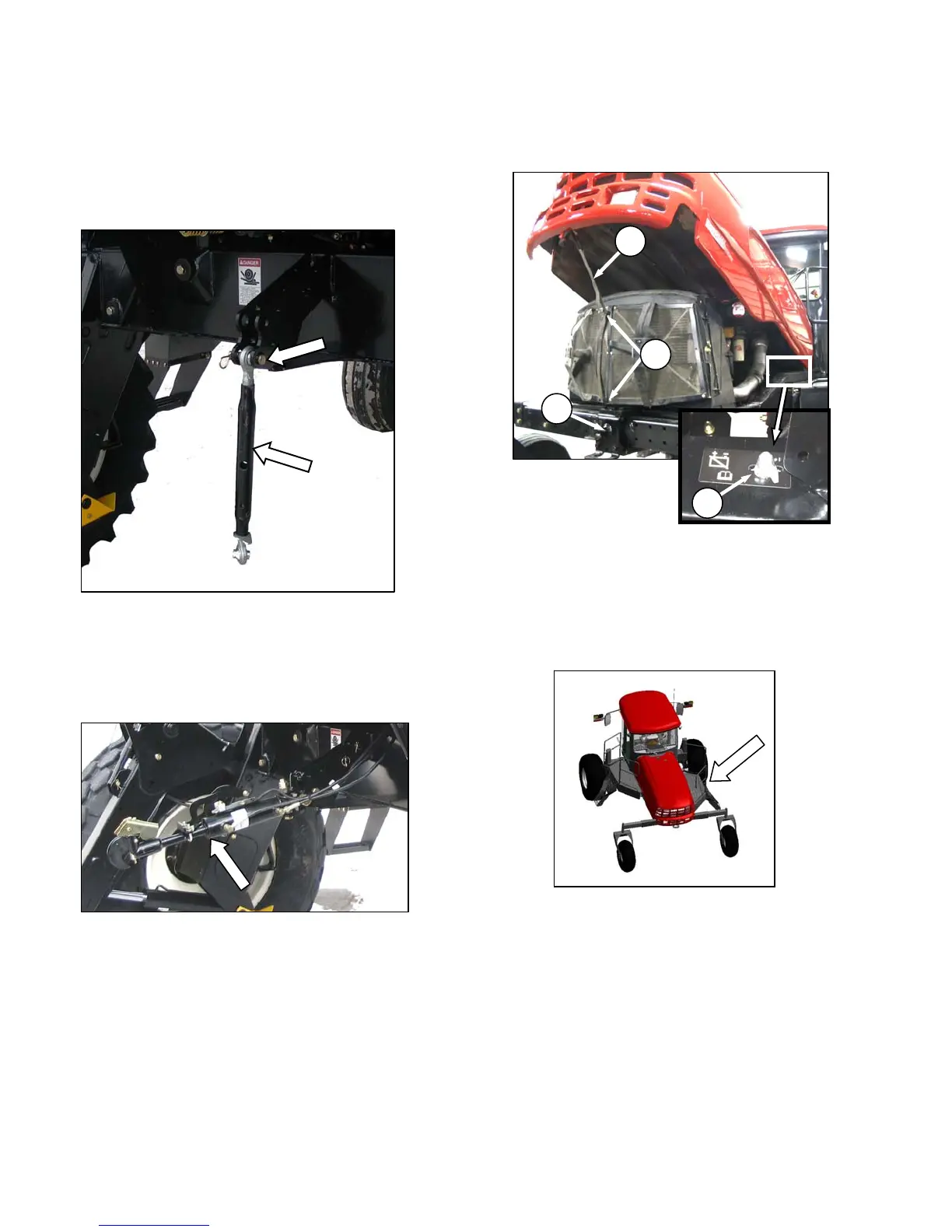
STEP 6. INSTALL CENTER-LINK
MECHANICAL LINK - M150 ONLY
a. Remove clevis pin from center-link.
b. Position link between mounting brackets on front
frame, and attach at lower hole location.
c. Install clevis pin, and secure with hair pin.
HYDRAULIC LINK - M200 STD, M150 OPTION
The hydraulic center-link is supplied in a separate
kit that is included with the shipment. Refer to
installation instructions in the kit.
STEP 7. INSTALL BATTERIES
a. Open the hood at the lowest position as follows:
1. Locate latch (A) behind grill, and lift to release
hood.
2. Raise hood until strap (B), which should be
looped under hooks (C), stops it at
approximately a 40° angle.
b. Check battery disconnect switch (D) is turned off.
c. Open right hand (cab-forward) maintenance
platform.
d. Remove cable ties securing battery clamps and
cables to frame.
(continued next page)
B
A
C
D



 To Next Page