MAINTENANCE AND SERVICING
1. Raise mower conditioner fully, shut off engine, and
remove key.
2. Engage lift cylinder lock-out valves. Refer to 3.1.1
Engaging Locks, page 31.
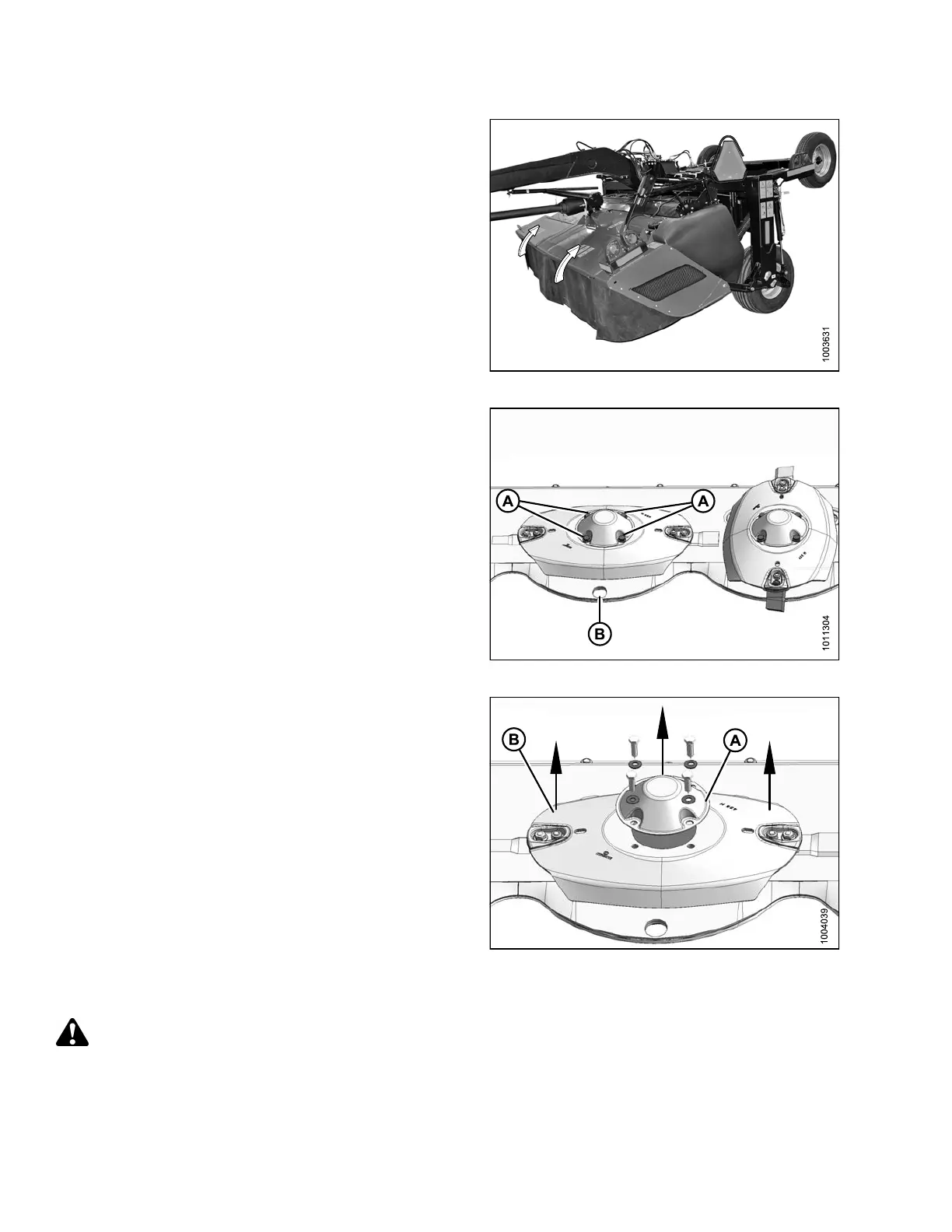
3. Open cutterbar doors. Refer to 3.3.1 Opening
Cutterbar Doors, page 36.
Figure 4.24: Cutterbar Doors
4. Place a pin (or equiva lent) in the front hole of th e rock
guard (B) to prevent disc rotation while loosening bolts.
5. Remove four M12 bolts (A) and washers.
Figure 4.25: Cutterbar Disc Bolts
6. Remove cutterbar disc cap (A).
7. Remove cutterbar disc (B).
Figure 4.26: Cutterbar Disc and Cap
Installing Cutterbar Discs
DANGER
To avoid bodily injury or death from unexpected start-up or fall of a raised machine, stop engine, remove
key, and engage header lift cylinder lock-out valves before going under machine for any reason.
147910 132 Revision A





 To Next Page