MAINTENANCE AND SERVICING
4.5 Drive Systems
4.5.1 Driveline Shield Cone
Removing Driveline Shield Cone
WARNING
Do NOT operate the machine without the driveline shield cones in place and the lever clamps
securely fastened.
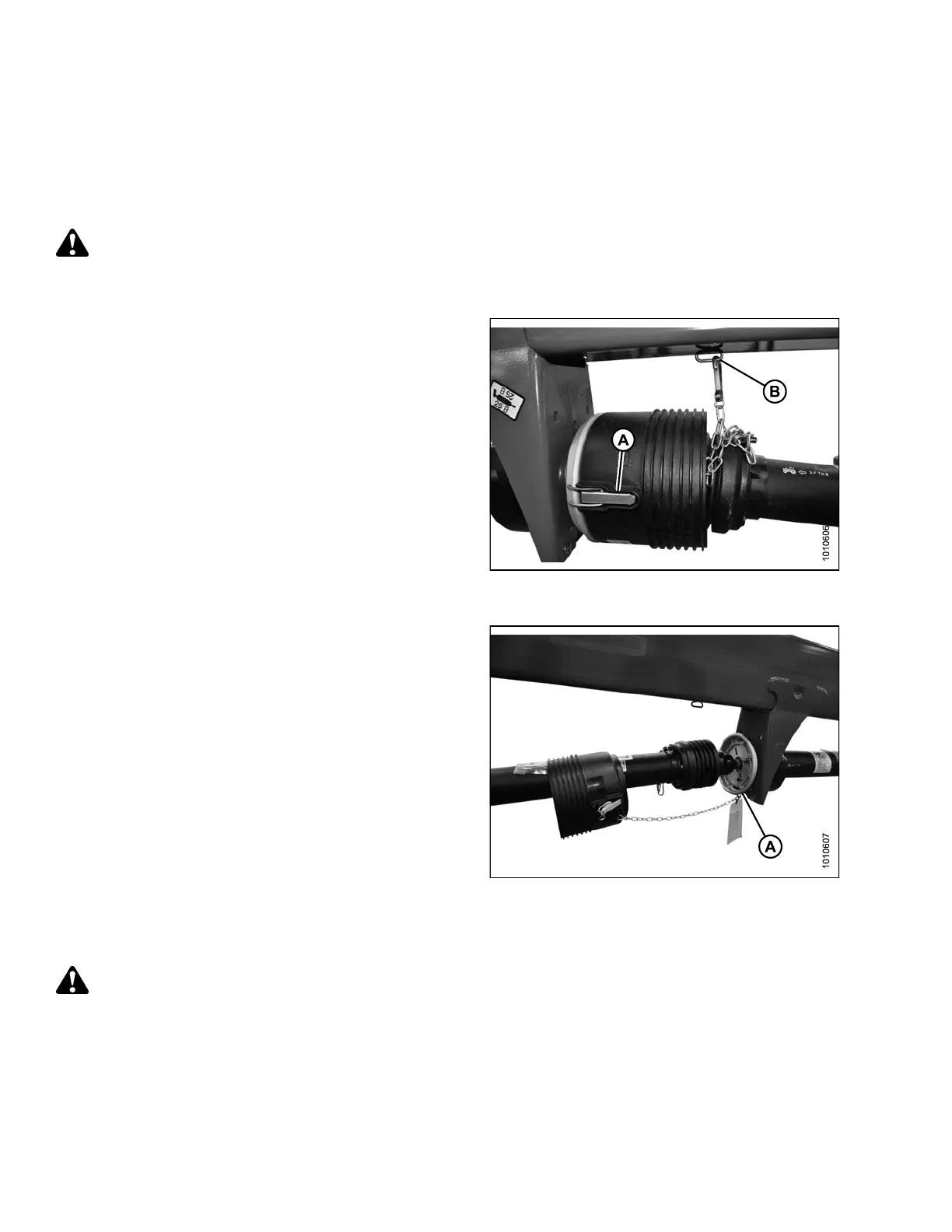
1. Release two lever clamps (A) using a screwdriver or
similar pryin g tool.
2. Unhook safety chain (B) from hitch, and ensure that
chain is secured to the shield cone and metal plate.
Figure 4.142: Driveline Shield Co ne and
Lever Clamp
3. Remove sh ie ld cone from metal plate (A) and slide
cone along drive shaft.
Figure 4.143: Driveline Shield Cone Removed
from Metal Plate
Installing Driveline Shield Cone
WARNING
Do NOT operate the machine without the driveline shield cones in place and the lever clamps
securely fastened.
147910 182 Revision A





 To Next Page