R2 Series Clinic Handout 9
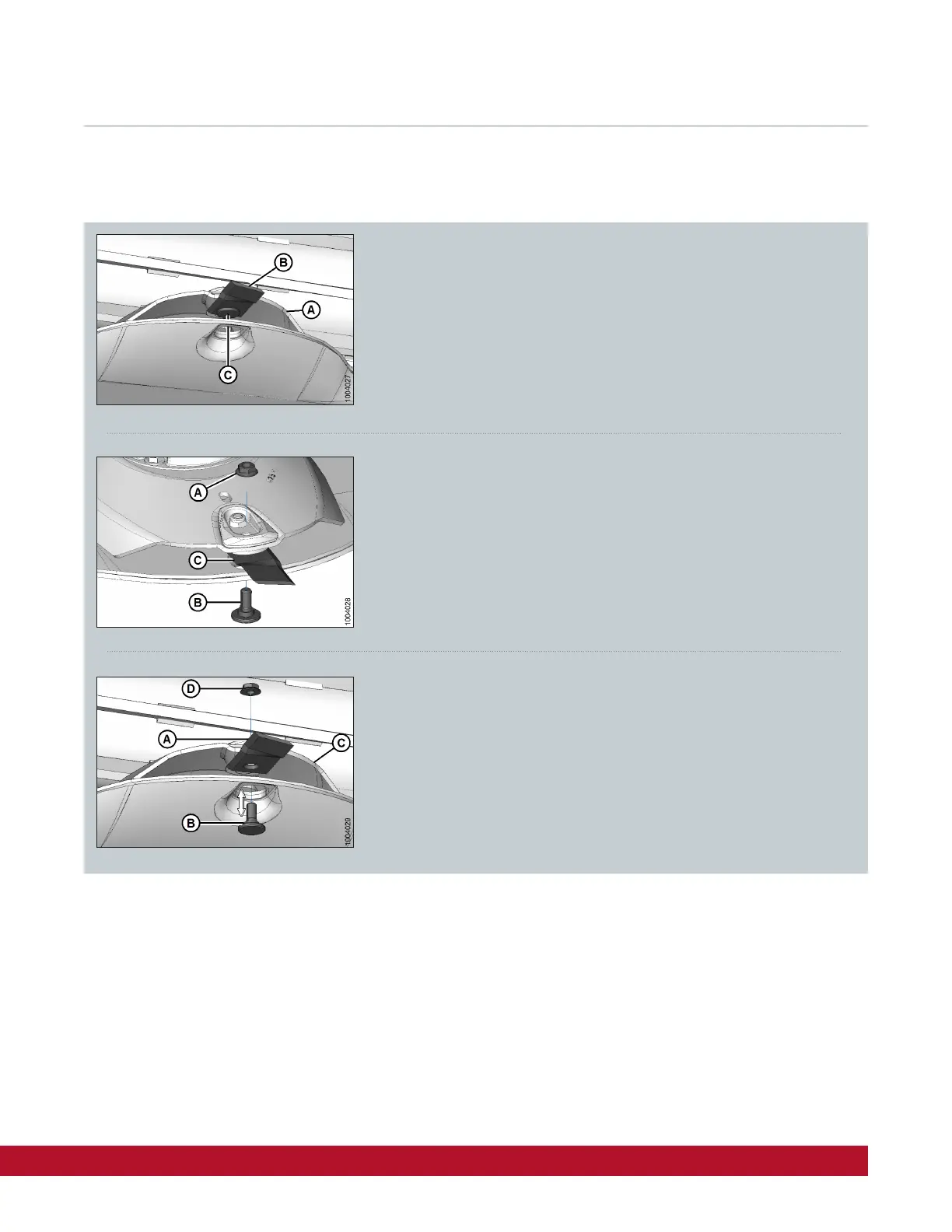
Removing / Installing Disc Blades
Rotate disc (A) so blade (B) lines up with the hole (C) in the rock guard.
Place a pin or equivalent in the front hole of the neighboring rock guard
to prevent disc rotation while loosening blade bolts.
Install new or flipped/reversed blade (A) with shoulder bolt (B)
onto disc (C)
Install new nut (D) and torque to 125 Nm (92lbf-ft)
Remove nut (A) and discard
Important:
Nuts are one-time use only. When flipping or changing a blade, replace
using a NEW nut,
Remove shoulder bolt (B) and blade (C)
Important:
Blades should be replaced in pairs or the disc may become unbalanced and cause damage to the cutterbar.
The disc blades have cutting edges on both sides so the blades can be turned over and re-used.



 To Next Page