CONTROL ELEMENTS
Opening and closing
36 Operating manual MT 32 / 36
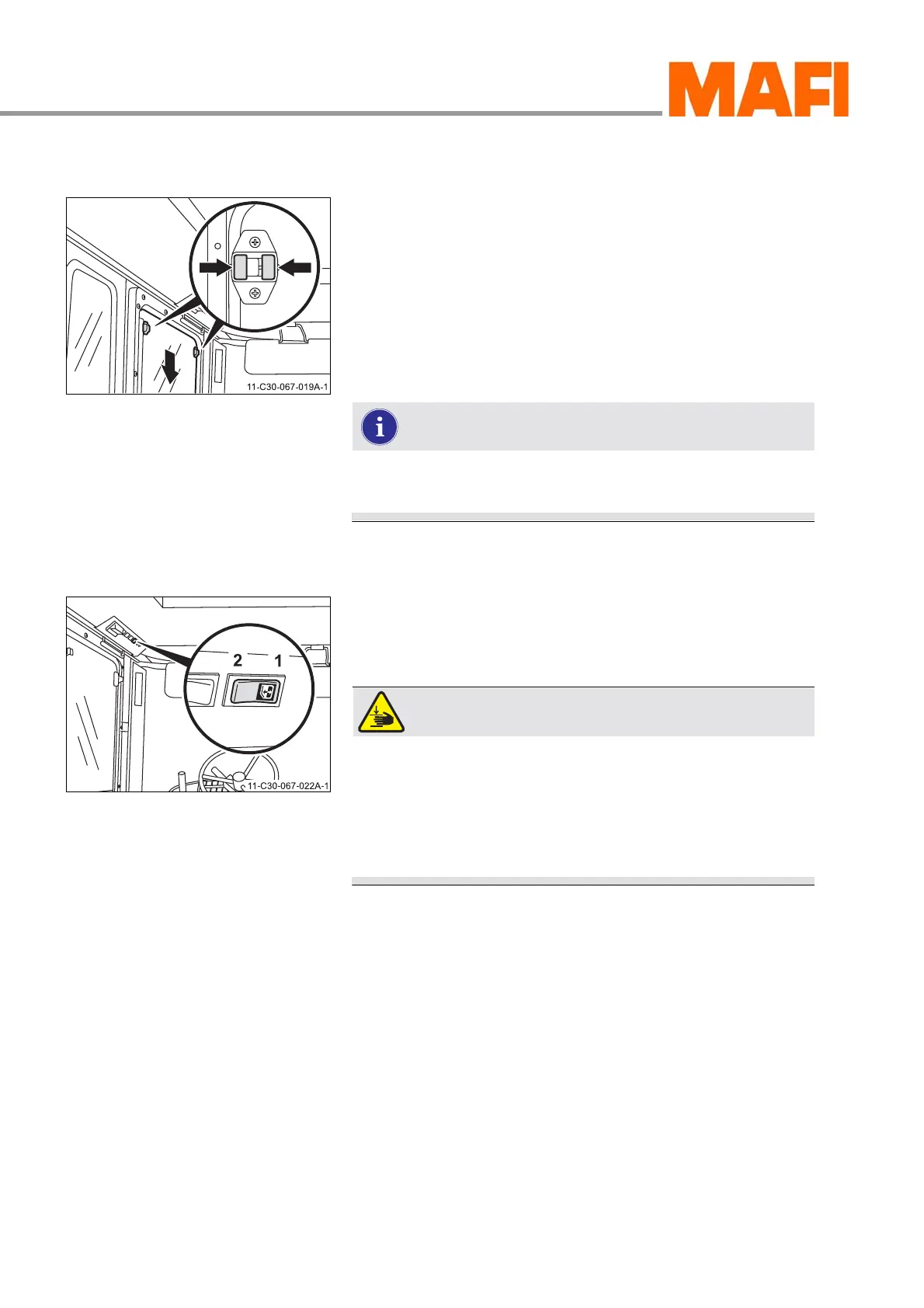
Window on the driver's side (mechanical)
Fig. 8: Window on the driver's side
Open
X Press both catches at the same time.
X Slide the window downwards.
Close
X Press both catches at the same time.
X Slide the window upwards until it catches.
The window locks by itself when you close it completely
and then cannot be opened from the outside.
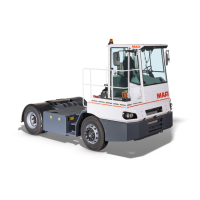
Window on the driver's side (electrical) <optional>
Fig. 9: Rocker switch
1 Open
2 Close
WARNING!
Danger of being crushed!
There is serious danger of crushing fingers, arms,
and neck when closing the window.
X Make sure that nobody is in the sliding range of the
electrically operated window.
Open
X Press the rocker switch 1.
3 The window continues to open as long as you press the
switch.
X Release the rocker switch.
3 The window remains in its current position.
Close
X Press the rocker switch 2.
3 The window continues to close as long as you press the
switch.
X Release the rocker switch.



 To Next Page