CONTROL ELEMENTS
Instrument panel
Operating manual MT 32 / 36 71
Gear shift lever for transmission <Drehwendels-
chalter>
The setting of the driving direction and the selection of the
driving program can be done with the gear shift lever.
CAUTION!
Material damages!
Operating errors can damage your MT.
X Apply the parking brake only when the Trac is at
standstill.
X Manoeuvre only using the drive programs 1 and 2.
X Change the driving direction of the MT only when it is
at a standstill.
When driving in reverse with the instrument panel
turned, both the steering and the transmission change
over. You always shift gears according to the driver's
viewing direction.
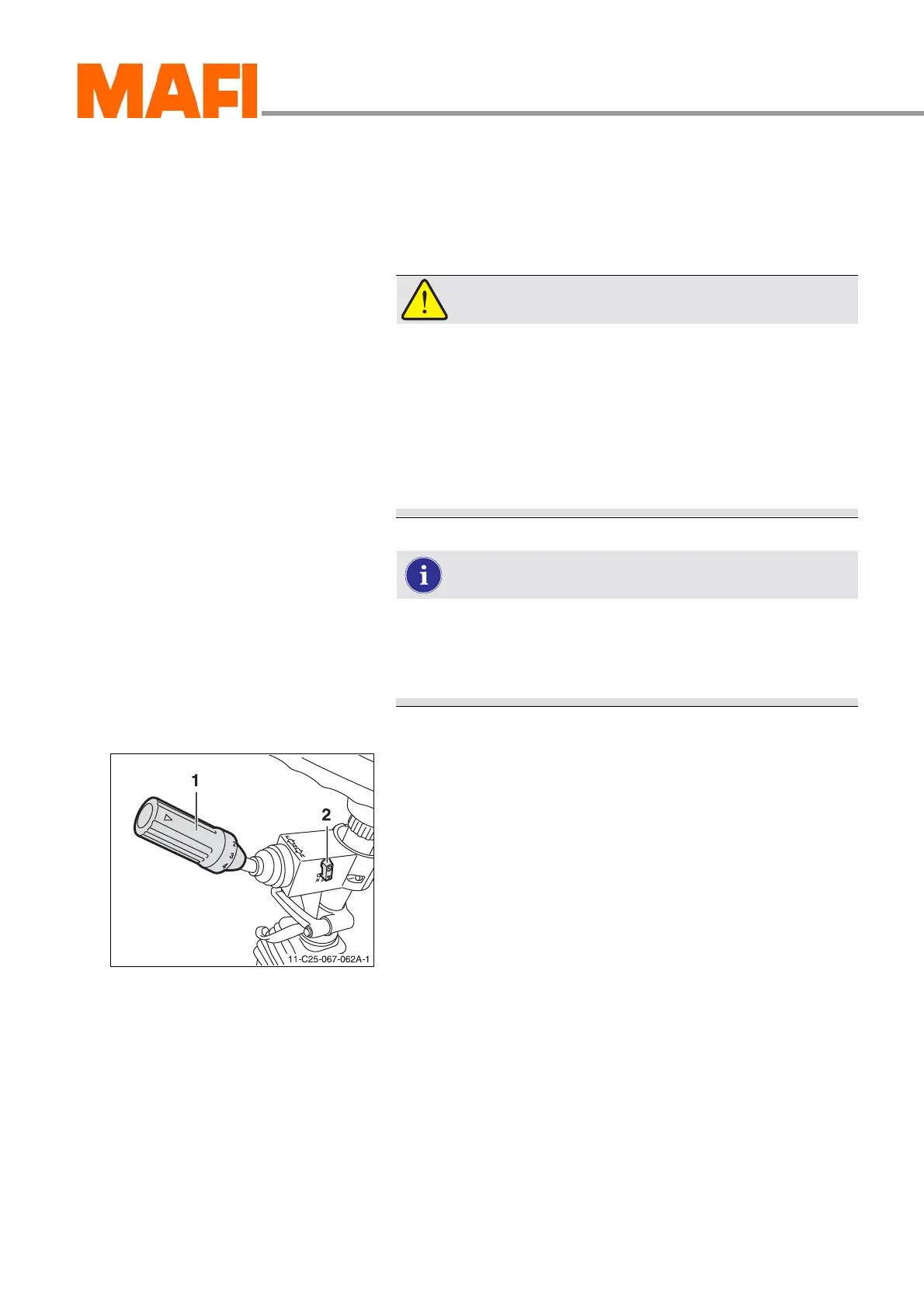
Fig. 59: Gear shift lever
1 Gear shift lever
2 “Gear shift lever lock” switch (without function)
Switching
X Select the neutral position.
The engine can be started only when the transmission is in
neutral.
X Start the engine.
X Select the desired driving direction by pressing or pulling the
gear shift lever.
Direction of the arrow 1 - “Forwards” driving direction
Direction of the arrow 2 - “Reverse” driving direction
The “forwards” driving direction is always in the direction of
view of the operator, even when the seat is turned.
X Select the desired driving program by turning the gear shift
lever.
Direction of the arrow 3 - higher driving program
Direction of the arrow 4 - lower driving program
For further information on the driving program see “Gear
shifting <mit Betriebsartwahl>” on page 103.



 To Next Page