CONTROL ELEMENTS
Instrument panel
74 Operating manual MT 32 / 36
For further information regarding the display, as well as
the error messages and codes, refer to the documenta-
tion of the manufacturer.
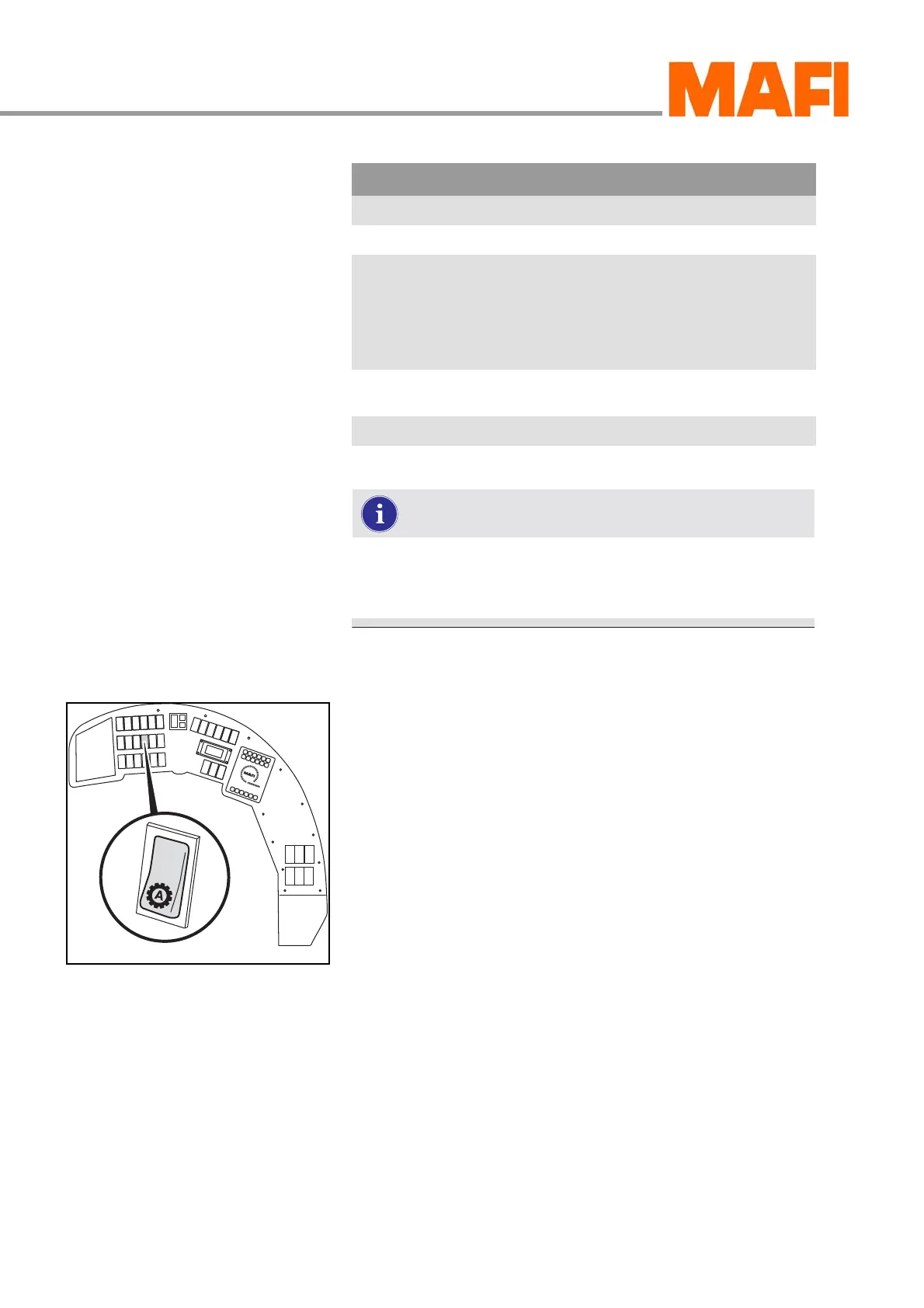
Automatic/manual mode <optional>
Fig. 63: Operating mode switch
With the mode switch, you can switch between manual
or automatic gear shifting.
Switching the operating mode
X Press the switch down.
3 The transmission is in automatic mode.
X Press the switch up.
3 The transmission is in manual mode.
W L High input torque (load)
W O High output torque (load)
P N Forward or reverse driving direction
selected although parking brake is
on
Set transmission to
neutral until the park-
ing brake is released.
Caution: MT starts
driving after the park-
ing brake is released!
E E No communication with the display
possible.
Error codes, see list of error codes of the manufacturer.
Display Warning Remark
Table 3: Display messages during driving mode (warnings)



 To Next Page