We recommend that the distance between the Web UI and the
encoder should be within 10m.
iii. In your web browser, enter 192.168.48.1 to open the Web UI.
Tap on the LCD screen, you can find the Web UI QR code,
record and live status, network connection status and so on.
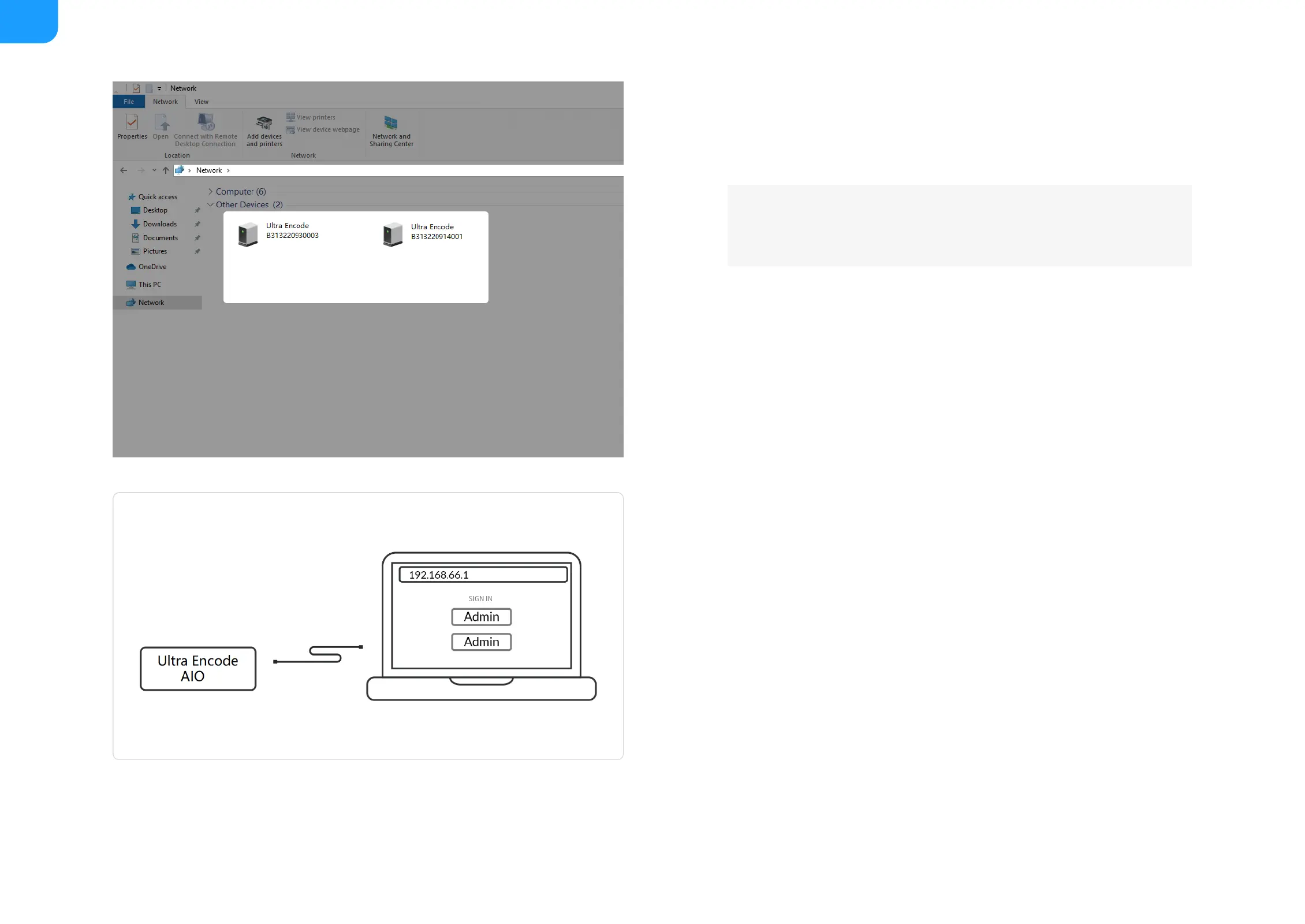
Via File Explorer on Windows 7 and above
i. Open File Explorer in your PC, then locate your device in Network
> Other Devices.
ii. Double click the device icon to open the sign in page of Web UI.
■
Via USB NET, IP Address: 192.168.66.1
i. Connect the device CONFIG (a USB-C port on the back panel) to
your computer using USB cable.
ii. Type the USB NET IP address 192.168.66.1 in your web browser to
access the Web UI.
■
Via device Wi-Fi AP, IP Address: 192.168.48.1
Refer to the steps to join the device AP and access the Web UI.
■



 To Next Page